PAGE 18 OF 22
▣ System Requirements & Restrictions
1. Operating Systems
• Windows 10 (32-bit or 64-bit)
• Windows 8/ 8.1 (32-bit or 64-bit)
• Windows 7 (32-bit or-64-bit)
• Windows Vista with SP1 or 2 (32-bit or 64-bit editions)
• Windows XP Home or Professional with SP 2 or 3
• Windows Server 2008 and 2008 R2
• Mac OS X Snow Leopard 10.6 (Snow Leopard), 10.7 (Lion) and 10.8 (Mountain Lion):
Supported
• Ubuntu 10.04.2
• Android Lollipop or later (5.0 or later)
Note: 64-bit editions of XP and Windows server 2003 are not supported
User may check the Operating System version by Right-click 'My Computer’ → ‘Properties’ →
‘System Properties’
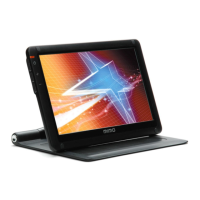
2. MIMO is a USB monitor to be recognized as a Generic USB device. Therefore
system boot-up screen or DOS screen cannot be displayed properly.
3. Any software that requires Hardware 3D accelerator cannot be displayed
properly with USB monitor. Such as below,
• Real Player (Expansion Mode)
• 3D Graphic Games
• Programs based on Direct X graphic engine
4. If the PC doesn’t support USB2.0 MIMO may not operate properly.
5. If the systems’ Graphic card doesn’t support WDDM(Windows Display Driver
Model), the USM monitor’s extension mode may not work properly with Windows
Vista System.
i.e.) Matrox Graphic Card specific version


 To Next Page