PAGE 15 OF 22
▣ Installing Resistive Touchscreen Controller (For UM-760R, UM-760RF)
As a matter of course, it is highly recommended that any other non UPDD touch drivers be
uninstalled prior to installing UPDD.
It is recommended that where possible the MIMO device is connected to the system.
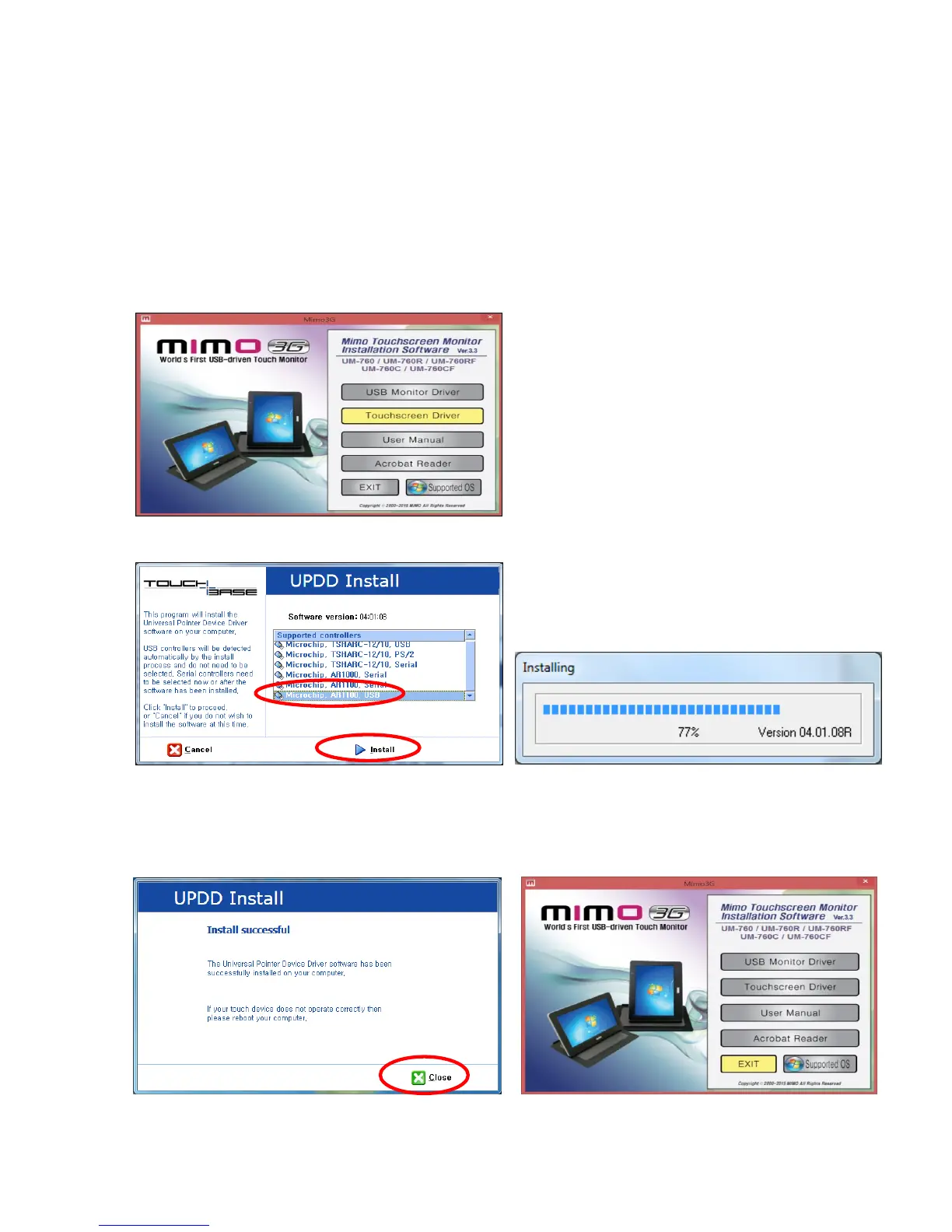
1. Selecting Touchscreen Driver
Select the Touchscreen Driver to install and click it or select the setup.exe file and click on Setuop.exe in
the directory of “Touch Drivers”.
Select “Microchip, AR1100, USB” and click “Install” when you see the following message window.
2. Finish Touch Screen Controller installation
Click「Close」or <Enter> using keyboard. Click 「Exit」to finish the installing program.


 To Next Page