PAGE 16 OF 22
3. Rebooting your system
After complete the install, you need to reboot before you can use the MIMO enabled device.
4. Settings and Calibrations
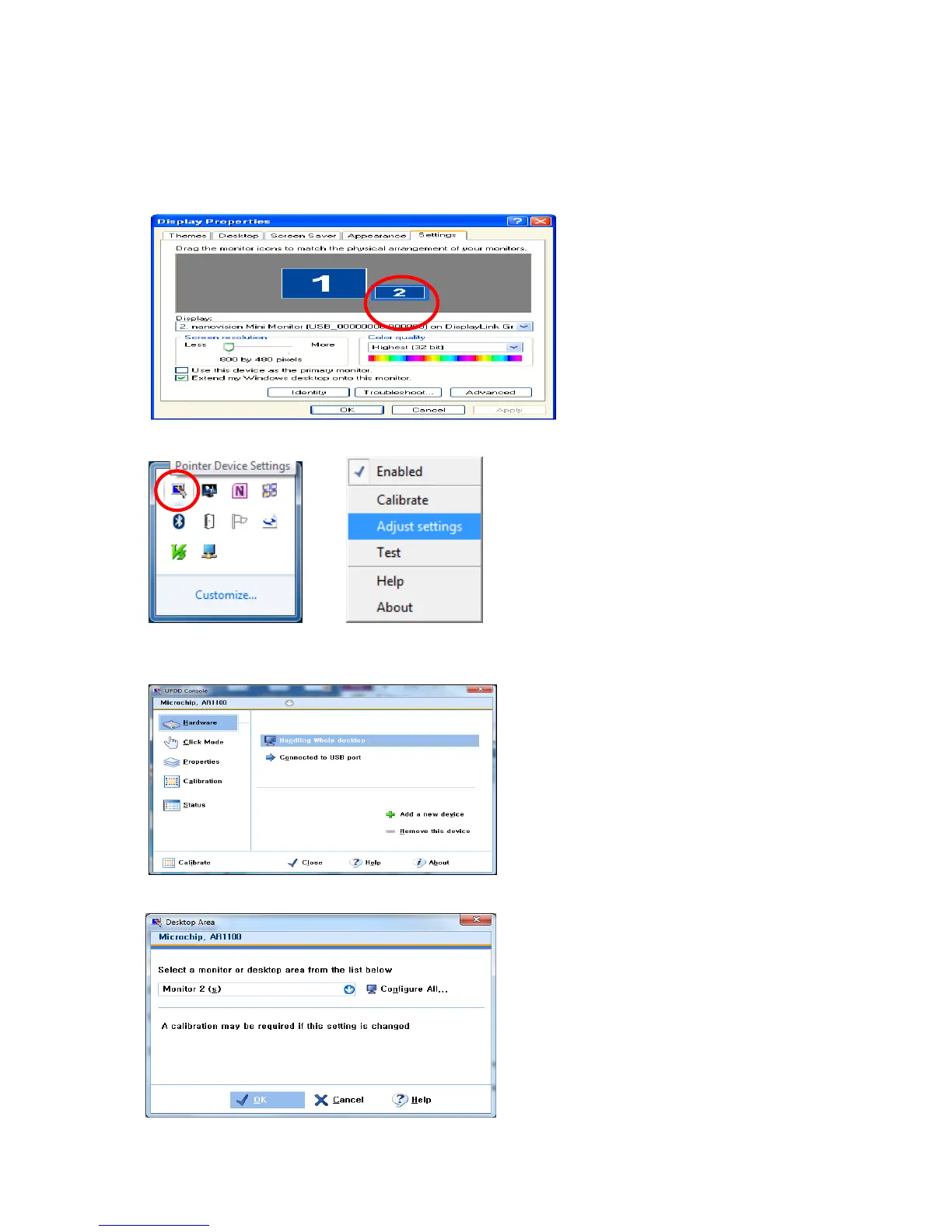
Check the monitor number of the installed MIMO at “Display Properties”
Right-click and click the “Adjust settings” to run the UPDD Console on the system tray.
Chose Hardware and Click “Handling Whole desktop” menu
Select the monitor number of the installed MIMO.


 To Next Page