PAGE 14 OF 22
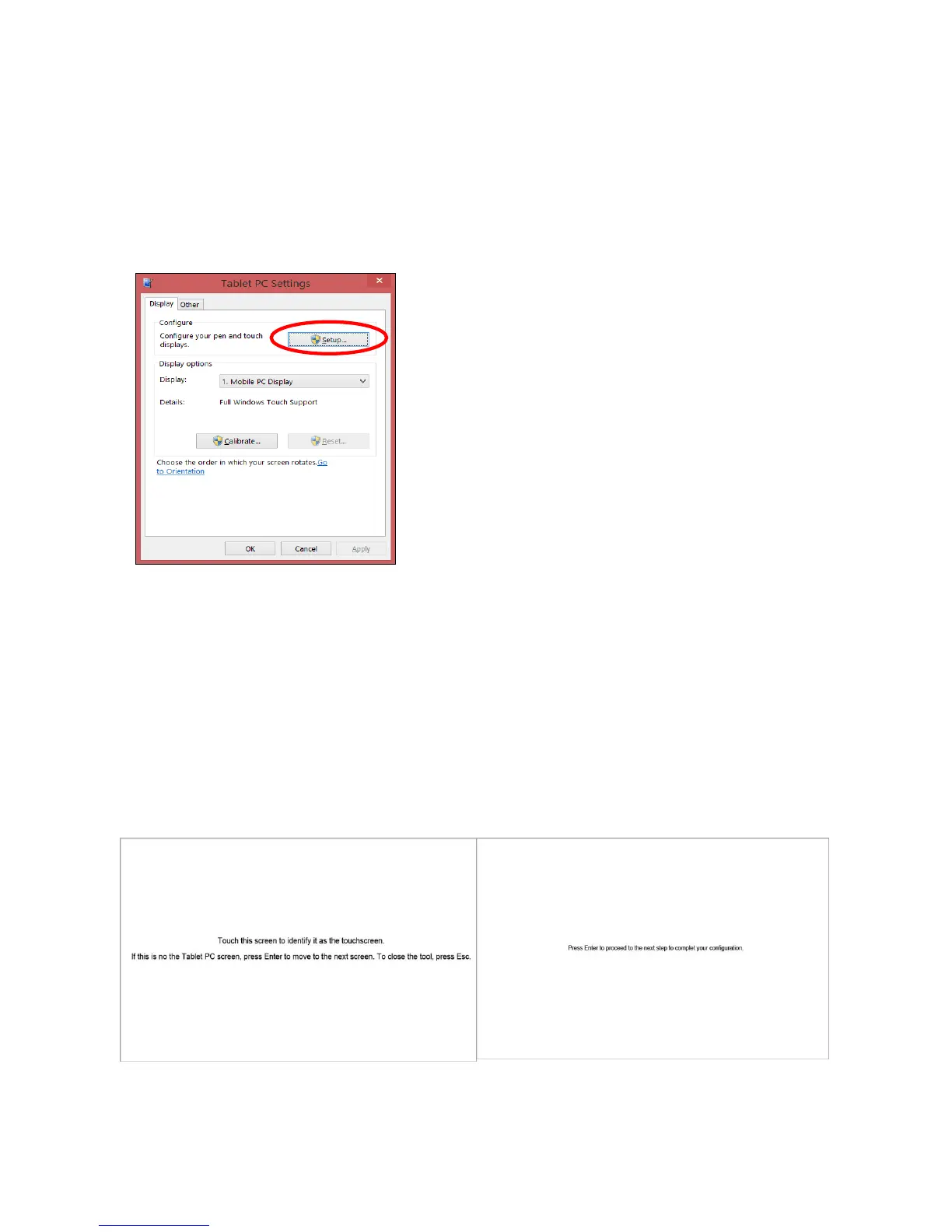
▣ Tablet PC Settings for the use of Capacitive Touchscreen
(For UM-760C, UM-760CF)
This section shows you how to set the “Tablet PC Settings” to use the capacitive touchscreen for
Multi-touch use on Windows 8.1/ 8/ 7.
1. Tablet PC Settings
2. Identifying your device as the touchscreen
Touchscreen identification screens will open according to the configuration procedures and instructions as
below
① Touch the screen to identify it as your touchscreen and press ‘Enter’ to move the next screen if is not
the “Tablet PC Screen”.
② Press ‘Enter’ to proceed to the next step to complete the configuration after you a touchscreen is
identified as your touchscreen.
③ Press ‘Esc’ whenever you want to close this identifying tool.


 To Next Page