
 Need help?
Do you have a question about the mind alive DAVID PAL36 and is the answer not in the manual?
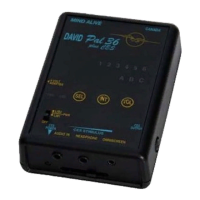
The DAVID PAL36 with CES is an innovative, high-quality audio-visual entrainment (AVE) device designed to guide users into desired states of consciousness and promote maximum brain functioning. It achieves this by combining audio/visual stimulation with cranial electrical stimulation (CES). The device is non-invasive, with all effects produced solely by audio-visual stimuli. Its portability makes it suitable for travel, as airport X-ray machines will not harm the unit.
The DAVID PAL36 with CES aims to support users in their quest for wellness by encouraging various brain areas to work harmoniously. Through AVE, users may experience deep relaxation, increased energy, visual images, colors, patterns, a sense of being "grounded" and calm, and enhanced mental clarity for problem-solving.
The device's operation involves several key physiological changes. Firstly, AVE promotes dissociation, a state akin to the initial stages of effective meditation, characterized by a clearing of thoughts and a loss of body awareness. Secondly, it increases cerebral blood flow, which is beneficial given that many cognitive and emotional disorders are associated with low blood flow in certain brain regions. Studies have shown AVE can increase cerebral blood flow by up to 28%. Thirdly, the DAVID PAL36 with CES alters brainwave activity through entrainment. Quantitative EEG (QEEG) studies confirm that it normalizes brain activity, potentially creating brainwave patterns similar to those of experienced Zen meditators. This can help restructure aberrant brainwave activity associated with conditions like depression, anxiety, ADD, seasonal affective disorder, and chronic fatigue into healthier patterns.
The CES component of the DAVID PAL36 works in conjunction with AVE. CES has been shown to reduce anxiety and improve cognition, particularly in recovering alcoholics. It can also enhance learning and reduce anxiety. Many users report deeper relaxation for prolonged periods when using CES with AVE. Additionally, CES increases neurotransmitter production, which is crucial for information processing, memory, energy levels, and overall physical well-being. Deficiencies in neurotransmitters and endorphins can lead to destructive behaviors and substance abuse.
The DAVID PAL36 with CES also incorporates Heart Rate Variability (HRV) techniques. Long, graceful breathing cycles, a part of meditation, are scientifically proven to calm a stressed autonomic nervous system by settling sympathetic (flight-or-fight) and parasympathetic activity. The device guides users through a 10-second breathing cycle (six breaths/minute), involving slow inhalation and exhalation. During HRV-paced breathing, users listen to a heartbeat generated by the PAL36 with CES through headphones and inhale/exhale for two heartbeats. Sessions typically begin at seven breathing cycles/minute and gradually slow to six, allowing users to relax.
To optimize the experience, users are advised to drink a glass of water 15 minutes before a session and ensure a conducive, comfortable, and quiet environment. Sessions can be enjoyed while sitting or lying down, with eyes open or closed.
To power on, slide the power switch to PWR (either LIB1 or LIB2). To select sessions from Library 1, set the switch to LIB1; for Library 2, set it to LIB2. If using CES, slide the CES slider fully to the left to reset, which will illuminate the CES power indicator light. To turn off, slide the power switch to OFF; the green PWR light will remain dimly lit as a reminder.
Press and hold the INT and VOL buttons simultaneously. The indicator lights will scroll from 6 to 1, confirming Soft Off™ is in progress, which takes 2 minutes to complete.
Upon turning on, the battery power level is displayed on lights 1 to 6. A level of 1 indicates insufficient power, leading to automatic standby. A level of 2 or less suggests the battery may not last the entire session. Replacing the battery or using an adapter is recommended if the level is 2. When plugged into a 9-volt adapter, the power level will always show 6.
The PAL36 offers 30 preset sessions across two libraries (LIB1 and LIB2). Upon startup, the last three selected sessions are displayed. The device then scrolls through the preset session numbers (e.g., A1, A2, A3). Press SEL when the desired session lights up. The INT button can be used to scan through sessions faster. Once a session is selected, its number will flash, and the eyeset lights and headphone volume will gradually increase over ten seconds (Soft On), allowing time to put on the eyeset and headphones. During the session, the session light flashes briefly every few seconds, with every eighth flash showing the battery power level. At the end, lights and volume fade out (Soft Off™). If no buttons are pressed, the device enters standby in two minutes.
All DAVID PAL36 with CES sessions (except Sound Sync Sessions) start with the heartbeat on. To toggle the heartbeat on/off, press and hold the SEL button for approximately one second.
All DAVID PAL36 with CES sessions (except Sound Sync Sessions) begin with the pulsed tone on. Press SEL once to turn off the pulsed tone and select Binaural Beats. Press SEL again to turn off Binaural Beats and select Chime. Press SEL once more to turn off all tones, and again to turn pulsed tones back on.
The raised VOL button allows for easy location with eyes closed. Press and hold VOL to increase volume; release and press/hold again to decrease. Short single presses allow for small adjustments. Lights 1 to 6 indicate the volume level.
The raised INT button allows for easy location with eyes closed. Press and hold INT to increase light intensity; release and press/hold again to decrease. Short single presses allow for small adjustments. Lights 1 to 6 indicate the intensity level.
Intensity, volume, tone, and heartbeat preferences can be saved for each session. Adjust settings during a running session, then press and hold SEL and INT. The indicator lights will scroll from 1 to 6 and back to 1. Preferences are saved only when the session ends. Soft Off™ can be used to end the session sooner.
To play external audio, connect a CD, MP3, computer, or cassette player's headphone jack to the PAL36's AUDIO IN jack using the provided patch cord. If the audio material's playing time exceeds the session length, the session will end, but audio will continue through headphones.
Connect an external audio player to the PAL36's AUDIO IN jack. Select a Sound Sync session. With the Omniscreen eyeset on, increase the audio volume until the lights "dance." If there's no sound for 30 seconds, the Omniscreen eyeset lights will Soft Off™. When sound returns, lights brighten and "dance" again.
CES operates only when an AVE session is running, with the stimulus rate synchronized to AVE. It can also be used independently while sitting, lying down, or engaging in quiet, non-hazardous activities. To use CES, set the intensity slider to the lowest setting (far left). Insert the CES stimulus cable into the CES OUTPUT jack. Attach the yellow clip to the left earlobe and the blue clip to the right earlobe. For better conductance, moisten earlobes with water or saliva. Slowly slide the intensity slider to the right until a very mild sensation is felt. Avoid setting intensity too high to prevent skin irritation. The sensation may feel stronger after a few minutes, so reduce intensity as needed. Feeling the sensation is not necessary for results. At the end of the session, turn down intensity and remove clips.
The DAVID PAL36 with CES is programmable, with six blank sessions (C1 to C6 in Library 2) for storing additional sessions. All preset sessions can be reprogrammed or erased. The DAVID Session Editor is required to add or change sessions. The PAL36 can also be programmed automatically from an encoded CD.
The PAL36 with CES can be powered by a 9-volt battery or a 9-volt adapter (positive center, 1.3 mm plug). If an adapter is used, no power is drawn from the battery. For safety, the CES section will not operate when an adapter is plugged in. To activate CES with an adapter, reset the CES intensity slider to the off position (far left). If not reset, the CES power light will flash an error. Turn off the PAL36 with CES at the end of a session to preserve battery life. To replace the battery, slide off the compartment cover and install the 9-volt battery as shown in Figure 3 (page 10), placing the bottom first and pushing the top down against the metal clips. An alkaline 9-volt battery provides approximately seven hours of operation.
The device stores the last three played preset sessions for faster access. To clear this history, press VOL while the PAL36 with CES is scrolling for a session to be selected.
Clean the PAL36 with CES with a soft cloth slightly moistened with water or a mild detergent. Avoid solvents. While precautions are taken against static electricity, do not expose the device to static sources (e.g., televisions, static-producing fabrics). Do not place it near heat sources (radiators, air ducts), in direct sunlight, or expose it to excessive dust or mechanical vibration. If liquid enters the device, turn it off immediately. Although water-resistant, it is not waterproof. If liquid enters the electronics, have it checked by authorized personnel before further operation.
 General
| Headphones | Yes |
|---|---|
| Number of Sessions | 36 |
| Manufacturer | Mind Alive Inc. |
| Model | DAVID PAL36 |
| Display | No |
| Power Source | Battery |

 To Next Page