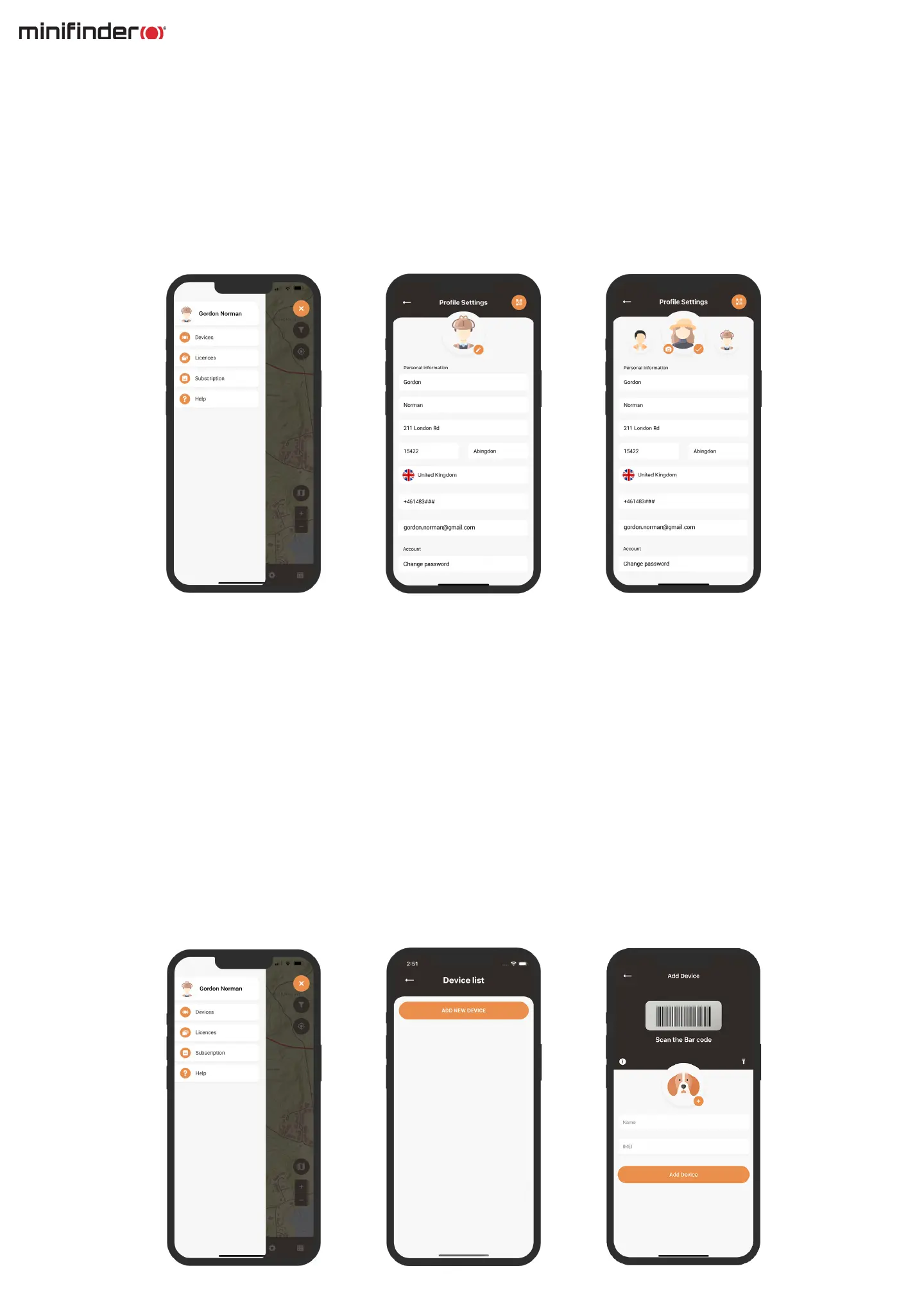
Add a new device
To add a new device to your account, navigate to the menu located in the top left corner of the screen and
select Devices. From there, click on Add new device.
You will now have the option to scan the barcode on your MiniFinder Rex package to automatically
populate the IMEI number. Alternatively, if the package is not available, you can manually input the
IMEI number.
Next, you can choose a name for you device, update the prole picture, and select a color. Once you have
completed these steps, simply click Save and your new device will be added to your account.
Prole settings
To modify or add information to your prole, simply click on the manu located in the top left corner of the
screen and select ”Prole”. This will take you to the Prole settings where you can easily make changes to
your personal information, update your prole picture or change your password.



 To Next Page