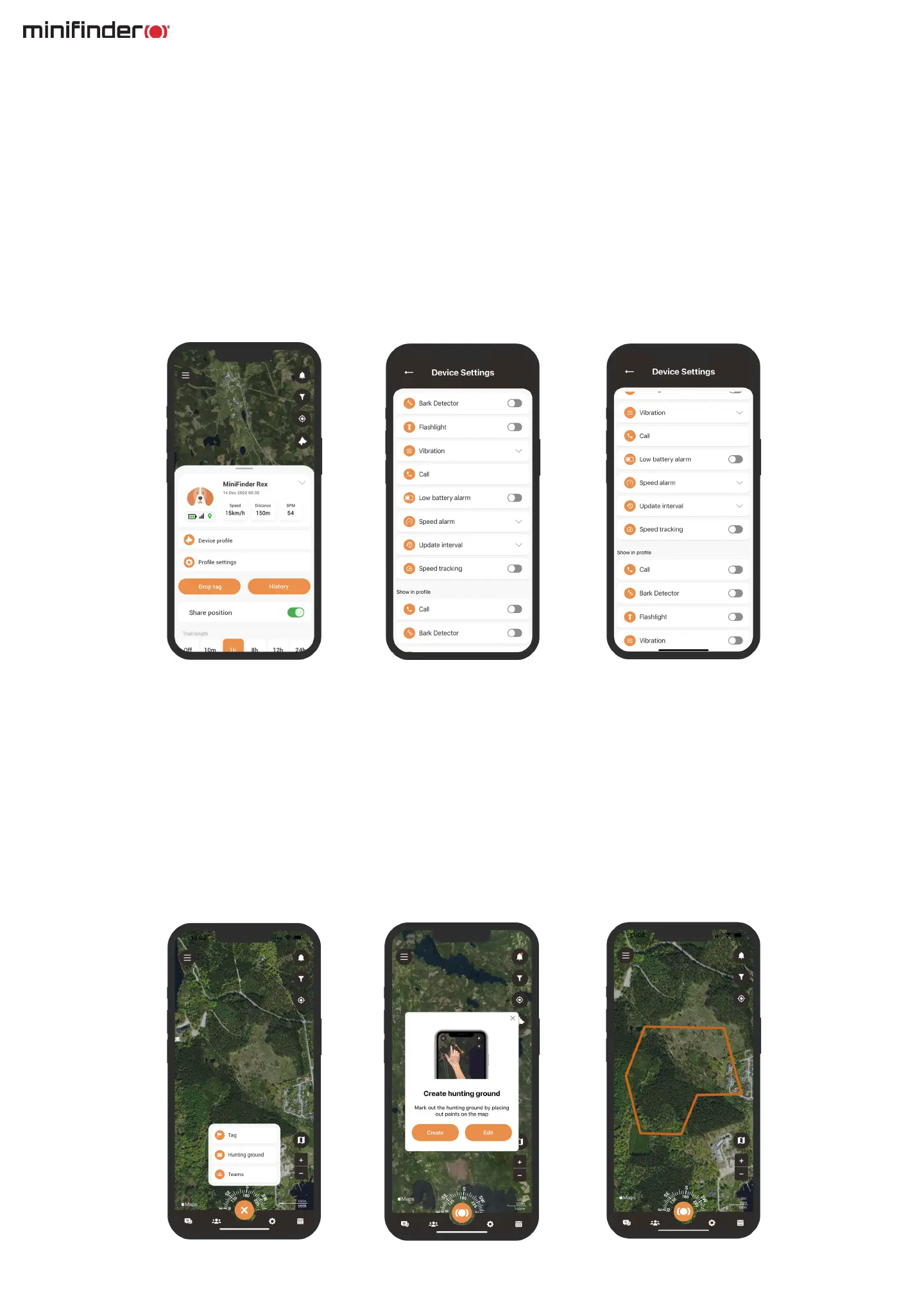
Device settings
Clicking on Settings in the Device panel will take you to a page where you can adjust various settings to
further enhance your hunting expereience. The settings are divided into two parts: the rst section contains
the overall settings for the app.
The second section is called Show in prole. Enabling these settings will make them appear in the Device
panel, allowing you to quickly access commands during the hunt.
Hunting grounds
To create a hunting ground, access the Hunting ground function in the quick menu. Mark out the area you
want to designate as your hunting ground by placing points on the map and connecting them. Give your
hunting ground a name and choose a color before saving.
Once you have successfully created a hunting ground, you can then proceed to create a hunting team.



 To Next Page