Device list
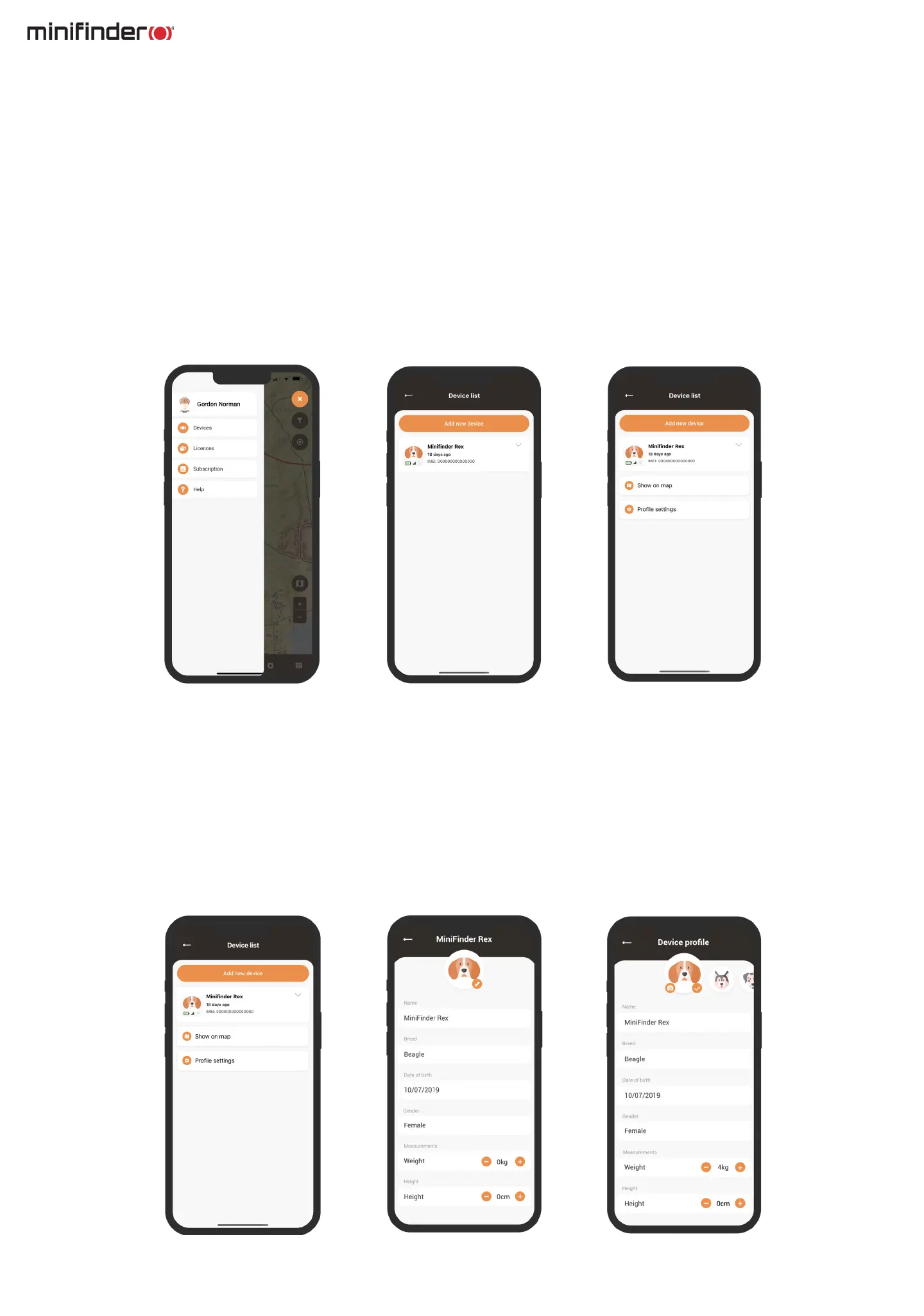
To access a list of devices that have been added to your accout, select Devices from the menu. This will
display a comprehensive list of your registered devices. By clicking on a specic device from the list, a drop-
down menu will appear.
Within the drop-down menu, you will nd two options. The rst is Show on map, which will take you to the
map where you can view your dog’s real-time position. The second option is Prole settings, which we will
explore in the next chapter.
Device prole settings
The Device prole settings section allows you to input specic information regarding you dog, such as its
breed, date of birth, and wight. Furthermore, you can choose a different dog icon or upload a prole picture.
Once you have completed these steps, simply click Save to save your changes.



 To Next Page