Manual MiniFlex 298330863 rev 0 page 28 from 34
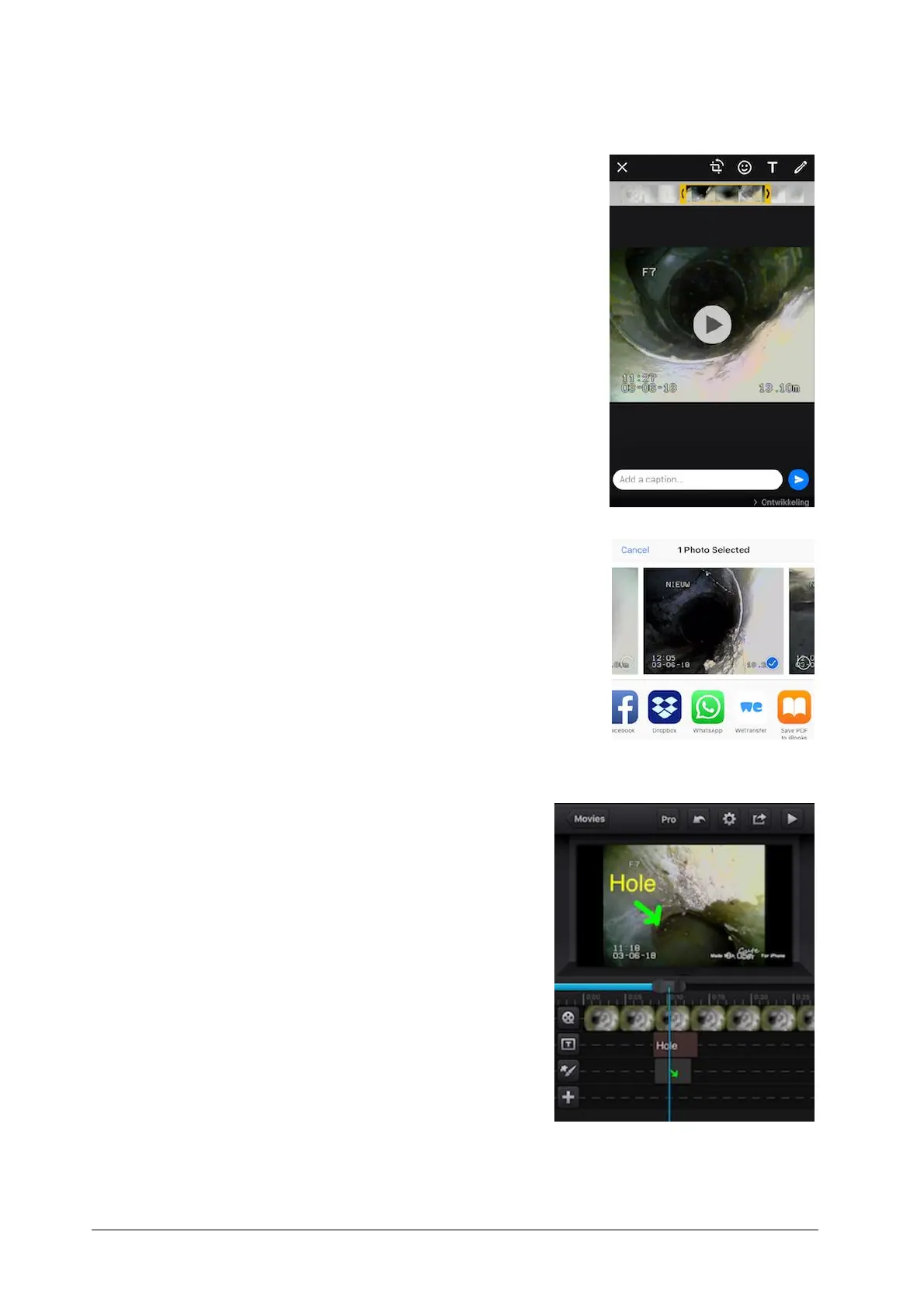
"Video file" Select the part of the file you want to send
using the yellow highlighted slider.
(NOTE there is a limitation of the maximum size you can
send) Make notes, crop and or rotate the video.
For sending with "Dropbox", "We-tranfer" or "email" choose
the corresponding icon. And follow the instruction.
A.4 Advanced video editing
Annotate specific places in a video file for that you
can use "Cute Cut Pro". (see sample picture)



 To Next Page