EasyManua.ls Logo

MINN KOTA MK230PC - User Manual

MINN KOTA MK230PC
25 pages
Print Icon
To Next Page IconTo Next Page
Loading...
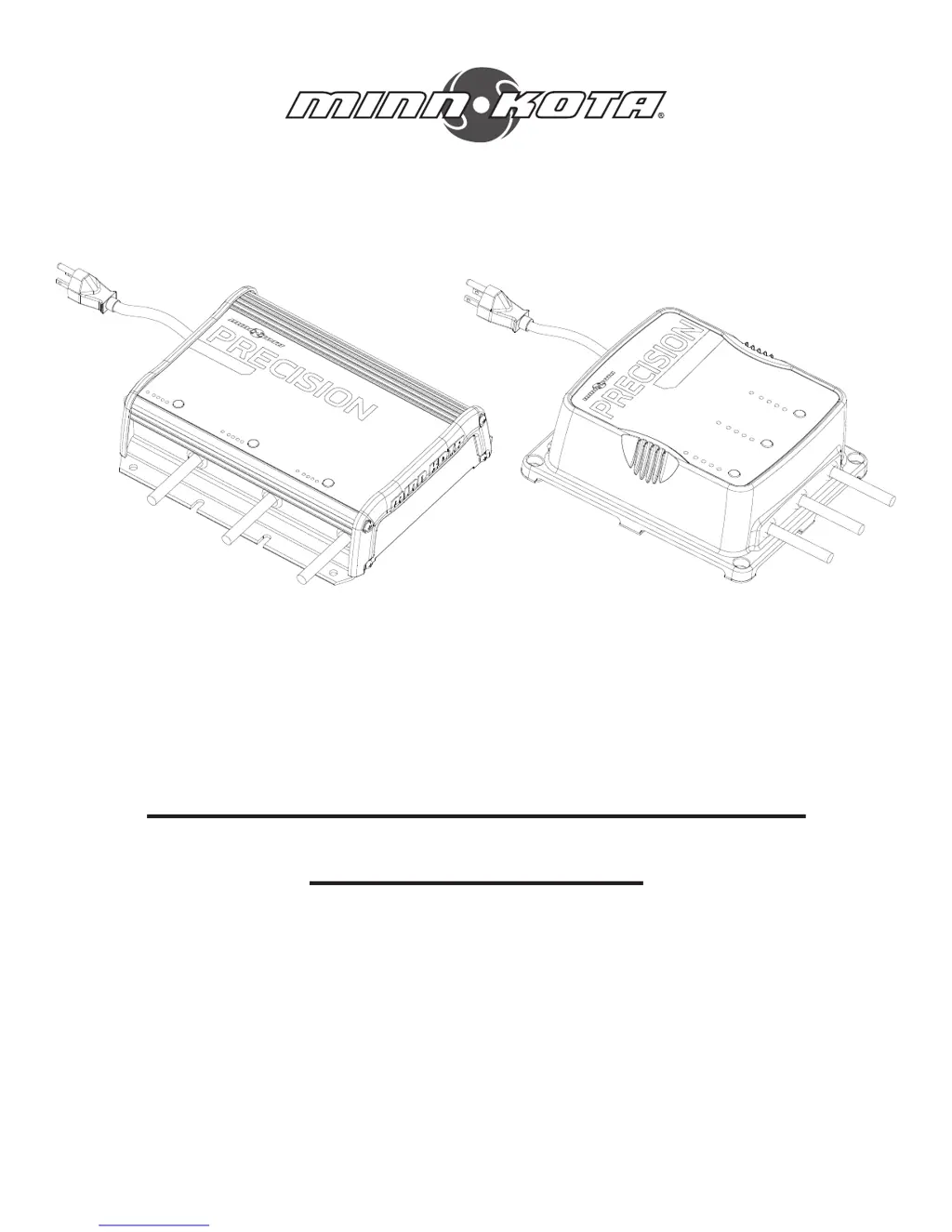
PRECIS
ION ONBOARD
CHARGERS
MK106PC MK110PC
MK212PC MK220PC
MK230PC MK318PC
MK330PC MK345PC
MK440PC MK460PC
USER MANUAL
MK 330PC
MK 345PC

Other manuals for MINN KOTA MK230PC

Questions and Answers

  • M
    Mallory BlackAug 6, 2025
    What to do if indicator lights will not illuminate on MINN KOTA Battery Charger?
    • S
      swilliamsAug 6, 2025
      If the indicator lights on your MINN KOTA Battery Charger are not illuminating, check the AC power at the outlet. Ensure that the GFCI (Ground Fault Circuit Interrupter) for the outlet has not tripped. If you are using an extension cord, verify the AC power at the end of the extension cord.
  • B
    Bianca LopezAug 10, 2025
    What to do if red LED is flashing with steady 25% yellow LED on MINN KOTA MK230PC?
    • C
      crawforddavidAug 11, 2025
      If the red LED is flashing with a steady 25% yellow LED on your MINN KOTA Battery Charger, ensure there are no power loads on the battery. Also, check the fluid level in the battery and add fluid per the battery manufacturer’s specifications. If the battery voltage does not increase above 10.5 volts after 3 hours, the bank will shut down and not charge, so the battery should be tested.
  • B
    Brandon DeleonAug 16, 2025
    What to do if red LED is flashing with steady 50% yellow LED on MINN KOTA MK230PC Battery Charger?
    • M
      mcoleAug 16, 2025
      If the red LED is flashing with a steady 50% yellow LED on your MINN KOTA Battery Charger, first, check to ensure that there are no power loads on the battery. Next, check the fluid in the battery and add fluid according to the battery manufacturer’s specifications. Finally, if the voltage of the battery does not increase to the absorption voltage in 20 hours, the bank will shut down and will not charge, meaning the battery should be tested.
  • B
    Brian CaseyAug 21, 2025
    How to fix a MINN KOTA Battery Charger when the red LED is lit?
    • D
      derekallenAug 21, 2025
      If the red LED is lit on your MINN KOTA Battery Charger, first, check the polarity of the leads to the battery. Also, inspect the connections to the battery and the fuses in the output cord. Finally, ensure the battery voltage is within the acceptable range, as the bank will not charge a battery below 4 volts or above 16 volts.
  • H
    hmorenoAug 26, 2025
    Why is the red LED flashing with steady 25% and 50% yellow LEDs on my MINN KOTA MK230PC?
    • S
      simmonsbreannaAug 26, 2025
      If the red LED is flashing with steady 25% and 50% yellow LEDs on your MINN KOTA Battery Charger, there is a fault within the charger. Reset the charger by unplugging the AC cord and waiting for all LEDs to turn off, then plug the AC cord back in.
  • F
    florestiffanyAug 31, 2025
    What does it mean when the red LED is flashing with steady 75% yellow LED on MINN KOTA MK230PC Battery Charger?
    • K
      Kenneth FordAug 31, 2025
      If the red LED is flashing with a steady 75% yellow LED on your MINN KOTA Battery Charger, the temperature sensor in the output cord may be damaged. If the output cord was extended, check to make sure the procedure in the Safety Instructions 4i was followed.

Summary

Locating Your Serial Number

Serial Number Location and Importance

Your Minn Kota 11-character serial number is crucial for identifying your specific model and year of manufacture.

Three-Year Replacement Warranty

Exclusions and Limitations of Warranty

Details what the limited warranty does not cover, including commercial use, wear and tear, and accidental damage.

Features of the Precision Onboard Chargers

Digital Microprocessor-Based Design

Highlights automatic temperature compensation, low-line voltage compensation, multi-stage charging, and true-rated output.

Durable Construction

Describes the charger's waterproof, shock-resistant, and vibration-resistant build for marine use.

Comprehensive LED Display

Explains the function of various LEDs for charging status, battery type, and battery selection.

Battery Selection by Bank

Indicates the feature allowing users to select the battery type for each bank independently.

Battery Equalization Feature

Notes the availability of battery equalization for flooded lead-acid batteries.

Safety Precautions

Important Safety Instructions

Covers essential safety guidelines for operating the battery charger, including warnings about electrical hazards.

Personal Precautions

Advises on personal safety measures when working with lead-acid batteries, such as eye protection and avoiding sparks.

DC Connection Precautions

Details safe procedures for connecting the charger's DC output leads to batteries, emphasizing polarity and sequence.

AC Power Cord Connection Precautions

Stresses the importance of proper grounding and using appropriate outlets for the AC power cord to prevent shock.

Installation and Mounting

Locating the Charger

Provides guidelines on where to position the charger to avoid battery acid damage and ensure proper ventilation.

Mounting the Charger Securely

Recommends secure mounting methods using bolts and washers for durability, especially in marine environments.

Optional Installation

Installing the MK-EC Extension Cable Accessory

Step-by-step guide for extending the charger's output cables using the optional accessory kit.

Operating the Charger

Overview of Charger Operation

Introduces the charger's capabilities for charging different battery types and configurations.

Selecting the Battery Type

Explains how to manually switch between Gel, Flooded Lead-Acid, AGM, and Equalize modes for optimal charging.

General Charging Operation

Describes the initial LED indicators and the charging process progression, including maintenance mode.

Indicator LED Meanings

Details the meaning of each LED indicator (RED, YELLOW, GREEN) for troubleshooting and status monitoring.

Multi-Stage Charging Process

Explains the Bulk, Absorption, Equalize, and Maintenance stages for efficient and safe battery charging.

Troubleshooting Common Issues

Error Conditions and Solutions

Lists common error conditions indicated by LED lights and provides corresponding solutions for resolution.

Technical Specifications

Presents technical specifications for various charger models, including input power, output, and dimensions.

Frequently Asked Questions

Battery Compatibility and Charging Queries

Answers common questions about charging different battery types, connecting multiple batteries, and compatibility.

Charger Operation and Storage Queries

Addresses questions regarding LED behavior after unplugging, long-term storage, and generator usage.

Service and Maintenance

General Maintenance Procedures

Outlines routine cleaning and care for the charger and battery terminals to ensure longevity and performance.

Compliance Statements

Environmental Compliance and Disposal Information

Provides statements on environmental responsibility, WEEE directive, and proper disposal of electronic equipment.

Parts Diagram and List

Parts for MK106 PC; MK110 PC

Diagram and list of components for the MK106PC and MK110PC charger models.

Parts for MK212 PC; MK220 PC

Diagram and list of components for the MK212PC and MK220PC charger models.

Parts for MK318 PC; MK330 PC

Diagram and list of components for the MK318PC and MK330PC charger models.

Parts for MK440 PC

Diagram and list of components for the MK440PC charger model.

Parts for MK230 PC; MK345 PC; MK460 PC

Diagram and list of components for the MK230PC, MK345PC, and MK460PC charger models.

Recommended Accessories

Charger Output Extension Cables

Describes the MK-EC-15 extension cables for longer reach and quick connectors.

AC Power Port

Details the adapter for convenient thru-hull AC connection, preventing corrosion.

Talon Shallow Water Anchor

Highlights features of the Talon anchor, such as multi-stage deployment and anchoring force.

Minn Kota Accessories Overview

Lists various trolling motor accessories offered by Minn Kota, including circuit breakers and battery connectors.

MINN KOTA MK230PC Specifications

General IconGeneral
ModelMK230PC
Input Voltage120 VAC
Output Voltage12 VDC
Number of Banks2
Stages3
Charging TypeAutomatic
Output per bank15A
Battery TypeLead Acid
Compatible Battery TypesLead-Acid (Wet, Gel, AGM)
DescriptionMINN KOTA MK230PC Precision Charger
Output Amperage15A per bank

Related product manuals