EasyManua.ls Logo

Minolta alpha5 - Page 92

Minolta alpha5
121 pages
Print Icon
To Next Page IconTo Next Page
To Previous Page IconTo Previous Page
Loading...
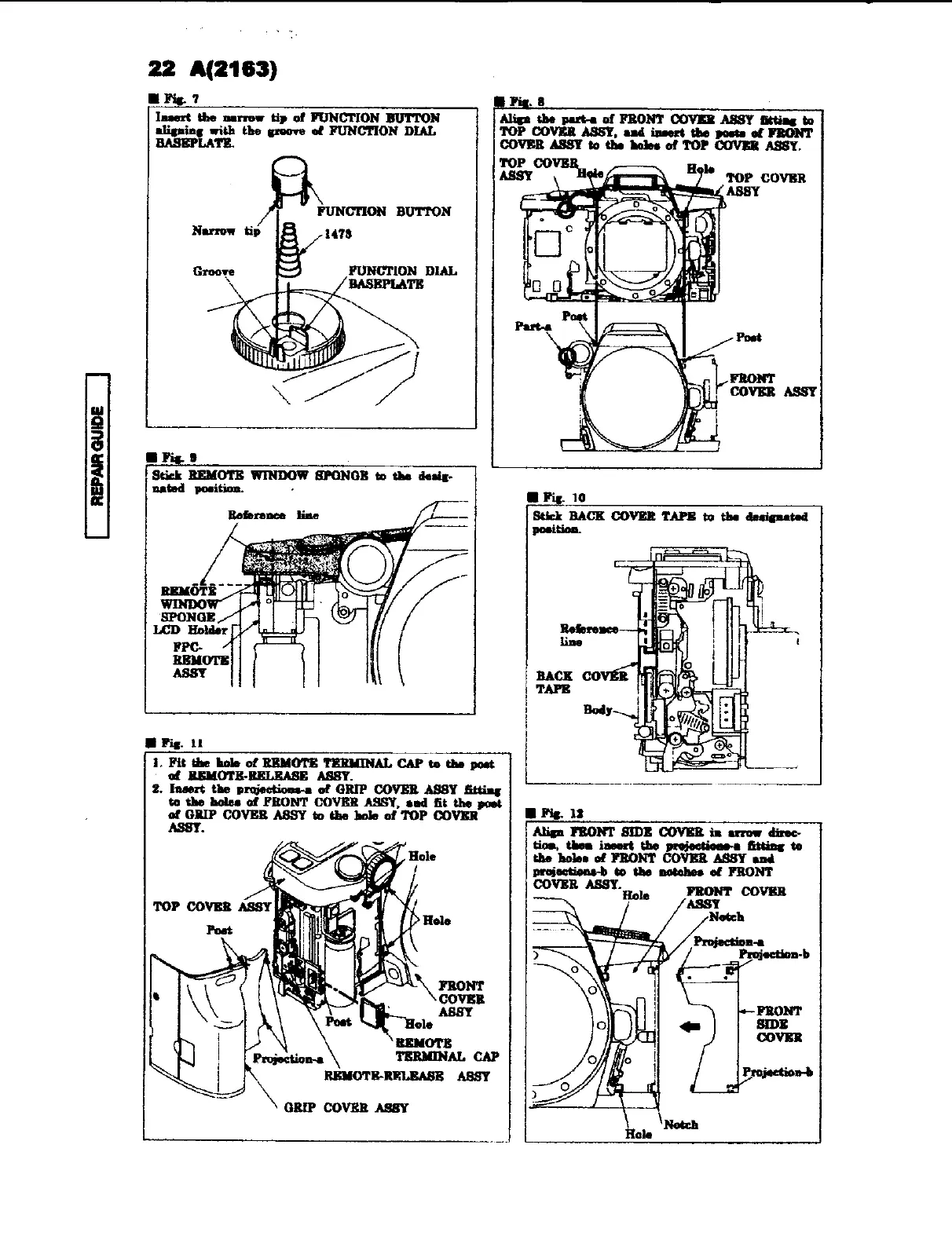
REPARGUIDE
|
|
22
A(2163)
@
Fig.
7
Insert
the
narrow
tip
of
FUNCTION
BUTTON
aligning
with
the
groove
of
FUNCTION
DIAL
BASEPLATE.
@
Fig
9
Stick
REMOTE
WINDOW
SPONGE
to
the
desig-
nated
position.
.
Reference
line
_
pt
ee
ere
t
()
—_—
REMOTE
>
t
iz
3
‘SPONGE
.
LED
Holder
FPC-
REMOTE
ASSY
@
Fig.
11
1.
Fit
the
bole
of
REMOTE
TERMINAL
CAP
to
the
post
'
of
REMOTE-RELEASE
ASSY.
2.
Insert
the
projections-a
of
GRIP
COVER
ASSY
fitting
to
the
holes
of
FRONT COVER
ASSY,
and
fit
the
post
of
GRIP
COVER
ASSY
to
the
hole
of
TOP
COVER
@
Fig.
10
position.
Stick
BACK
COVER
TAPE
ta
the
dasignated
@
Fig.
12
COVER
ASSY.
Hole
Align
FRONT
SIDE
COVER
in
arrow
direc-
tiom,
thea
insert
the
projectione-a
fitting
to
the
holes
of
FRONT
COVER
ASSY
and
projections-b
to
the
notches
of
FRONT
FRONT
COVER
ASSY
Notch

Related product manuals