EasyManua.ls Logo

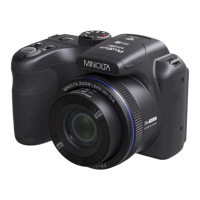
Minolta ProShot MN53Z - User Manual

Minolta ProShot MN53Z
120 pages
Print Icon
To Next Page IconTo Next Page
Loading...

Table of Contents

Questions and Answers

  • T
    Tiffany MarquezAug 13, 2025
    How to fix a Minolta Digital Camera that won't turn on?
    • D
      Deborah HowardAug 13, 2025
      If your Minolta Digital Camera won't turn on, it could be due to a depleted battery. Try recharging the battery. Alternatively, the battery might not be inserted correctly. Ensure you correctly reinstall the battery.
  • N
    Nicole HoweAug 17, 2025
    Why does my Minolta Digital Camera turn off suddenly?
    • Q
      qleeAug 17, 2025
      Your Minolta Digital Camera might be turning off suddenly because the batteries are depleted, so try recharging the battery. Also, ensure the camera is actually shutting off and not entering Power Save Mode, where the LCD will turn off after a period of inactivity.
  • A
    Ariana AdamsAug 21, 2025
    How to fix blurry pictures on Minolta Digital Camera?
    • M
      mcguiredavidAug 21, 2025
      If your pictures are blurry on your Minolta Digital Camera, it may be due to camera shake. Turn on the OIS feature and consider using a tripod, especially for high magnification. If you are holding the camera, be sure to use both hands to stabilize it.
  • J
    Jessica LawsonAug 25, 2025
    What to do if images will not print from Minolta Digital Camera?
    • B
      Brooke JohnstonAug 25, 2025
      If images are not printing from your Minolta Digital Camera, first check the connection between the camera and the printer. Ensure you are using a PICTBRIDGEâ„¢ compatible printer. Also, make sure the printer has paper and ink. Finally, check if the printer paper is jammed and, if so, remove the jammed paper.
  • J
    Jeffrey RussellAug 28, 2025
    Why is saving data to memory card slow on Minolta ProShot MN53Z?
    • K
      Keith WallaceAug 29, 2025
      If saving data to the memory card is slow on your Minolta Digital Camera, it might be because you are using a memory card below Class 4. Using a memory card with write Class 4 or higher can improve performance.
  • C
    Christopher JonesSep 1, 2025
    What to do if Minolta Digital Camera doesn't save images and video?
    • J
      Jacob GarnerSep 1, 2025
      If your Minolta Digital Camera isn't saving images and video files, the SD memory card might be full. Try using another memory card. Alternatively, the memory card might be locked. Unlock the memory card to enable saving.
  • A
    Alex JohnsonSep 5, 2025
    What to do if I cannot write to the memory card of Minolta ProShot MN53Z?
    • L
      lanegregorySep 5, 2025
      If you cannot write to the memory card of your Minolta Digital Camera, the SD memory card may have been locked. Release the write lock of the memory card or replace it with another card.
  • D
    Dwayne ButlerSep 9, 2025
    Why Minolta ProShot MN53Z Digital Camera says 'too many movies to process'?
    • M
      Mr. Matthew LopezSep 9, 2025
      The 'too many movies to process' message on your Minolta Digital Camera indicates that the number of pictures or folders in the memory card exceeds the specifications. Delete unwanted files to resolve this issue.

Summary

BEFORE YOU START

Regulatory Compliance

Details FCC statements and declaration of conformity for the device.

SAFETY NOTES

Device and Component Safety

Covers crucial safety guidelines for camera, battery, and memory card usage.

GETTING READY

Initial Setup and Configuration

Guides on accessories, battery/card installation, and initial language/date settings.

Camera Part Identification

Identifies and labels all external buttons and ports on the camera.

MODE OVERVIEW

Understanding Shooting Modes

Describes the functionality of various shooting modes accessible via the mode dial.

BASIC OPERATION

Core Camera Functions

Covers zoom, focus settings, self-timer, flash, white balance, and EV adjustments.

PLAYBACK MODE

Viewing and Managing Media

Guides on viewing photos/videos, thumbnail view, and basic playback controls.

GENERAL SETTINGS

System Configuration and File Management

Covers sound settings, power saver, language, and file management.

CONNECTION SETTINGS

Connecting to External Devices

Details PC connection, file transfer, and PICTBRIDGE printing.

APPENDICES

Troubleshooting and Specifications

Provides solutions for common problems, error messages, and technical specifications.

Minolta ProShot MN53Z Specifications

General IconGeneral
ModelMN53Z
Sensor TypeCMOS
Digital Zoom4x
LCD Screen Size3.0 inch
ConnectivityUSB 2.0
Aperturef/2.8
ISO100
Video Resolution640x480 (30fps)
Storage MediaSD, SDHC
BatteryRechargeable Li-ion Battery
Battery TypeLi-ion
Focal Length4.3 (W) - 180.6 (T) mm

Related product manuals