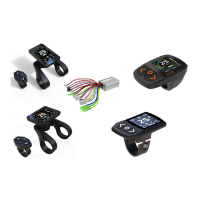
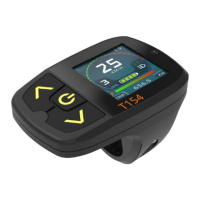
Need help?
Do you have a question about the Minshine T24-V1 and is the answer not in the manual?
Manual advises focusing on riding, consulting dealer for issues, and avoiding risks.
Details power, screen, button, fix position, communication, material, and ingress protection.
Instructions for powering on/off, controlling lights, and engaging cruise control.
How to switch assistance levels and riding modes like ECO, CITY, SPORT.
Configuration options for Wheel Size, Unit, Fix Position, Riding Mode, Light, Max Speed, etc.
Displays messages for Communication Interrupted and Low Voltage/Battery Empty warnings.
Displays messages for Speed Sensor Broken, Motor Hall Broken, Over Temperature, and Controller Overtemp warnings.
Error messages for Version Dismatch and Synchro Fail, with solutions.
Error messages for Controller Broken and Controller Memory Fail, with solutions.
Error messages for Display Memory Fail and Gallop Throttle Fail, with possible causes.
Message indicating a motor cable disconnection or breakage, with a solution.
Steps to prepare for loading firmware, including USB Dongle and reading firmware files.
Guide on using the Controller Firmware Load Tool to load firmware onto the ebike controller.
How to set a service distance for a bike, triggering maintenance alerts on the display.
Using a service display and cable to reset a forgotten password for the target display.
 General
| Product Type | Bicycle Light |
|---|---|
| Model | T24-V1 |
| Light Source | LED |
| Battery Type | Lithium-ion |
| Waterproof Rating | IPX6 |
| Mounting Type | Handlebar Mount |
| Material | Aluminum Alloy |


 To Next Page