Mio FUSE User Guide 08
bed), time in bed, time spent asleep, time spent awake, time spent in light sleep and time
spent in deep sleep.
Sleep Mode Troubleshooting
If your data doesn’t appear after syncing to the Mio GO app:
•
Try syncing again by swiping down on the workout total screen.
•
Close and re-open the app.
Wearing Your Mio FUSE
To accurately monitor your workout and sleep:
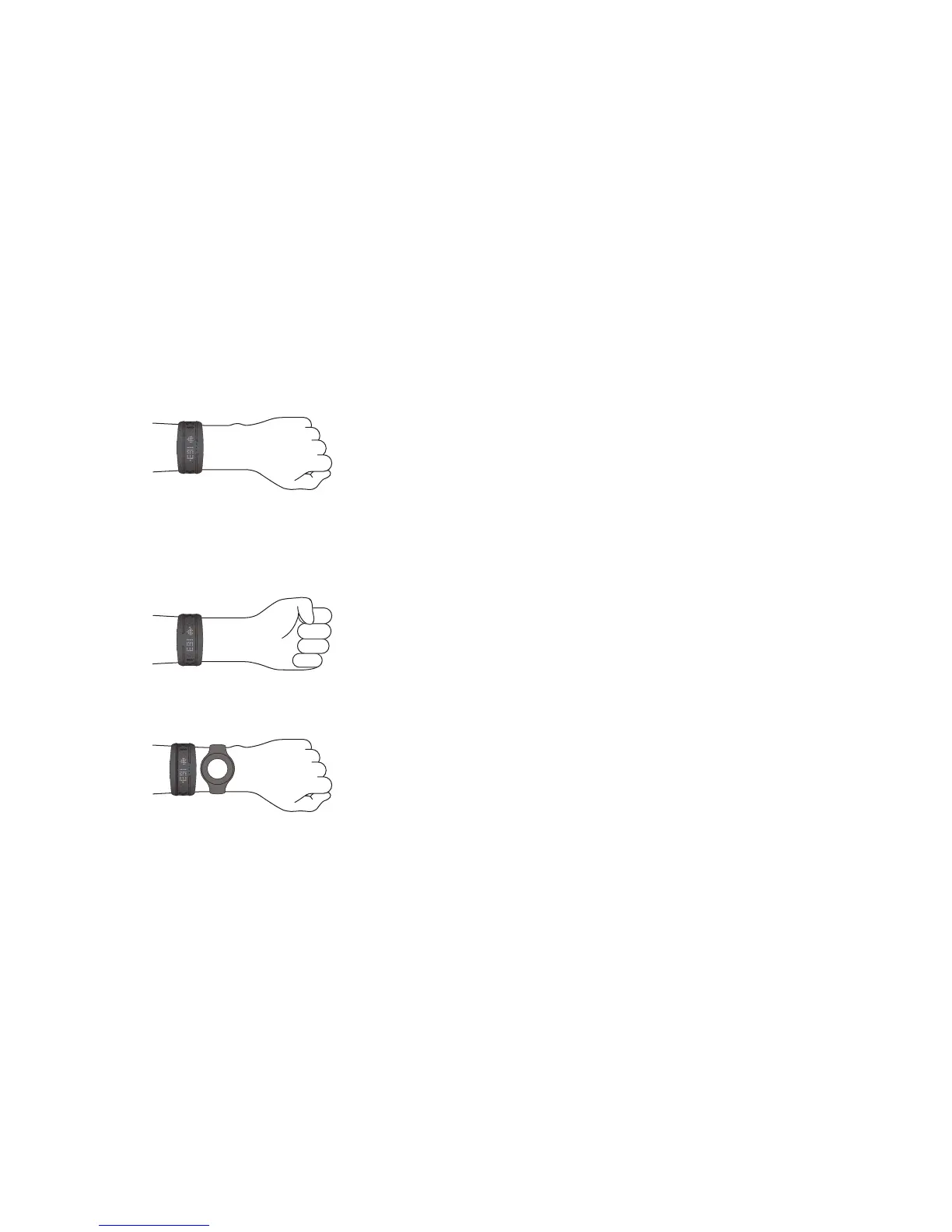
1. Fasten Mio FUSE snugly on your lower forearm, about 1-3 inches (3-8 cm) above your
wrist bone. The optical sensor on the back should make good contact with your skin.
2. If you have a smaller wrist, wear the Mio FUSE higher on your forearm.
3. For cyclists or users with concave wrists, wear the Mio FUSE higher and on the
underside of your forearm, since bending of the wrist may affect the heart rate
reading.
4. If you are using Mio FUSE with an ANT+ sport device, wear both devices on the same
arm for a better ANT+ connection.
Important: For optimal heart rate accuracy, especially if you often have cold hands or poor
circulation, we strongly recommend doing a warm up exercise for a few minutes before you
begin to track your heart rate.
Troubleshooting
•
Minimize wrist movement when Mio FUSE is searching for your initial heart rate.
•
Try tightening the strap.
•
Try wearing the Mio FUSE higher on your forearm.
•
On colder days, activate the heart rate reading before heading outdoors.
•
If you are still having trouble, try wearing Mio FUSE on your other arm.
For additional help, please visit mioglobal.com/support.


 To Next Page