EasyManua.ls Logo

MIOX RIO Zuni Series - User Manual

MIOX RIO Zuni Series
46 pages
Print Icon
To Next Page IconTo Next Page
Loading...
MIOX RIO Zuni™ Operators Manual P/N: 102-00094-I Page 1
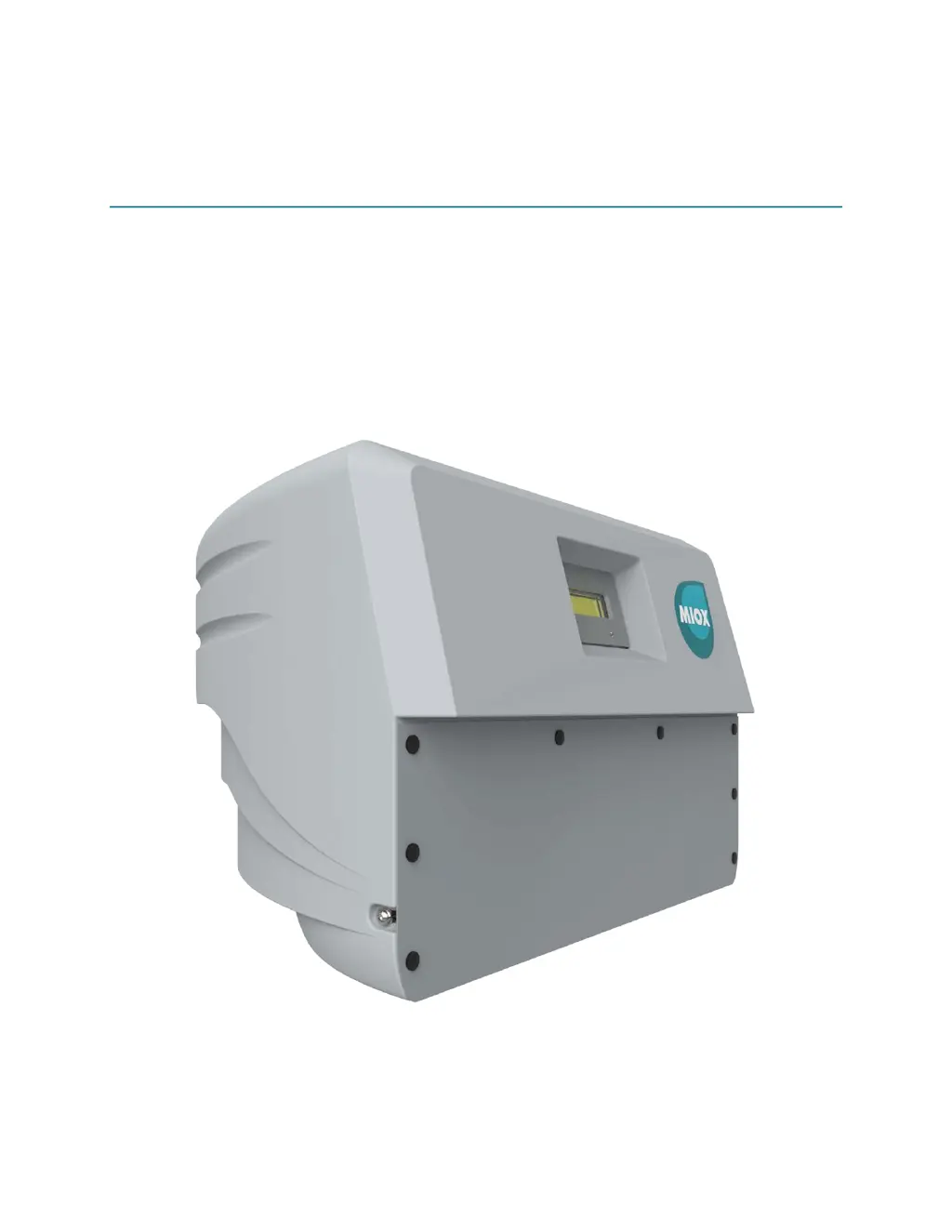
RIO ZuniSeries On-Site
Generator 1.0 and 2.0
Installation, Operation, and Maintenance
Manual
1 December 2017

Table of Contents

Questions and Answers

  • D
    David MendozaAug 15, 2025
    What to do if MIOX RIO Zuni chlorine production is lower than normal?
    • O
      ortizmollyAug 15, 2025
      If the MIOX Portable Generator's chlorine production is lower than normal, possible causes include high flow through the cell, blocked cell exit ports, injection system malfunction, depleted cell life, breaks in water lines, mixed oxidants stored too long, or the system running outside specifications. You can measure the flow, clear any blockages in the cell exit ports (replace the cell if you can't remove the blockage), and check the cell amperage, flow, chlorine production, and salt consumption (replace cell if needed). Also, check for and repair any leaks, verify measurements with demand-free water, and confirm all parameters are within the system specifications. Contact your service provider if the problem persists.
  • C
    Cole SchwartzAug 18, 2025
    What to do if MIOX RIO Zuni Portable Generator display reads: VERY HIGH CURRENT (Cell #1 or Cell #2)?
    • K
      katherinehendersonAug 18, 2025
      If the display reads 'VERY HIGH CURRENT (Cell #1 or Cell #2)' on your MIOX Portable Generator, it could be due to a loss of water supply, blockage of cell exit ports, or too much conductivity in the cell. First, check the water feed line. Then, turn the system off, remove the cell exit port disconnects, and clear any obstructions within the ports. Finally, close the brine feed, toggle it 3 times for 30 seconds each, and let the third restart complete before opening the brine feed.
  • T
    Thomas MooreAug 21, 2025
    What to do if MIOX Portable Generator display reads: HIGH BRINE PUMP DUTY?
    • E
      Edward WilliamsAug 21, 2025
      If the display reads 'HIGH BRINE PUMP DUTY' on your MIOX Portable Generator, it could be due to low brine concentration, an air-locked brine pump, a locked brine pump due to debris, a ruptured or clogged brine line, controller board failure, a worn-out brine pump, or depleted cell life. Check the salt, water, and brine levels in the brine tank and add salt if needed. Verify the brine inlet valve is open, remove the tube on the inlet to the brine pump and purge the air from the brine line. Remove debris from the brine pump. Replace the peristaltic pump brine line with the provided tubing. Verify the pump turns by removing the cover and manually rotating the roller. Replace the brine pump if necessary.
  • M
    Michael GriffinAug 25, 2025
    What to do if MIOX RIO Zuni faults immediately on startup?
    • J
      Jason ConleyAug 25, 2025
      If the MIOX Portable Generator faults immediately on startup, it might be because the brine is not fully saturated or the water/brine feed isn't getting to the system. Add more salt and wait 30-60 minutes for the brine to fully saturate, then restart the system. Also, confirm that the brine and water feeds are connected and all valves between the supplies and inlets are open. Check for and remove any salt crystals blocking the brine lines.
  • J
    joyshawAug 28, 2025
    What to do if MIOX Portable Generator display reads: VERY HIGH CELL OX TEMP (Cell #1 or Cell #2)?
    • E
      Eric RobertsAug 28, 2025
      If the display reads 'VERY HIGH CELL OX TEMP (Cell #1 or Cell #2)' on your MIOX Portable Generator, the possible causes are loss of water supply, blockage of cell exit ports, or a temperature sensor failure. Check the water feed line. Turn the system off, remove the cell exit port disconnects, and remove any obstructions within the ports.
  • K
    kbenitezAug 31, 2025
    What to do if MIOX RIO Zuni primes but never starts?
    • T
      Travis TorresAug 31, 2025
      If the MIOX Portable Generator primes but never starts, it could be due to a failure in the level switch assembly or too much conductivity in the cell. Confirm the level switches are installed and oriented properly, and all electrical connections are secure. Also, close the brine feed, toggle it 3 times for 30 seconds each, let the third restart complete, and then open the brine feed.
  • M
    Michelle BowersSep 3, 2025
    What to do if MIOX RIO Zuni display reads: DELTA TEMP CELL?
    • F
      Fred MurilloSep 3, 2025
      If the MIOX Portable Generator display reads 'DELTA TEMP CELL', it could be due to a blockage of flow through the cell or a temperature sensor failure. Turn the system off, remove the cell exit port disconnects, and remove any obstructions within the ports. You can also replace the temperature sensor and verify the temperature (inlet oxidant temp).
  • J
    Jennifer StevensSep 7, 2025
    What to do if MIOX Portable Generator display reads: LOW FEED WATER TEMP X?F?
    • C
      Charles MooreSep 7, 2025
      If the display reads 'LOW FEED WATER TEMP X?F' on your MIOX Portable Generator, it may be because the feed water temperature is too low or there's a temperature sensor failure. Increase the feed water temperature to above 50°F (10°C) before restarting the system. You can also temporarily swap the thermowell assemblies or otherwise verify the correct temperature is being displayed.
  • G
    gary07Sep 12, 2025
    Why is there no display visible when MIOX Portable Generator switch turned on?
    • P
      Paul MooreSep 12, 2025
      If there is no display visible when the switch is turned on for your MIOX Portable Generator, it may be due to incorrect power not getting to the system or a power supply failure. First, confirm power is available from the wall, the power cord is properly connected to the unit, and the fuse is not blown. For a power supply failure, contact Customer Support for guidance on troubleshooting or getting the power supply replaced.

Summary

System Description

System Specifications

Technical Specifications

Details on RIO Zuni 1 and 2 models including FAC capacity, salt conversion, and electrical requirements.

Installation and Startup

Safety Precautions and Warnings

Essential safety guidelines and precautions for installing the RIO Zuni system.

Installation Location Requirements

Specifies environmental and spatial requirements for installing the RIO Zuni OSG.

Plumbing Connections

Details on connecting water, brine, and oxidant lines to the OSG.

Electrical Connections

Covers power and level switch connections for system operation, including safety notes.

Installing the RIO Zuni

Step-by-step instructions for physically installing the RIO Zuni OSG unit.

Operation and Maintenance

Troubleshooting

Fault Conditions Classification

Details various fault conditions (hard/soft) and their causes, including a table.

Resolving Software Faults

Explains how to resolve software-related faults by cycling power and restarting the system.

General Troubleshooting Guide

Provides a troubleshooting table for common problems and their remedial actions.

Cell Replacement

Cell Replacement Procedure

Step-by-step instructions for replacing the electrolytic cell of the RIO Zuni.

MIOX RIO Zuni Series Specifications

General IconGeneral
BrandMIOX
ModelRIO Zuni Series
CategoryPortable Generator
LanguageEnglish

Related product manuals