
 Need help?
Do you have a question about the Miracle-Ear EarENERGY 5 RIC R EV and is the answer not in the manual?
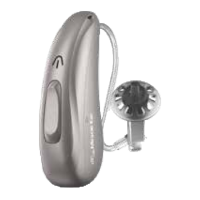
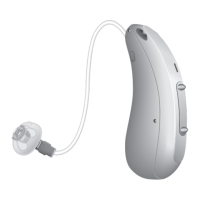
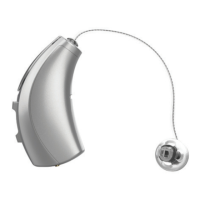
Details the hearing aid's components and their identification labels, including receiver and user controls.
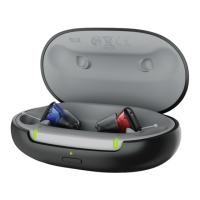
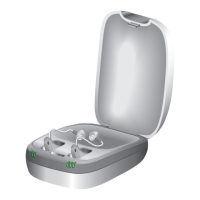
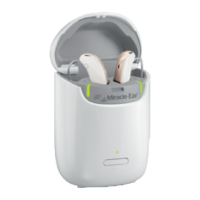
Describes the features and controls of the charging unit, such as charging ports and LEDs.
Instructions for placing hearing aids in the charger and the charging process, including LED indicators.
Step-by-step guide on how to insert and remove the hearing aid from the ear, including retention lock.
Explains automatic and manual power operations for the hearing aid, including delays and charger placement.
Details automatic power management and customizable user control functions for interacting with the hearing aid.
Explains the M-E Mode for environmental adjustments and the tap gesture for control.
Describes how to adjust volume using the rocker switch and the audible indicators for volume settings.
Explains how to use the hearing aid with telephones and phone audio streaming features.
Explains the purpose of Custom Tinnitus™ Technology for tinnitus relief and how user control affects it.
How the hearing aid works with smartphones for calls and audio, including iOS audio routing preferences.
Step-by-step guide for connecting hearing aids to Apple devices via Bluetooth settings.
Step-by-step guide for connecting hearing aids to Android devices via Bluetooth settings.
Instructions for cleaning the hearing aid and replacing disposable wax guards to maintain performance.
Advice on what to do if the hearing aid malfunctions and when to contact hearing care professionals.
Solutions for common issues like not loud enough or inconsistent performance.
Solutions for issues related to the hearing aid charger and LED indicators.
Provides advice for the hearing aid user to improve communication experiences by optimizing listening environments.
Outlines the intended use of the hearing aid and general safety precautions, including environmental considerations.
Key information for prospective users and hearing aid dispensers regarding medical evaluations and candidacy.
Guidance for the proper disposal and recycling of electronic components, including battery handling.
 General
| Type | Receiver-in-Canal (RIC) |
|---|---|
| Bluetooth Connectivity | Yes |
| Noise Reduction | Yes |
| Directional Microphones | Yes |
| Technology | Digital |
| Feedback Cancellation | Yes |



 To Next Page