
 Need help?
Do you have a question about the Miracle-Ear GENIUS 3.0 and is the answer not in the manual?
Important safety warning regarding reading the user and safety manuals.
Instructions to fully charge hearing aids before initial use.
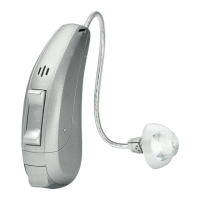
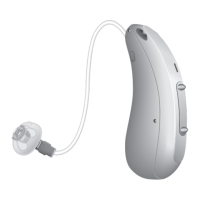
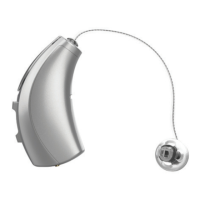
Describes the RIC model and its components.
Identifies key parts of the hearing aid with labels and descriptions.
Lists and describes standard ear piece types available.
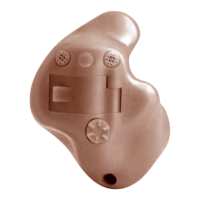
Lists and describes custom-made ear piece options.
Details functions assigned to short, medium, and long presses of the push button.
Lists available hearing programs and refers to program changing section.
Describes the tinnitus control feature.
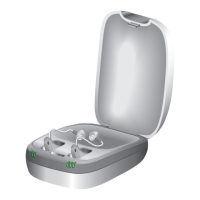
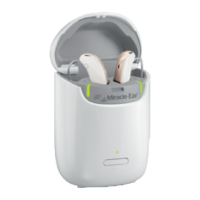
Instructions for placing hearing aids in the charger and charging.
Explains the alert signal for low battery and remaining usage time.
Recommendation for power cell replacement if battery life is insufficient.
Describes turning hearing aids on/off by using the charger.
Explains how to turn hearing aids on/off using the push button.
Clarifies standby mode power consumption and how to exit it.
Explains colored markers indicating left and right ear.
Step-by-step guide for correctly inserting hearing aids with Click Sleeves.
Specific removal instructions for custom ear pieces.
General instructions for removing standard ear pieces.
Warning about potential ear piece detachment and requiring professional help.
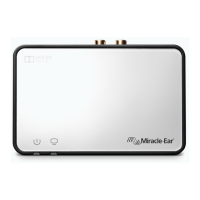
Guidance on aligning the hearing aid and phone receiver.
Suggests configuring a telephone program for preferred phone volume.
General advice on cleaning hearing aids with a soft, dry tissue.
Mentions charger drying and other drying methods.
Instructions for short-term storage using push button or charger.
Guidance for long-term storage, including charging intervals and drying products.
How to clean ear pieces to prevent sound quality issues from cerumen.
Instructions for cleaning Click Domes or Click Sleeves.
Recommends exchanging standard ear pieces every three months.
Step-by-step guide for removing and replacing Click Domes using a tool.
Warning about potential power cell bursting due to incorrect use or damage.
Advises observing operating conditions and protecting from extreme heat and sunlight.
Emphasizes charging only with the approved charger.
Strict warning against disassembling the power cell.
Refers to the safety manual for more detailed safety information.
Lists examples of available accessories like remote controls and apps.
Provides temperature and humidity ranges for operating, discharging, and charging.
Explains the warning symbol indicating potential injury.
Explains the caution symbol indicating possible property damage.
Explains the information symbol for advice and tips.
Defines the 'Made for iPhone' certification and its implications.
Lists potential solutions for weak sound: volume, charging, ear piece.
Solutions for whistling sounds: reinsert ear piece, decrease volume, clean ear piece.
Solutions for distorted sound: decrease volume, charge aid, clean ear piece.
Solution for signal tones: charge the hearing aid.
Solutions for non-working aid: turn on, charge, check charger LEDs.
Fields to record serial numbers for hearing aids and receiver units.
Fields to record service dates for the hearing aid and receiver.
Fields to record purchase date and warranty period.
Placeholder for Hearing Care Specialist contact information.
 General
| Brand | Miracle-Ear |
|---|---|
| Model | GENIUS 3.0 |
| Category | Hearing Aid |
| Language | English |




 To Next Page