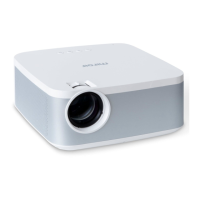
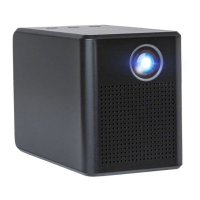
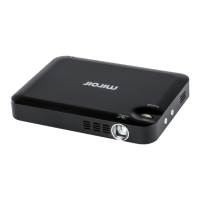
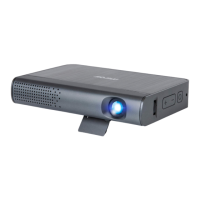
The Miroir L710S is a wireless projector with SYNQ TV, designed for a versatile and immersive viewing experience. This quick start guide provides essential information for setting up, operating, and maintaining the device.
Function Description:
The Miroir L710S functions as a portable wireless projector, capable of displaying content from various sources onto a large screen. It integrates SYNQ TV for enhanced entertainment options. Key features include automatic and manual focus, keystone correction, digital zoom, and multiple input sources. The projector can also act as a Bluetooth speaker, offering flexibility in audio playback. Its wireless capabilities allow for screen mirroring from both iOS and Android devices, making it suitable for a wide range of applications, from home theater to presentations.
Important Technical Specifications:
- Display Technology: LCD
- Light Source: LED
- Resolution: 1080P
- Input Signal: HDMI / USB
- Aspect Ratio: 16:9
- Focus: AUTO/Manual
- Keystone: AUTO + 4P/4D + Manual
- Speaker: 2*5W
- Bluetooth: Version 5.0
- Power Input: 100-240V
- Power Output: 95W
- Photo Format Supported: JPEG/PNG/BMP/GIF
- Audio Format Supported: mp3/wav/asf/wmv/divx/mkv/3gp/mp4/mov/m4a/ts/trp/tp/mpeg/mpg/vob/dat/mka/eac3/webm/ac4/mts/m2ts
- Video Format Supported: mkv/webm/mp4/mov/3gp/ts/trp/tp/mpeg/mpg/vob/dat/asf/wmv
- Operating Temperature: 0°C ~ 38°C / 32°F ~ 100.4°F
- Storage Temperature: -20°C ~ 45°C / -4°F ~ 113°F
- Temperature Protection: Over 80°C temp auto-shutdown
- Ports: HDMI / USB / 3.5mm Audio
- Unit Dimension: (Dimensions not provided in the manual, only "cm")
Usage Features:
The Miroir L710S is designed for user-friendly operation.
- Quick Start: The device can be quickly set up by plugging in the power cord and installing batteries in the remote control. It takes about 10 seconds for the system to detect power on before the power button can be pressed.
- Remote Control: The included remote control offers comprehensive functionality, including power, source selection, Bluetooth setup, focus adjustment (zoom in/out), volume control, and navigation. The remote supports both Bluetooth control (recommended for wider coverage and sensitivity) and common IR sensing.
- Input Sources: Users can connect devices via HDMI or USB. The input source interface is accessible via a dedicated button on the remote.
- Projection Settings:
- Auto Focus: Enabled by default, this feature automatically adjusts for optimal clarity. It can be toggled on/off in the settings.
- Manual Focus: Users can fine-tune clarity using the '-' and '+' buttons on the remote.
- Manual Keystone: This allows for adjusting the screen ratio to conform to system settings, useful when the projector is not perfectly aligned. Direction buttons and an "OK" button are used for adjustment.
- Digital Zoom: The projector supports zooming out (100%-50%) and zooming in (50%-100%) using the 'Down' and 'Up' buttons respectively.
- Projection Distance and Size: The recommended projection screen size is 100-120 inches, with a projection distance of 9.7-11.5 feet. The manual provides a detailed chart for various screen sizes and corresponding projection distances (e.g., 47" at 1.4m/4.6ft, 200" at 5.8m/19ft).
- Projection Modes: The projector supports various projection modes (Front Table, Front Ceiling, Rear Table, Rear Ceiling) which can be selected in the settings page, accommodating different installation scenarios. For ceiling installations, a projector mount is required.
- Wireless Connectivity:
- WIFI Connection: The projector can connect to Wi-Fi networks, enabling access to online content and screen mirroring. Users can find and connect to Wi-Fi networks through the "WIFI Setting" menu.
- Screen Mirroring (iOS Cast): For iOS devices, users can mirror their screen by accessing the "Screen Mirroring" option in the iOS control center and selecting "L710S" from the list. Both the iOS device and the projector must be on the same Wi-Fi network, or the iOS device can create a hotspot for the projector to connect to.
- Screen Mirroring (Android Cast): For Android devices, mirroring is achieved through the Multi-screen/Wireless Display/Screen Mirroring/Smart View Function. Users select "L710S" from the list of available devices. The Android device's Wi-Fi function must be open, but it doesn't necessarily need to be connected to a Wi-Fi router. A hotspot can also be used.
- Bluetooth Speaker Functionality: The projector can be used as a Bluetooth speaker by selecting "Bluetooth Speaker" after pressing the "BT" button on the remote.
- Troubleshooting: The manual includes a troubleshooting section for common issues such as remote control not working, blurry image, no sound, automatic shut-down, upside down image, video mirroring/casting issues, black spots on the screen, and missing accessories.
Maintenance Features:
- Battery Replacement: The remote control requires AAA/UM4 batteries. Instructions for opening the battery compartment and inserting batteries with correct polarity are provided. Users are advised to replace swollen or softened batteries immediately and to avoid mixing old/new or different types of batteries.
- Prolonging Lifespan: To extend the projector's lifespan, it is highly recommended to unplug the power cable completely after each use, especially during long periods of inactivity.
- Ventilation: The bottom of the projector serves as the air inlet. It is crucial not to block this inlet with items like towels to prevent overheating and ensure proper ventilation.
- Lens Cleaning: For black spots on the screen, users are advised to wipe the lens with a dry and clean cloth to remove dust.
- Support: In case of damaged devices or missing accessories, users are directed to contact Miroir Support at www.miroirusa.com.
The Miroir L710S is a comprehensive and user-friendly wireless projector, offering a blend of advanced features and practical design for various projection needs.

 Need help?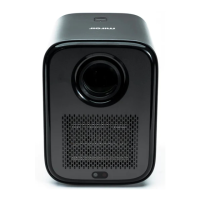

 To Next Page
 General