32
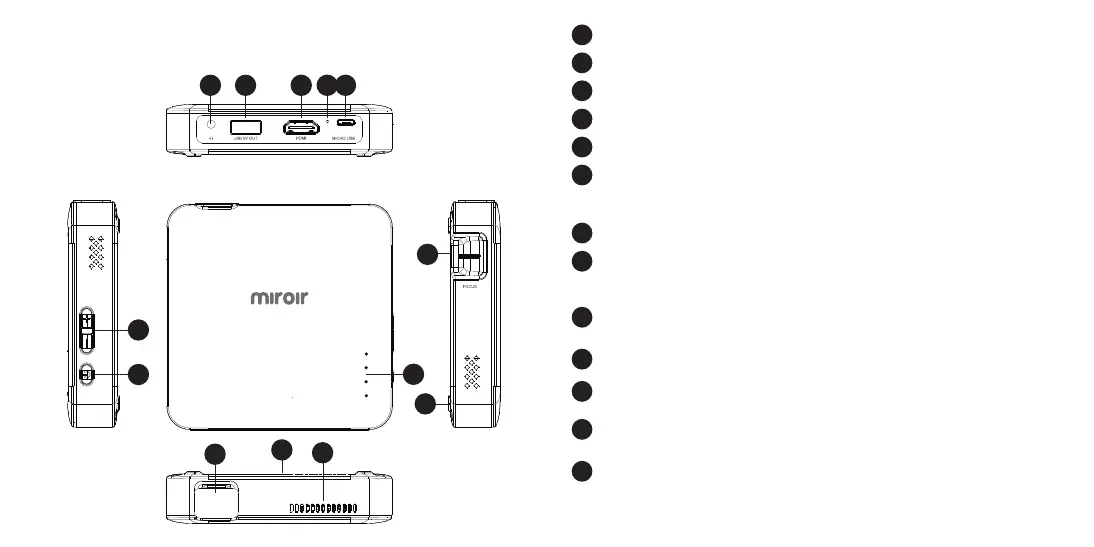
Your Miroir Micro Pro Projector
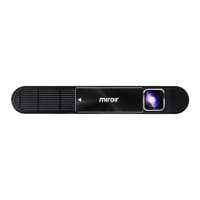
Projection Lens
Cooling Vent - IMPORTANT: Do not cover or block airfl ow to the vent.
Focus Controls - Turn wheel to adjust focus.
Tripod Mount - Will fi t a standard sized tripod screw. Tripod not included.
Rubber Foot Pads - Provides stability and proper airfl ow to cooling vents.
Battery Indicator Lights - Lights fl ash in turn as the device charges.
The battery is fully charged when all the lights illuminate and no
longer fl ash.
Volume Controls - Increase/decrease the volume output of the projector.
Power Button - Press and hold for 3 seconds to power the projector on or
o . Briefl y press to check battery life on the projector. Battery life will
be displayed by the number of lit battery indicator lights.
Power Port - Connect included AC Adapter/Charger for power. Fully
charge battery before the fi rst use (approx. 4-5 hours).
Reset Button - Press to reset projector.
Audio Out (3.5mm) - (Optional) Connect an external speaker or
headphones.
HDMI Video Input - Connect an HDMI cable to a device that supports
HDMI video output.
USB Power Output - Connect a USB power cable to provide power to a
HDMI streaming stick. Cannot be used for video input.
B
A
C
D
E
F
G
H
I
K
J
L
M
F
K M L IJ
D
A
B
E
C
H
G



 To Next Page