Connections
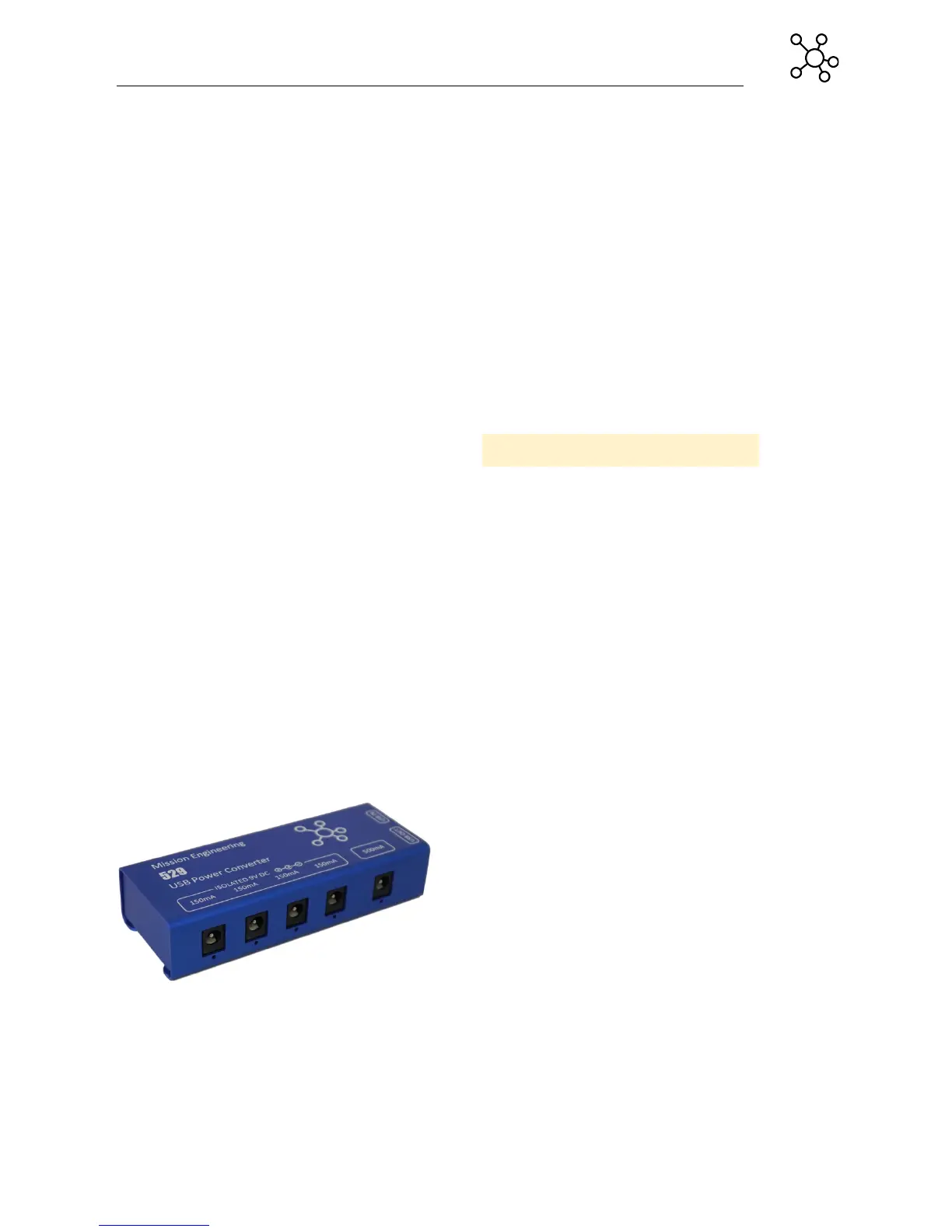
Connect the USB In on the 529 to the included
USB wall charger using a USB A-B cable. When
USB power is present the LED's next to the
outputs will illuminate blue.
Check the current draw of the pedals you are
going to connect. The user guide or
manufacturers web site will normally have this
information. Pedals with a current draw less than
150mA can be connected to any output. Pedals
with greater than 150mA current draw should be
connected to the 500mA output.
Connect your 9V pedals to the appropriate power
outputs using the supplied power cables. Note
that all outputs are center pin negative. Use an
appropriate polarity reversal adapter, if using
center pin positive pedals.
Check that your pedals are functioning correctly.
If there is a fault on the pedal or the output, the
LED on that output will turn off.
Specifications
Input
5V USB 2.0 Type B
Outputs
4 x 9V 150mA
1 x 9V 500mA
1 x 5V USB Type A
Min: 160mA
Max: 2400mA
Quiescent Current
160mA
Dimensions
4.5ʺ x 1.75ʺ x 1ʺ
0.25lbs
Construction
Aluminum case
Blue anodized


 To Next Page