Positioning The Loudspeakers
Place the loudspeakers on rigid stands. We strongly recommend the Mission 700 stands which
have been purposely designed to achieve the best performance from your speakers.
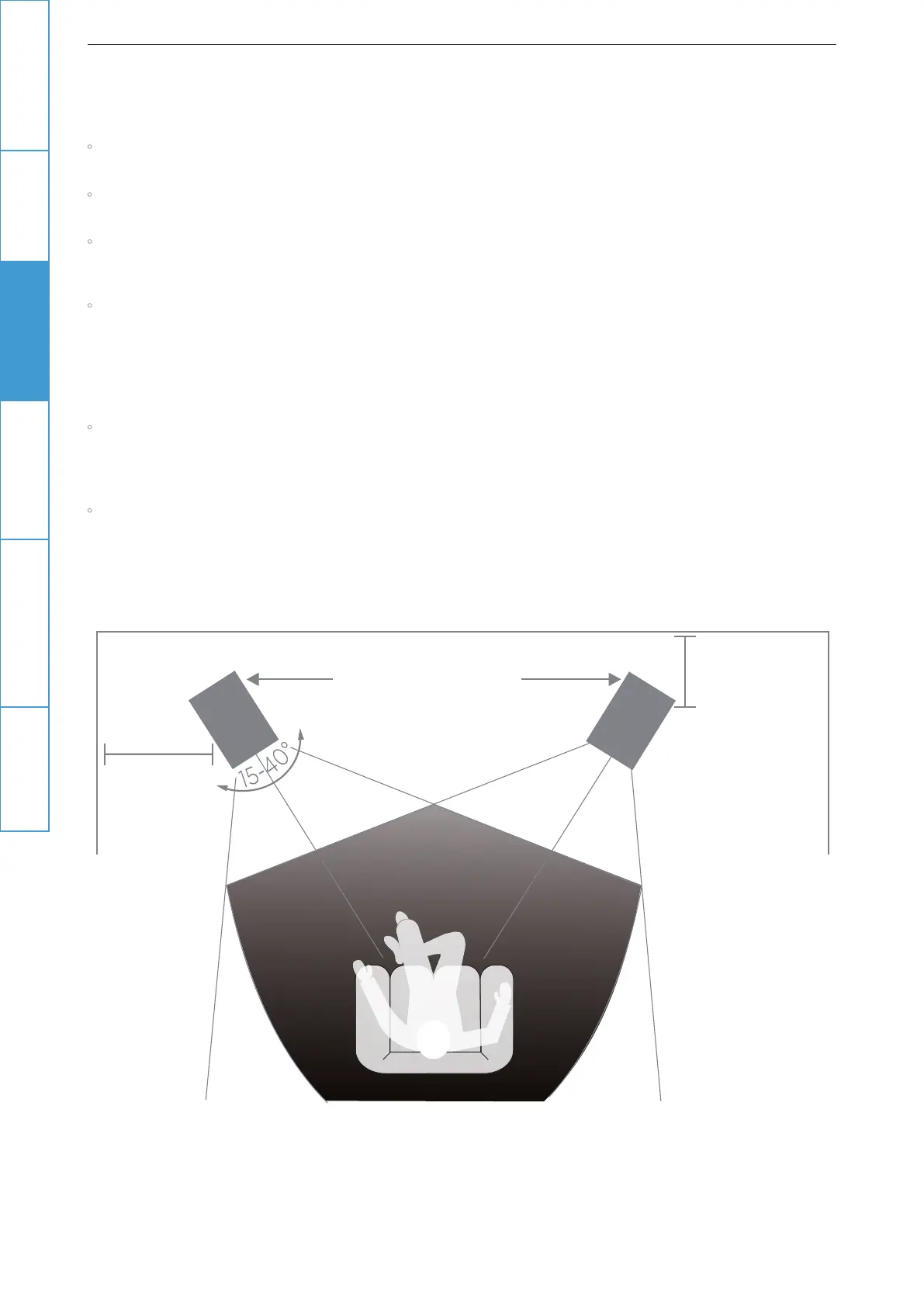
If you are sitting within 2 metres of the speakers, the distance between the speakers should be
similar to the distance between you and the speakers.
Otherwise site the speakers between 2 to 2.5 metres apart, clear of room corners. The quality and
quantity of bass can be adjusted by moving the speakers closer to, or farther from, the wall behind
the speakers.
If the loudspeakers are placed too far from the walls, the bass may be too light and lacking
warmth. If the loudspeakers are placed too close to the walls the bass will increase but may be
boomy and indistinct. If the loudspeakers are placed further apart, the inward angle ("toe in") may
be increased by up to 30%. As personal taste and room acoustics play a large role, experiment
with dierent configurations and play a wide range of programme material before finalising the
position of your speakers.
The optimum listening position is in an area between the speakers broadly known as the "sweet
spot". The more extreme the angle of toe-in the narrower the sweet spot. Mission loudspeakers
are designed to cover a wide sonic perspective so there should be no need for extreme settings.
A mild angle inwards will cover a wide range of seating positions.
The grilles are provided to protect the loudspeaker drive units from accidental damage. For
critical listening, you may remove the grilles.
>0.7metre
>50mm
1.5 to 2.0 metres
Introduction
Important
Safety Instruction
Connecting The
Loudspeakers
Warranty Coverage Specifications
Positioning The
Loudspeakers
4


 To Next Page