Setting up
the M-Cube
subwoofer
FINE VOLUME
This fine tunes the subwoofer output level.
CROSSOVER
Increasing this control (towards ‘300Hz’) will
increase the upper bass output from the
subwoofer; decreasing this control (towards
‘250Hz’) will reduce the upper bass output.
BASS CONTOUR
Increasing this control towards ‘MAX’ will give
more bass extension and impact, at the expense
of some speed and fidelity (more suited to movie
playback). Decreasing this control towards ‘MIN’
will provide tighter, more detailed bass, at the
expense of some weight and impact (more suited
to music playback). At high listening levels, avoid
settings close to ‘MAX’ for optimum performance.
PHASE
Correctly adjusting this control will help to obtain
even-sounding upper bass.
The M-Cube subwoofer has been factory-set to
operate in 'default' mode. The default settings are
shown in the diagram. You may wish to adjust
one or more of the subwoofer controls to tailor the
M-Cube response to your own taste.
CONTROLS OVERVIEW CONTROLSSTAGE 2
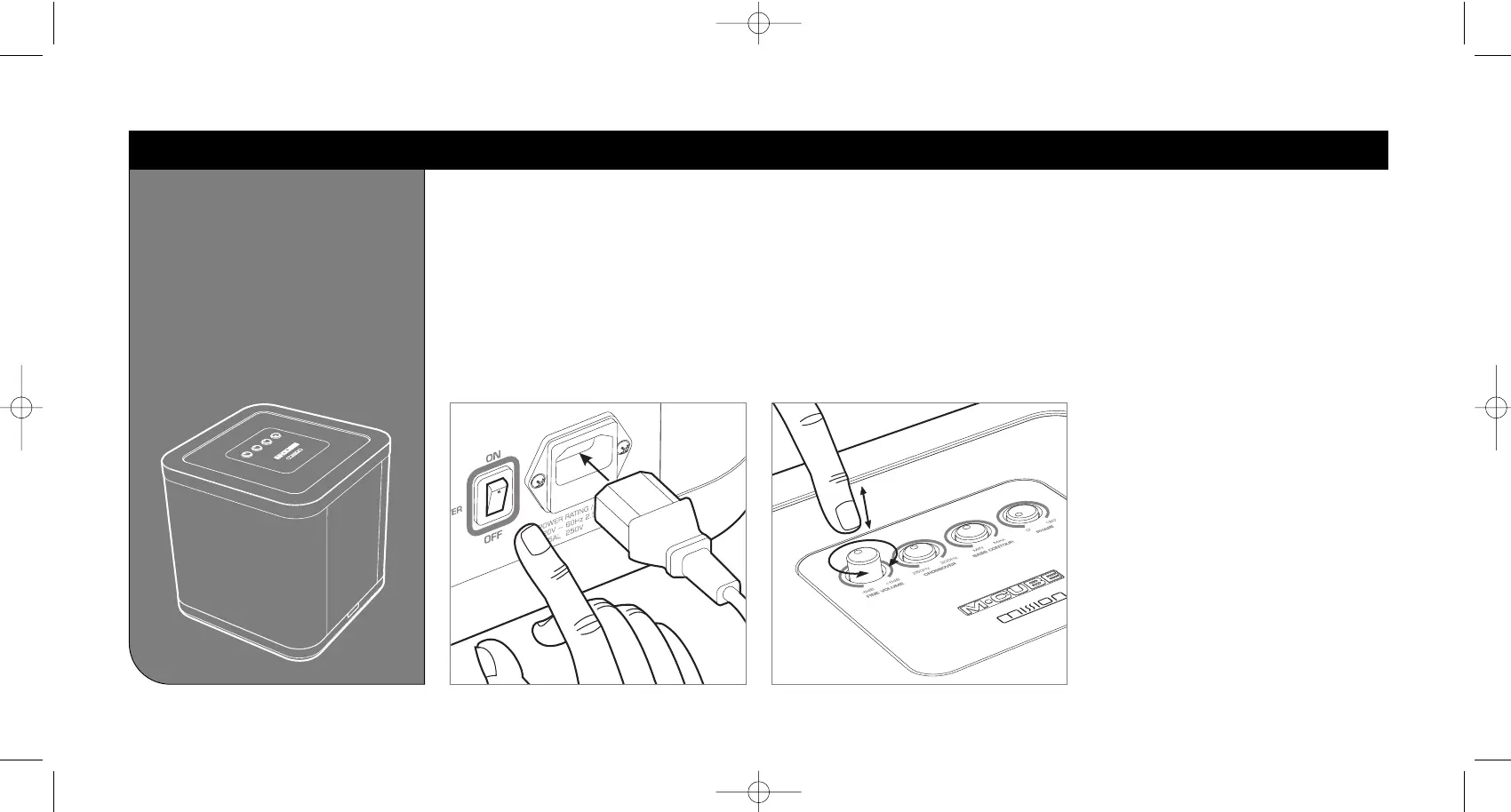
MAINS POWER
The mains power switch is located on the rear
panel of the subwoofer, next to the IEC mains inlet.
To power up the unit, firstly insert the mains plug
into the mains socket, and insert the IEC plug into
the IEC mains inlet in the subwoofer. Then turn
the mains switch at the back of the subwoofer to
the ‘ON’ position.
To power down the unit, return the switch to the
‘OFF’ position.



 To Next Page