Additional
Features
6 - 7
OVERDRIVE PROTECTION
Your M-Cube subwoofer is protected by
sophisticated overdrive detection circuitry:
If the safe operating threshold is exceeded, the
subwoofer's internal gain circuitry will limit the
output to a fixed level. The subwoofer will
continue to play at the same level, but with
reduced dynamic capability compared to the
original recording.
If you notice the protection circuitry activating, you
will need to reduce the receiver volume in order
to regain maximum performance from your
system.
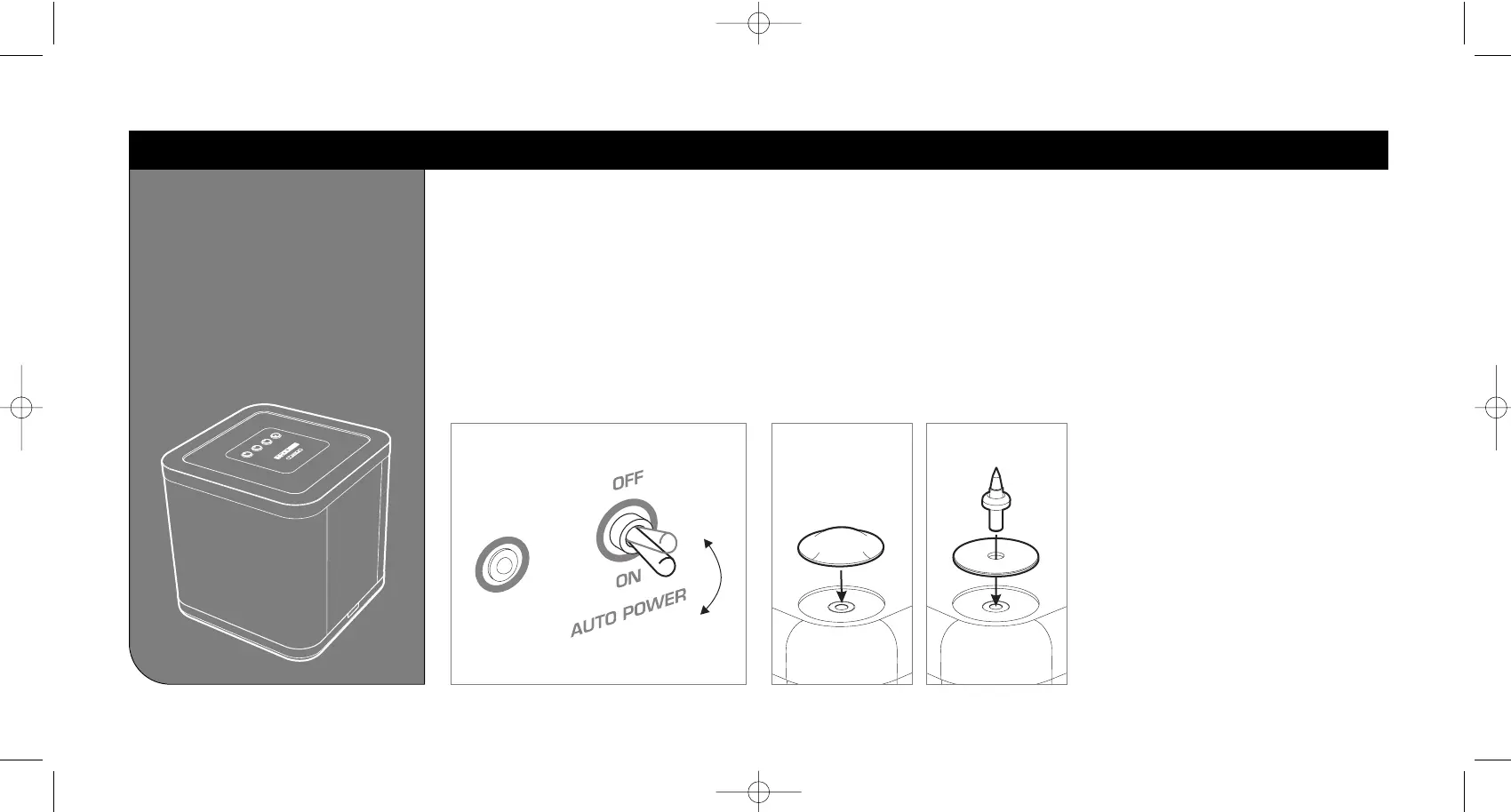
If you wish the M-Cube subwoofer to switch to
standby when not in use, select 'AUTO POWER
ON' [below]. The subwoofer will switch into
standby after approximately 15 minutes if no
signal is present, and the illuminated top-panel
will switch off. The subwoofer and illuminated
top-panel will then switch back on if a signal is
detected.
If you wish the subwoofer to remain on
constantly, until the mains power is switched off,
select 'AUTO POWER OFF'.
AUTOPOWER FUNCTIONSTAGE 3
For hard flooring: Remove the backing from the 4 x
self-adhesive rubber feet, and fit to the recesses on
the base of the subwoofer.
For carpeted flooring: Remove the backing from
the 4 x self-adhesive rubber pads, and fit to the
recesses on the base of the subwoofer. Screw in
the spikes and lock nuts, and adjust so that the
subwoofer is level when sitting in the desired
position.
FITTING SUBWOOFER FEET
Warning: Be careful. Spikes are very sharp.
When positioning the subwoofer avoid piercing any
electrical cables etc. under or above the carpet.
Hard floors Carpet



 To Next Page