11
4. When both the TEMP and TIME light up, press
TEMP
or to increase or reduce
TEMPERATURE in 5°C increments.
NOTE: PRESS AND HOLD THE TEMP
or
BUTTON TO QUICKLY CYCLE THROUGH
THE OPTIONS.
5. Press TIME
or to increase or decrease
TIME in 1 minute increments.
NOTE: PRESS AND HOLD THE TIME
or BUTTON TO QUICKLY CYCLE
THROUGH THE OPTIONS.
INDIVIDUAL BASKET: MANUAL OPERATION
1. Plug cord in the wall outlet. An audible tone
will sound, the control panel will illuminate.
The
buon will light up red.
2. When the
is pressed, a tone will sound
and the power buon will turn green, the
control panel will illuminate
,
and
buons.
3. Select
,
or . Press the desired
MENU buon. A tone will sound.
The LEFT or RIGHT basket control and both
the default TEMP (in large numerals) and
default TIME (smaller numerals) will flash on
the display and alternate between time and
temperature.
4. Press to START the cooking process.
5. lf you are using one basket to cook, and then
decide to add another basket and start Dual
Cooking, press either the
or
buon
(depending on what basket you are adding).
The MENU selections will appear and you can
select your cooking preset.
NOTE: YOU CAN NOT SYNC COOK ONCE
YOU HAVE STARTED COOKING IN A
SINGLE BASKET, EVEN IF YOU MANUALLY
START COOKING IN THE OTHER ONE.
6. Press the desired MENU buon for RIGHT basket
cooking.
7. When both the TEMP and TIME light up, press TEMP
or to increase or reduce TEMPERATURE in
5°C increments.
NOTE: PRESS AND HOLD THE TEMP
or
BUTTON TO QUICKLY CYCLE THROUGH
THE OPTIONS.
8. Press TIME
or to increase or decrease
TIME in 1 minute increments.
NOTE: PRESS AND HOLD THE TIME
or BUTTON TO QUICKLY CYCLE
THROUGH THE OPTIONS.
9. When the desired TIME and TEMP appear on the
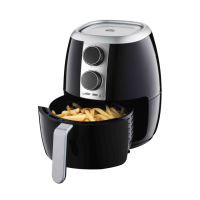
digital display, press to turn the Dual Basket
Air Fryer ON. The selected TIME will begin to count
down.TEMP and remaining TIME will appear on the
digital display.
NOTE: TO PAUSE AIR FRYING
IMMEDIATELY, PUSH THE BASKET
RELEASE BUTTON AND PULL THE ACTIVE
FRYER BASKET OUT OF THE APPLIANCE
AT ANY TIME. WHEN THE BASKET IS PUT
BACK IN, COOKING WILL RESUME.
NOTE: PRESS TO PAUSE THE COOKING
PROCESS AT ANY TIME. WHEN IS
PRESSED AGAIN, COOKING WILL RESUME.
10. When cooking has nished and time says 00:00,
the display will show COOL | COOL then change
to END | END and beep 5 times when it is safe to
remove food.
NOTE: THE QUANTITY, DENSITY &
WEIGHT OF FOOD WILL ALTER THE TOTAL
COOKING TIME NECESSARY. REMEMBER,
FRYING SMALLER BATCHES WILL RESULT
IN SHORTER COOKING TIMES AND HIGHER
FOOD QUALITY.



 To Next Page