14
Before rst use
1. Remove all packaging materials including any
within the baskets.
2. Slide out the baskets, place on a flat surface
and take out the racks within the baskets.
Clean both baskets and racks with non-
abrasive sponge and warm water, rinse
thoroughly and dry completely.
3. Wipe clean the inside and outside of the
appliance with a slightly dampened cloth.
Using the Appliance
This appliance is able to cook a variety of dishes,
refer to page 16 of this booklet for selection and
respective cooking times.
1. Connect the mains plug into an earthed wall
socket.
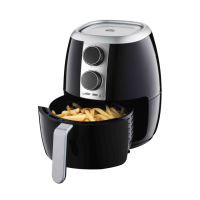
2. Place the racks into the baskets and position
them on the boom and then put ingredients
into the baskets and slide the baskets into the
appliance.
NOTE: This appliance cooks using hot air.
Do not ll the Baskets with oil or frying
fat. Do not put anything on top of the
appliance. This disrupts the airflow and
aects the cooking results.
Caution: Do not touch the external
surface of the baskets during use
or when removed from appliance
directly after cooking, as it gets very
hot. Only hold the baskets by the
handle protruding from the front of the
appliance.
3. Touch the Power
key to switch on the
unit. The appliance is now in Standby mode.
4. The appliance has manual cooking and 8
dedicated cooking functions. You can select
the desired cooking function for ingredients to
be cooked (refer to the table on page 16 of this
manual for guidance).
In Standby mode, you can touch Timer control
keys and Temperature control keys to set the
desired cooking time/temperature in Manual
cooking function directly.
NOTE: The default seing is 15 minutes
at 180 degree Celsius. The adjustment
time range is 1-60 minutes and the
adjustment temperature range is 80-200
degree Celsius.
In Standby mode, you can also touch the
Select and press one of the 8 dedicated
cooking modes on control panel to select
the desired dedicated preset cooking
functions. each have their own preset cooking
Temperatures/Times. The corresponding
indicator will flash it is selected and touch
key Function key to start cooking process.
The preset cooking temperature / time are
approximates and dependent on volume
of ingredients in the cooking basket, the
cooking time may take less or longer (with
experience you will get the feel of it ) and you
can manually increase or decrease to cooking
temperature and time.
NOTE: As the Temperature/Time are
only approximates and dependent on
the volumes of ingredients placed in the
baskets, you can increase or decrease
both Cooking Time at 1 Minute intervals
and Temperature at 5 degree intervals
by continues touching the
/_ keys
at either side of the respective Time
and Temperature icons or fast scroll by
holding keys down to set your desired
cooking Time/Temperatures.
Tip: Before cooking the food, it is beer to preheat
the appliance without food in the baskets
in Manual cooking function for 5 minutes at
approximate 80 degree Celsius when the
baskets are cold.



 To Next Page