71
7521
7521
N/B MAINTENANCE
N/B MAINTENANCE
5.2.5 CD-ROM Drive
Disassembly
1. Carefully put the notebook upside down.
2. Remove the battery pack. (See section 5.2.1 Disassembly.)
3. Remove the modem card. (See section 5.2.3 Disassembly.)
4. Remove the FDD/HDD module. (See step 2 in section 5.2.4 Disassembly.)
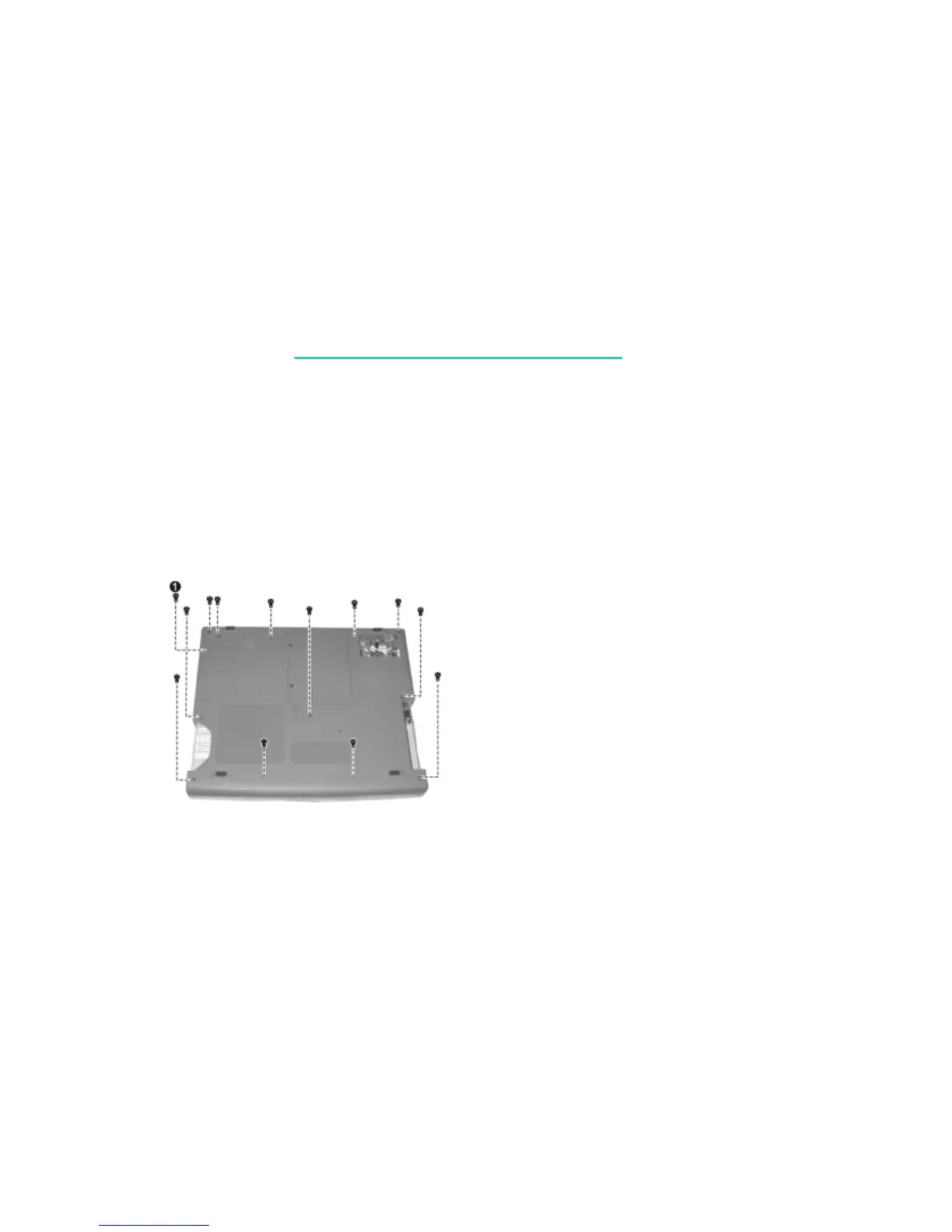
5. Remove one screw locking the CD-ROM (), and then the other twelve screws
locking the base unit frame. (figure 5-11) Now you can lift the base unit frame up.
Figure 5-11



 To Next Page