EasyManua.ls Logo

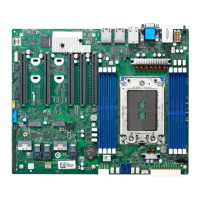
MiTAC TYAN S8030 - User Manual

MiTAC TYAN S8030
160 pages
Print Icon
To Next Page IconTo Next Page
Loading...
http://www.tyan.com
1
S8030
(for PCB OOY)
Version 1.0i
Copyright
Copyright © 2020 MITAC COMPUTING TECHNOLOGY CORPORATION. All rights
reserved. No part of this manual may be reproduced or translated without prior
written consent from MITAC COMPUTING TECHNOLOGY CORPORATION.
Trademark
All registered and unregistered trademarks and company names contained in this
manual are property of their respective owners including, but not limited to the
following.
TYAN
®
is a trademark of MITAC COMPUTING TECHNOLOGY CORPORATION.
AMD
®
is a trademark of AMD
®
Corporation.
AMI, AMI BIOS are trademarks of AMI Technologies.
Microsoft
®
, Windows
®
are trademarks of Microsoft Corporation.
Nuvoton
®
is a trademark of Nuvoton Technology Corporation.
Notice
Information contained in this document is furnished by MITAC COMPUTING
TECHNOLOGY CORPORATION and has been reviewed for accuracy and reliability
prior to printing. MITAC assumes no liability whatsoever, and disclaims any express
or implied warranty, relating to sale and/or use of TYAN
®
products including liability
or warranties relating to fitness for a particular purpose or merchantability. MITAC
retains the right to make changes to product descriptions and/or specifications at
any time, without notice. In no event will MITAC be held liable for any direct or
indirect, incidental or consequential damage, loss of use, loss of data or other
malady resulting from errors or inaccuracies of information contained in this
document.
Question and Answer IconNeed help?

Do you have a question about the MiTAC TYAN S8030 and is the answer not in the manual?

Summary

Chapter 1: Instruction

1.1 Congratulations

Congratulates the user on purchasing the motherboard.

1.2 Hardware Specifications

Details the motherboard's hardware specifications.

1.3 Software Specifications

Provides information on OS support.

Chapter 2: Board Installation

2.4 Board Parts, Jumpers and Connectors

Identifies motherboard components, jumpers, and connectors.

2.5 LED Definitions

Explains the meaning of motherboard LEDs.

2.6 Installing the Processor and Heat sink

Step-by-step guide for CPU and heatsink installation.

2.7 Tips on Installing Motherboard in Chassis

Guidance on mounting the motherboard in a chassis.

2.8 Installing the Memory

Instructions for memory module installation.

2.9 Attaching Drive Cables

How to connect SATA drive cables.

2.10 Installing Add-In Cards

Guidance on installing expansion cards into PCIe slots.

2.11 Connecting External Devices

Instructions for connecting peripherals to the motherboard ports.

2.12 Installing the Power Supply

Details on connecting power supply connectors to the motherboard.

Chapter 3: BIOS Setup

3.1 About the BIOS

Introduction to BIOS and its function.

3.2 Main Menu

Overview of the BIOS main setup screen options.

3.3 Advanced Menu

Configuring advanced BIOS options.

3.4 Chipset Menu

Configuration options for the motherboard chipset.

3.5 AMD CBS

AMD Common BIOS Settings related to CPU, DF, UMC, NBIO, FCH.

3.6 Server Management

Settings for server management features.

3.7 Security

BIOS security settings including passwords and secure boot.

3.8 Boot

Settings related to system boot order and options.

3.9 Save & Exit

Options to save BIOS changes and exit setup.

Chapter 4: Diagnostics

4.1 Flash Utility

Information on using the BIOS flash utility.

4.2 AMIBIOS Post Code (Aptio)

Table of POST code checkpoints during BIOS boot.

Appendix I: Fan and Temp Sensors

Figure 1: Sensor Location

Diagram showing the location of fan and temperature sensors.

BIOS Temp Sensor Name Explanation

Explanation of BIOS temperature sensor names.

Appendix II: M.2 Latch Installation

Glossary

Technical Support

MiTAC TYAN S8030 Specifications

General IconGeneral
Max MemoryUp to 3TB
Form FactorSSI EEB
Supported ProcessorsAMD EPYC 9004 Series Processors
Memory Slots12 DIMM slots
Memory TypeDDR5 RDIMM
Storage InterfacesSATA
SATA Ports8 x SATA 6Gb/s
EthernetDual 10GbE LAN (Intel X550-AT2)
Remote ManagementASPEED AST2600 BMC with IPMI 2.0
ManagementIPMI 2.0

Related product manuals