EasyManua.ls Logo

Mitchell & Johnson DR201V - User Manual

Mitchell & Johnson DR201V
18 pages
Print Icon
To Next Page IconTo Next Page
Loading...
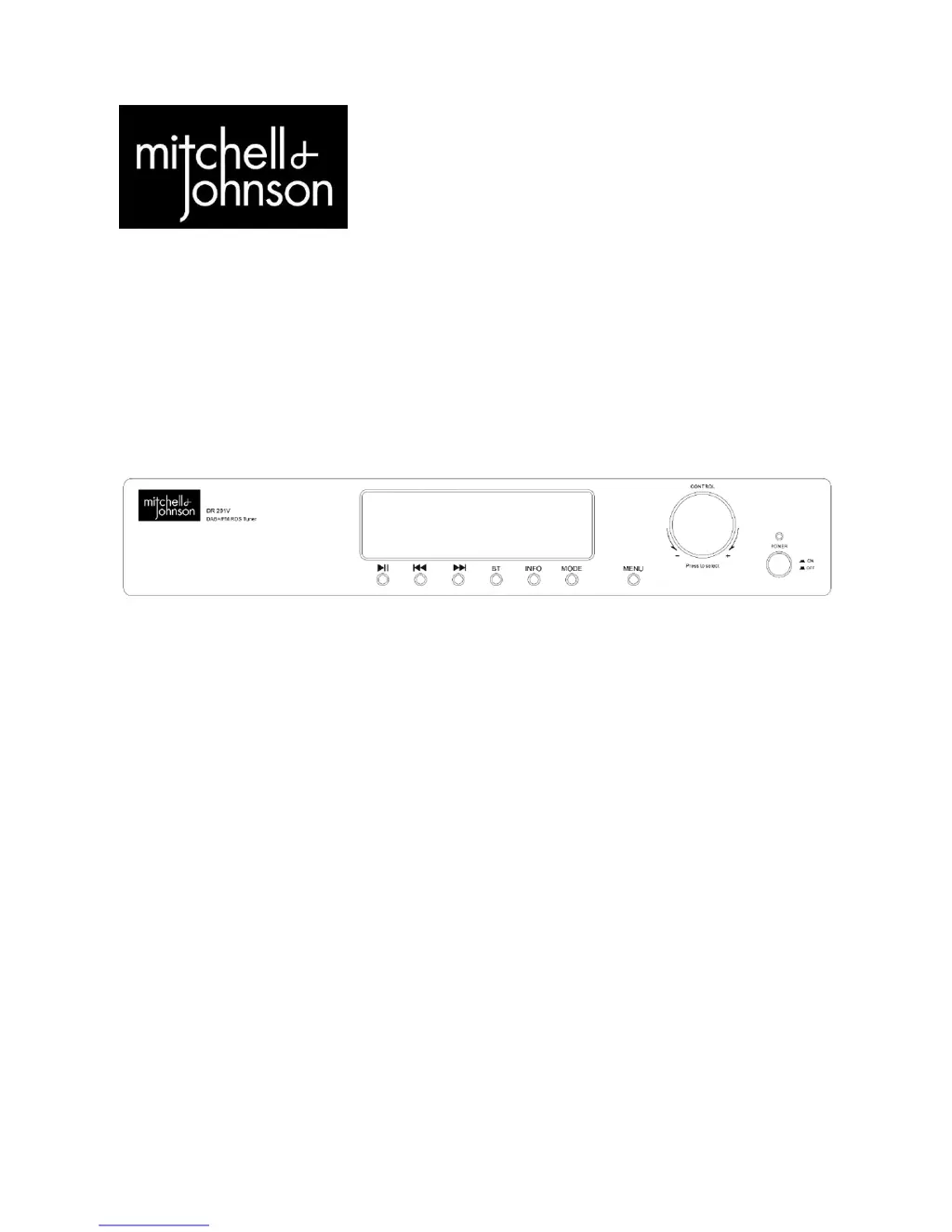
DR201V
FM/DAB/DAB+ Stereo Tuner with Bluetooth
User Guide

Questions and Answers

  • C
    Christopher MorrowAug 13, 2025
    What to do if the Mitchell & Johnson DR201V Tuner remote control is not working?
    • J
      julie34Aug 13, 2025
      If the Mitchell & Johnson Tuner remote control isn't working, first verify that the batteries are correctly inserted. If they are, try replacing them with new ones. Also, ensure there are no obstructions between the remote and the tuner's sensor. Finally, make sure you are within 8 meters of the device.
  • J
    Jessica MorganAug 17, 2025
    Why Mitchell & Johnson DR201V has no power when switched on?
    • D
      davidhunterAug 17, 2025
      If your Mitchell & Johnson Tuner has no power when switched on, ensure the mains socket is switched on and functioning correctly. Check that the plug is fully inserted into the wall socket. If these steps don't solve the problem, the internal mains fuse may have blown, or the power cord may be damaged, requiring replacement by a qualified technician.
  • M
    Mary TurnerAug 20, 2025
    What to do if there is no sound from Mitchell & Johnson Tuner?
    • J
      joshuaparkerAug 21, 2025
      If you're not getting any sound from your Mitchell & Johnson Tuner, first, make sure the power is on and the volume isn't set too low. Check that the loudspeaker cables are properly connected. If you're using DAB, verify the reception. Finally, ensure that the correct audio input source is selected on the front panel.
  • J
    John JacksonAug 25, 2025
    Why Mitchell & Johnson DR201V Tuner sound is distorted?
    • S
      Sharon OsborneAug 25, 2025
      If you experience distorted sound from your Mitchell & Johnson Tuner, check the speaker terminals for any frayed wires that may be touching. If you're using FM, try to improve the signal. Also, lower the volume control to see if that resolves the distortion.
  • E
    Emily BarronAug 28, 2025
    How to fix a loud buzz or hum from Mitchell & Johnson DR201V?
    • J
      Jean KramerAug 28, 2025
      If you're experiencing a loud buzz or hum from your Mitchell & Johnson Tuner, check the audio input cables to ensure they are not damaged and are correctly connected. Also, try moving the tuner away from the TV.
  • R
    reesefaithSep 1, 2025
    What to do if there is no sound in one channel of Mitchell & Johnson DR201V?
    • D
      dylan45Sep 1, 2025
      If you're only getting sound in one channel from your Mitchell & Johnson Tuner, check the audio source input cables to ensure they are correctly connected and not damaged. Verify the audio input source is functioning correctly. Inspect the loudspeaker cables for proper connection and damage. Finally, test the loudspeakers to ensure they are not faulty.
  • D
    Daniel WhiteSep 4, 2025
    What to do if buttons do not function on Mitchell & Johnson Tuner?
    • M
      Monique RiveraSep 4, 2025
      If the buttons on your Mitchell & Johnson DR201V Tuner or its remote control aren't working, try turning the DR201V off and then on again. Alternatively, turn it off, unplug it from the power outlet, and then plug it back in.
  • J
    joseph55Sep 8, 2025
    Why Mitchell & Johnson DR201V Tuner has weak bass and diffused stereo image?
    • J
      James ClaytonSep 8, 2025
      If you notice weak bass and a diffused stereo image from your Mitchell & Johnson Tuner, check that the + and – terminals are connected to the corresponding terminals on both the amplifier and loudspeakers.

Summary

Intended Use

Safety Information

General Safety Precautions

Provides essential safety guidelines for operating, handling, and maintaining the device to prevent hazards.

Description of Parts

Remote Control Handset

DR201 V Remote Controls

Details the functions of buttons 7-19 on the remote control specific to the DR201V.

Setup: Antenna and Analog Connections

Antenna Connection

Instructions for connecting the antenna to the DR201V for optimal DAB/FM reception.

Analog Audio Connection

Guide for connecting the DR201V to an amplifier using analog RCA cables.

Setup: Digital Connections

RS 232 Interface Specifications and Commands

Troubleshooting and Error Messages

Common Problems and Solutions

Provides solutions for common operational issues, malfunctions, and error messages encountered with the DR201V.

Specifications

Mitchell & Johnson DR201V Specifications

General IconGeneral
BrandMitchell & Johnson
ModelDR201V
CategoryTuner
LanguageEnglish