MD-500 Quick Start Guide
en-US
|
4
|
Quick Start Guide|
MD-500
©Mitchell International, Inc. 394474 Rev A | APDMD500020421
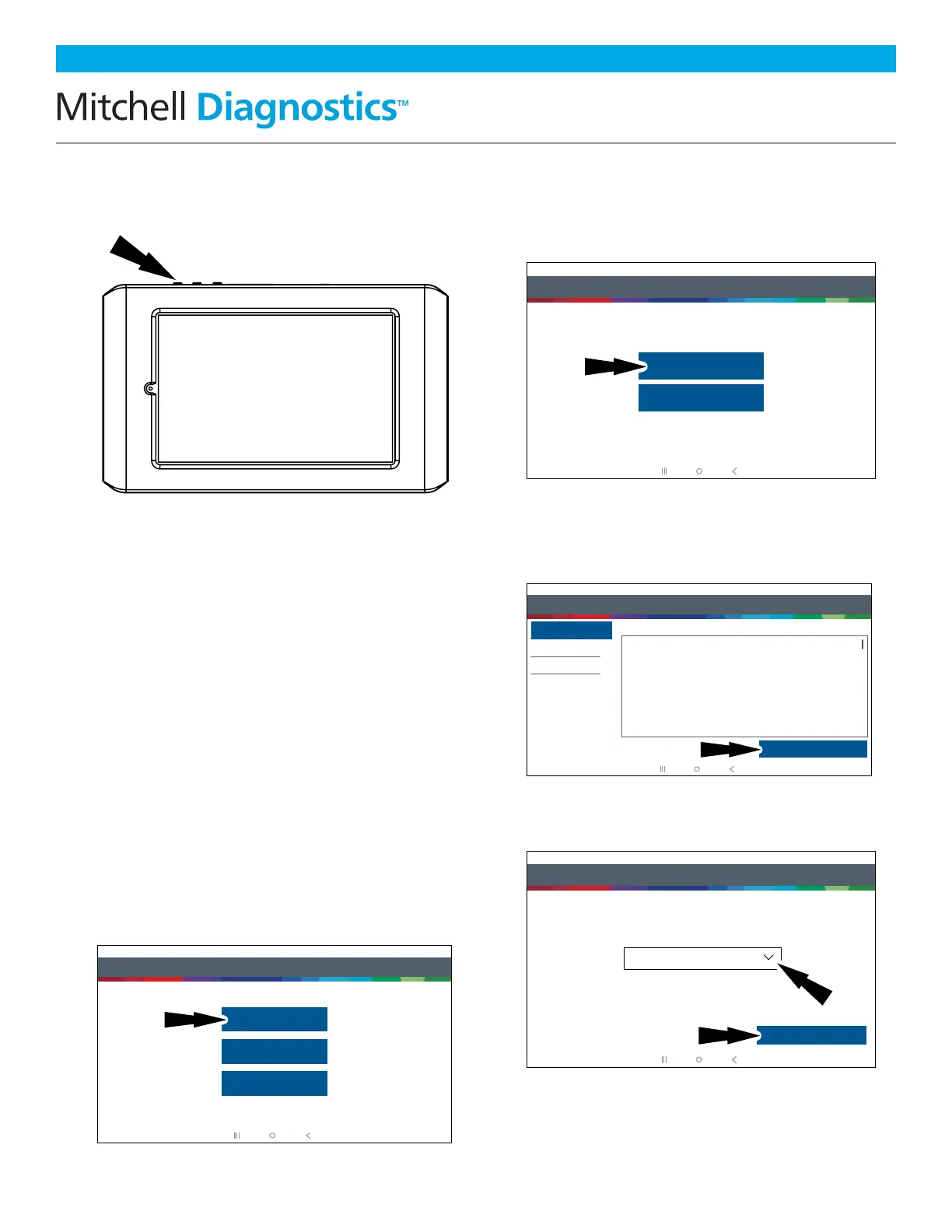
3. Press the Power Button to Turn
on the Tablet
Power Button Functions
The power button has four functions:
a. ON: Press and hold the power button for
about 5 seconds to turn the tablet on.
b. OFF: Press and release the power button.
A pop up window will appear to shut
down the tablet. ON: If the screen times
out or is in standby mode, press and
release the power button to wake up
the tablet. Turn ON: With tool off, press
to turn ON.
c. OFF: Press the power button and hold
for 5 seconds to turn the tablet off
completely (not recommended).
4. Register Device—Select a
Language
5. Select Register Now
Register the tool, begin a trial period, or run
the tool in demo mode.
6. Read and Accept the End User
License Agreement
7. Select the Correct Time Zone
Step 1 of 7 - Select as Language
Español
Français
English
rt0002
Step 2 of 7 - Register
Registering your device allows you to get the latest software updates
Skip
Register Now
rt0003
Step 3 of 7 - End User License Agreement
End User License Agreement
Software Product License Agreement
Copyright (c) 2014-2017, Bosch Automotive Service Solutions Inc. All Rights Reserved
By clicking the i Agree button (or authorizing any other person to do so), you accept this Agreement and are
bound by its terms. If you are not sure that you are authorized by your employer to accept this Agreement, take
this package to a principal in your firm before proceeding. This Agreement is a legally binding document setting
forth the menner by which you may use the Bosch Automotive Service Solutions Inc. (”Bosch”) software that is
embedded on the Bosch device and any assoociated media, printed materials and electronic documentation
(collectively “Software Product”) Carefully read the terms and conditions of this Agreement before using this
Software Product. Use of this Software Product indicates your acceptance of the following terms and
conditions.
1. LICENSE. Bosch grants you a personal, non-transferable (except as noted in Section 8 (Assignment)) and
non-exclusive limited license (without the right to sublicense) to ise the Software Product embedded on this
SOFTWARE PRODUCT LICENSE AGREEMENT
Register My Device Now
Register My Device Later
Demo Mode
IMPORTANT: Do not continue until you have read this Software Product License Agreement (”Agreement”).
I Agree
rt0004
Step 4 of 7 - Setup Time Zone
Setup Time Zone
GMT-04:00 Eastern Standard Time
Next: Step Wi-Fi
rt0005



 To Next Page