MD-500 Quick Start Guide
en-US
|
8
|
Quick Start Guide|
MD-500
©Mitchell International, Inc. 394474 Rev A | APDMD500020421
Selecting Vehicle
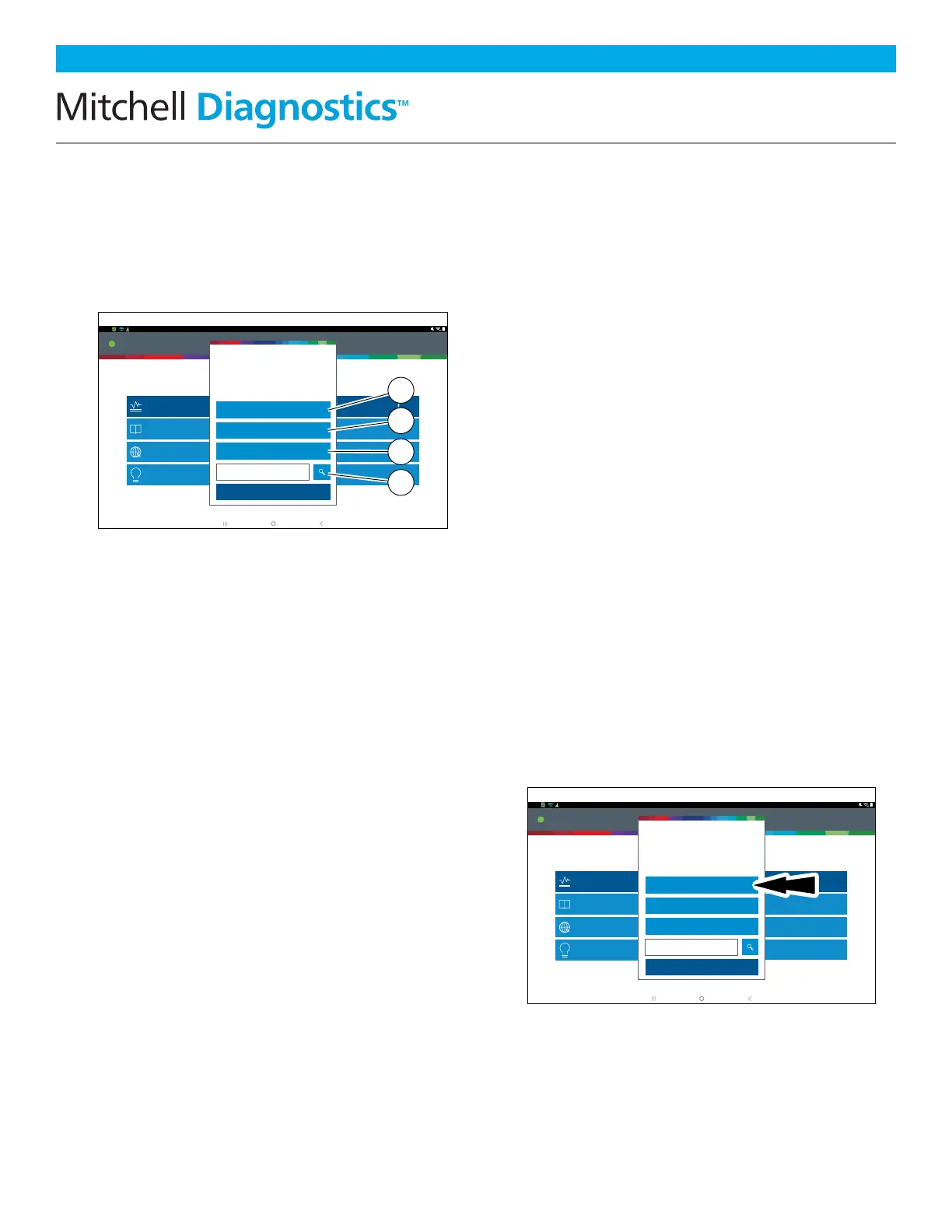
Allows the user to enter a new vehicle or view
Recent Vehicles previously selected. Select the
“Select Vehicle” button then enter a vehicle one
of four ways:
1. Select AutoID to Start to
Automatically Detect the Vehicle
2. Select Manual Selection to
Manually Enter Information
• Year
• Make
• Model
• Engine
3. Select Recent Vehicles to
Select From a List of Previously
Selected Vehicles
4. Enter VIN in Search By VIN Field
AutoID®
• Automatically selects the vehicle using OBD
II Mode 9.
• Identifies vehicles to quickly set up year,
make, model, and engine.
• Coverage: AutoID can be a very fast and
accurate way to select a vehicle. AutoID
retrieves the VIN number from the vehicle’s
on-board computer for OEM’s that support
the function. The function used is Mode
9 Vehicle Information which is one of
the 10 modes of the OBD II regulation.
As illustrated below, Mode 9’s support of
AutoID varies by OEM and model year.
Very few OEM’s support Mode 9 VIN from
1996-2000. Use the information below
to understand when Auto ID is best used.
2000-2004—some US vehicles may respond
to Mode 9 From 2000-2004 it was only used
at the OEMs discretion.
• 2005-2007 —many US vehicles will
respond to Mode 9 From 2000-2007 it
was CARB advised, but not required.
• 2008-current—virtually all US vehicles
are required to respond to Mode 9
OBDII Mode 9 was not ARB required
until 2008MY.
10:22
Main Menu
Thursday 1/07/2021Connected
Web Browser
Settings
Apps Shortcut
Coverage Guide
i
Video Tutorials
Saved Reports
Diagnostic Information
i
Turbo Scan
Diagnostics
Generic OBDII
Mitchell Connect
mitchell
Explore More
OBDIIOBDIIOBDIIOBDIIOBDIIOBDII
Select Vehicle
Make sure the key is ON and Engine is OFF
Choose vehicle selection method:
SEARCH BY VIN
Cancel
AutoID
Manual Selection
Recent Vehicles
rt0014
10:22
Main Menu
Tuesday 1/12/2021Connected
Web Browser
Settings
Apps Shortcut
Coverage Guide
i
Video Tutorials
Saved Reports
Diagnostic Information
i
Turbo Scan
Diagnostics
Generic OBDII
Mitchell Connect
mitchell
Explore More
Select Vehicle
Make sure the key is ON and Engine is OFF
Choose vehicle selection method:
SEARCH BY VIN
Cancel
AutoID
Manual Selection
Recent Vehicles
rt0013
1
2
3
4



 To Next Page