-8-
(b) Measuring procedure:
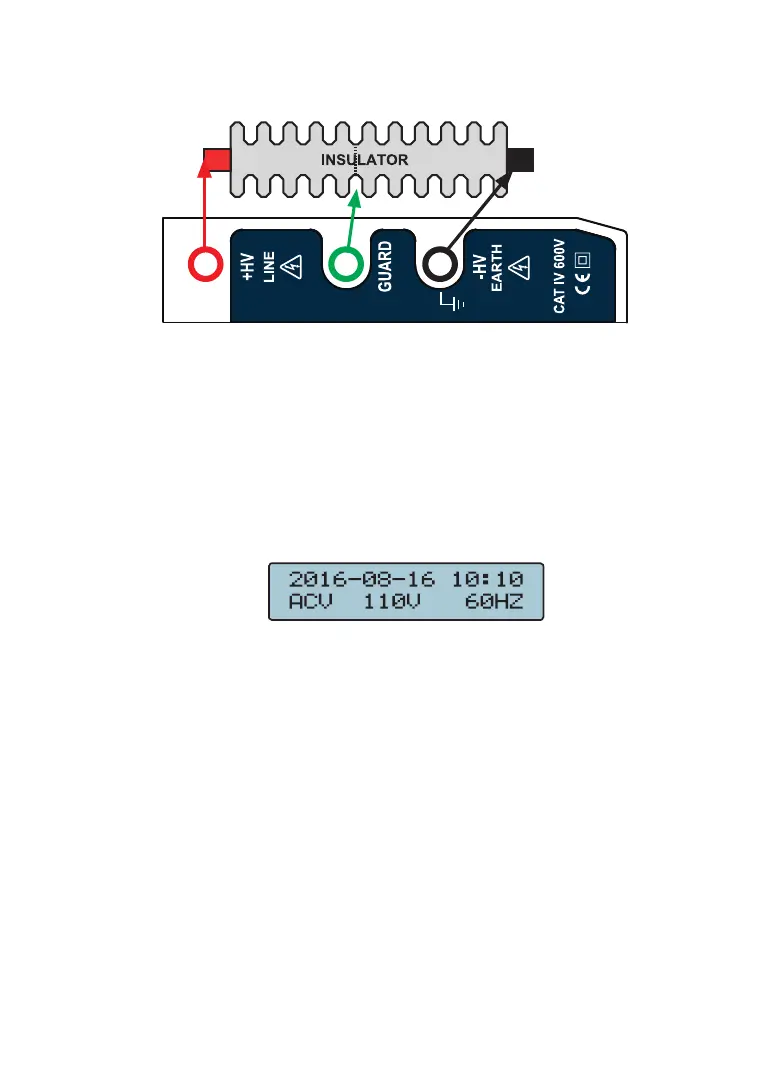
1. Connect specimen by test cable.
2. Switch
⑪
the function rotary switch to turn on power
and select test voltage from 500V, 1kV, 2.5kV or 5kV,
respectively.
3. Be sure that the cable connecting the specimen, if there
is a exterior voltage (above AC30V or DC30V) exerted,
beeper activates in response; and LCD displays
the warning picture as shown in the AC/DC voltage
measurement function:
Now, test cannot be performed. To go on the test it
should remove the exterior voltage.
4. Then, press
⑩
TEST / STOP button to test.
(1) Rotate another angle to lock
⑩
TEST / STOP button
for testing continuously.
(2) While test is running, beeper activates to remind
operator that test is underway.
(3) After the set test time is due (see Function 2: the
test time setting), test stops and system will
automatically lock down the test value.
(4) To read the test value on the LCD display



 To Next Page