3. Use the key and the key to select the desired file.
4. Press the key to print the selected file. This operation will send all the data in current file to the
mini printer via RS232 port and print them out.
5. Press the key to exit the data logging functions and return to measurement mode.
4.10 Beep Mode
When the beep is set to 【On】,it would make a short hoot while press the key each time, on each
measurement, or the measured value exceeds the tolerance limit.
Press the key to switch the beep mode on and off. It will display the current beep mode on the
main screen.
4.11 EL Backlight
With the background light, it is convenient to work in the dark condition. Press key to switch
on or switch off the background light at any moment as you need after power on. Since the EL light will
consume much power, turn on it only when necessary.
4.12 Battery Information
Two AA size alkaline batteries are needed as the power source. After several hours’ usage of the
preset batteries, the battery symbol on the screen will be shown as . The more of dark part
indicates the more close to fill. When the battery capacity runs out, the battery symbol will be shown
as and will begin to flash. When this occurs, the batteries should be replaced.
Please take out the batteries when not working during a long period of time.
4.13 Auto Power Off
The instrument features an auto power off function designed to conserve battery life. If the tool is
idle for 5 minutes, it will turn itself off. While the voltage of the battery is too low this function will also
work.
4.14 System Reset
Press down the key while powering on the instrument will restore factory defaults. All the
memory data will be cleared during system reset. The only time this might possibly helpful is if the
parameter in the gauge was somehow corrupted.
4.15 Connecting to a Computer
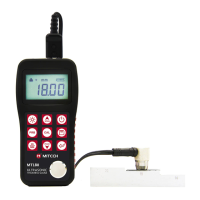
MT160 is equipped with a RS232 serial port. Using the accessory cable, the gauge has the ability
to connect to a computer, or external storage device. Measurement data stored in the memory of the
gauge can be transferred to the computer through the RS232 port. Detailed information of the
communication software and its usage refer to the software manual.
5 Servicing
When the hardness tester appears some other abnormal phenomena, please do not dismantle or
adjust any fixedly assembled parts. Fill in and present the warranty card to us. The warranty service
can be carried on.
6 Transport and Storage
Keep it away from vibration, strong magnetic field, corrosive medium, dumpiness and dust.
Storage in ordinary temperature.
With original packing, transport is allowed on the third grade highway.


 To Next Page