66
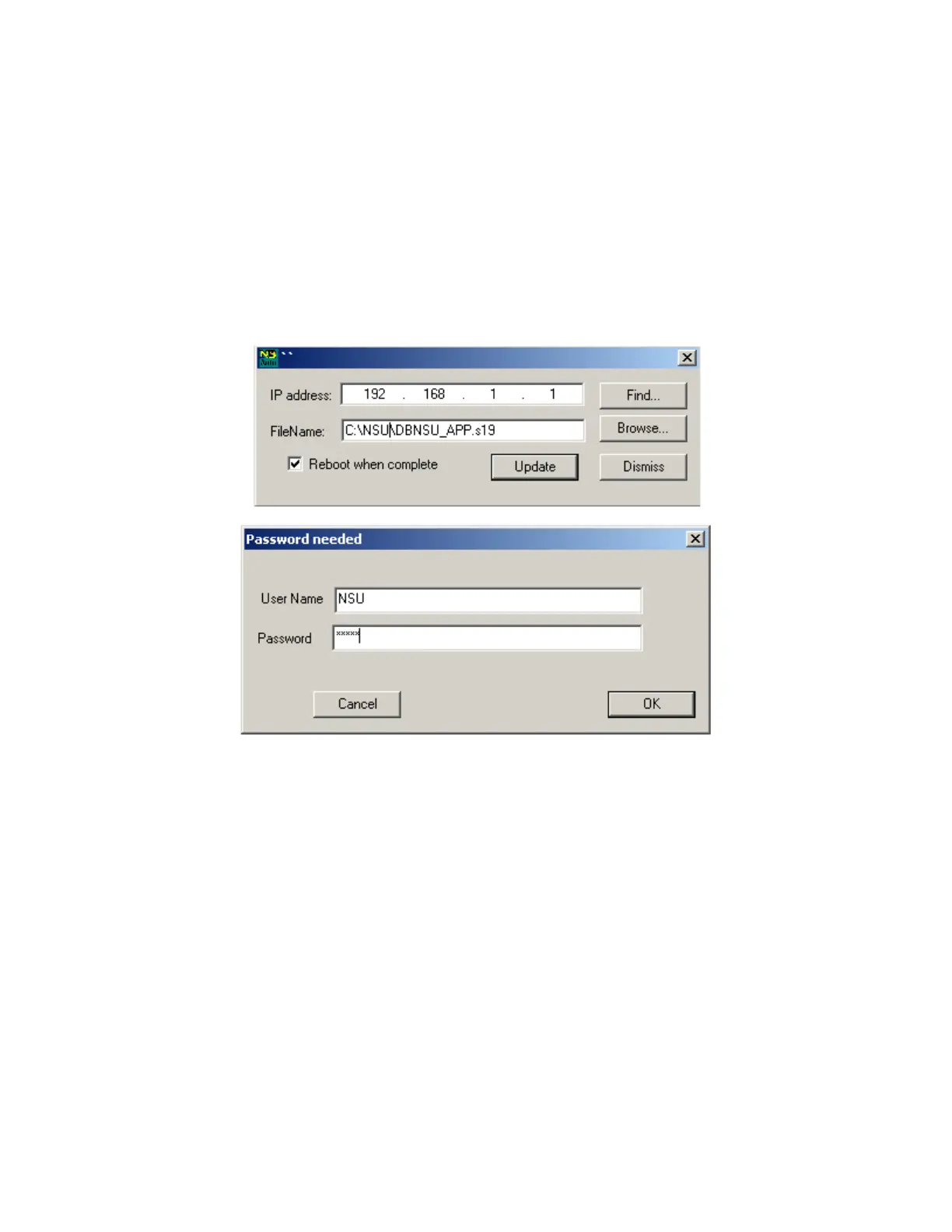
10. If the NSU password has not been disabled, a “Password needed box will
appear. For the user name type NSU. Enter the password that you use to login
to the web page.
11. A progress screen will appear. When complete a message box that reports if
the process completed successfully or not. Successful programming takes
approximately 10 seconds, unsuccessful programming can take as long as 2
minutes to time out.
After the upgrade, it will be necessary to log in again. The new firmware version will be
visible on the login page.
Figue 4-2. Autopdate Application Screens


 To Next Page