Page 19
Declaration of conformity
TELCO declares that the AUTOMOPRO03 product
complies with the directives: 99/5 / EC - 73/23 / EC -
89/336 / EC
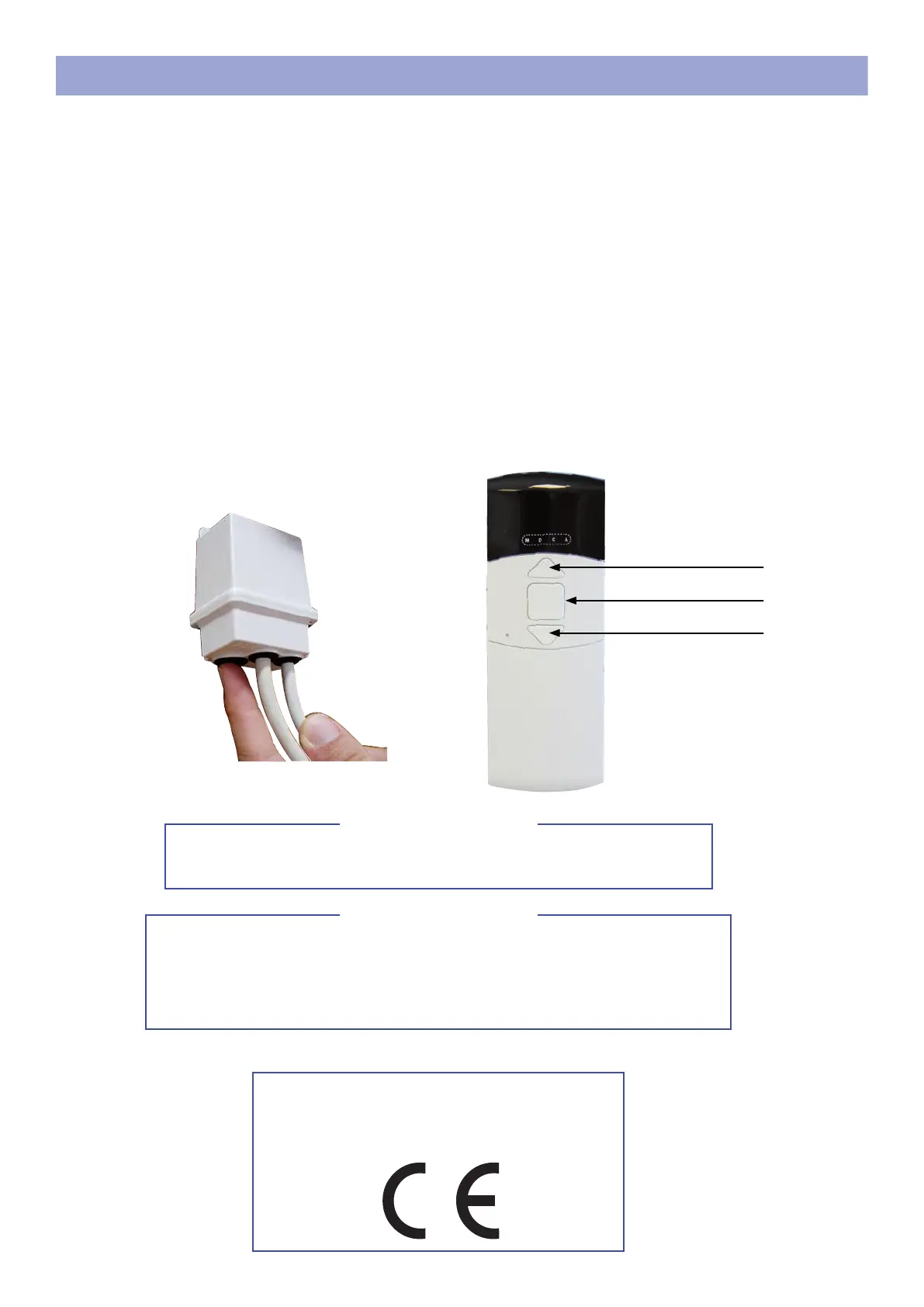
SEL button
REMOTE CONTROL MOTORIZATION PROGRAMMING
To do it only if you have scheduling problems. Press and hold the «SEL» but-
ton until you hear a continuous beep. Release the «SEL» button, the frame
emits 5 consecutive beeps to conrm the memory total erasure.
Then resume programming.
Clear memory
The motor enters thermal protection after 2 successive ups and downs.
Thermal protection
A - Put the supplied batteries in the remote control.
B - Turn on the electronic unit, the unit emits 2 consecutive beeps.
C - Briey press the «SEL» key, the electronic unit emits 3 consecutive beeps.
D - Press and hold the «up» button on the remote control until the unit beeps, then release the
button, the unit will beep 4 times to conrm the end of programming.
E - Check that the direction of rotation of the fabric corresponds to the buttons on the remote
control. If not, reverse the brown wires in the connector. Be careful to turn off the power before
reversing the cables.
Upload
STOP
Go down



 To Next Page