EasyManua.ls Logo

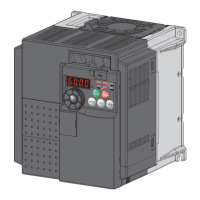
Mitsubishi Electric FR-E720-0.4K(SC) - User Manual

Mitsubishi Electric FR-E720-0.4K(SC)
349 pages
Print Icon
To Next Page IconTo Next Page
Loading...
HEAD OFFICE: TOKYO BUILDING 2-7-3, MARUNOUCHI, CHIYODA-KU, TOKYO 100-8310, JAPAN
3
4
5
6
7
1
2
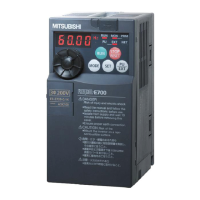
FR-E700
INSTRUCTION MANUAL (Applied)
INVERTER
PRECAUTIONS FOR USE
OF THE INVERTER
PARAMETERS
TROUBLESHOOTING
PRECAUTIONS FOR
MAINTENANCE AND INSPECTION
SPECIFICATIONS
OUTLINE
WIRING
MODEL
MODEL
CODE
1A2-P26
FR-E700
INSTRUCTION MANUAL (Applied)
FR-E720-0.1K(SC) to 15K(SC)
FR-E740-0.4K(SC) to 15K(SC)
FR-E720S-0.1K(SC) to 2.2K(SC)
FR-E710W-0.1K to 0.75K
IB(NA)-0600277ENG-F (1009)MEE Printed in Japan Specifications subject to change without notice.
INVERTER FR-E700 INSTRUCTION MANUAL (Applied)
F


Table of Contents

Questions and Answers

  • A
    Allison PenaSep 23, 2025
    What to do if Mitsubishi Electric Inverter experiences USB communication fault?
    • A
      Ann CunninghamSep 23, 2025
      If your Mitsubishi Electric Inverter experiences a USB communication fault, check the Pr. 548 USB communication check time interval setting.
  • A
    Anita HarveyAug 25, 2025
    What to do if Mitsubishi Electric FR-E720-0.4K(SC) trips due to overcurrent during acceleration?
    • K
      Katelyn CohenAug 25, 2025
      If the Mitsubishi Electric Inverter trips due to overcurrent during acceleration, increase the acceleration time.
  • Q
    qhallAug 26, 2025
    What to do if Mitsubishi Electric FR-E720-0.4K(SC) Inverter trips due to overcurrent during deceleration or stop?
    • M
      mcconnellbarbaraAug 26, 2025
      If your Mitsubishi Electric Inverter trips due to overcurrent during deceleration or stop, increase the deceleration time.
  • E
    edavisAug 27, 2025
    What to do if Mitsubishi Electric Inverter trips due to regenerative overvoltage during deceleration or stop?
    • N
      Natalie RobertsAug 27, 2025
      If the Mitsubishi Electric Inverter trips because of regenerative overvoltage during deceleration or stop, increase the deceleration time.
  • J
    Joseph JonesSep 23, 2025
    What to do if Mitsubishi Electric Inverter experiences PU disconnection?
    • N
      Nancy PotterSep 23, 2025
      Connect the parameter unit (FR-PU04/FR-PU07) securely if your Mitsubishi Electric Inverter shows PU disconnection.
  • D
    David BeckerSep 13, 2025
    What to do if Mitsubishi Electric Inverter experiences output side earth (ground) fault overcurrent at start?
    • A
      Ashley TorresSep 13, 2025
      If your Mitsubishi Electric Inverter experiences an output side earth (ground) fault overcurrent at start, remedy the ground fault portion.
  • H
    Howard MaySep 12, 2025
    What to do if Mitsubishi Electric FR-E720-0.4K(SC) indicates input phase loss?
    • L
      Lauren HuberSep 12, 2025
      If your Mitsubishi Electric Inverter indicates an input phase loss, wire the cables properly.
  • E
    ellenmitchellSep 12, 2025
    What to do if Mitsubishi Electric FR-E720-0.4K(SC) experiences stall prevention stop?
    • M
      Mr. Michael SmithSep 12, 2025
      If your Mitsubishi Electric Inverter experiences a stall prevention stop, reduce the load weight.
  • T
    Tara WilsonSep 4, 2025
    What to do if Mitsubishi Electric FR-E720-0.4K(SC) shows heatsink overheat?
    • T
      Taylor DixonSep 4, 2025
      If your Mitsubishi Electric Inverter displays a heatsink overheat warning, set the surrounding air temperature to within the specifications.
  • J
    Jennifer YoungSep 2, 2025
    How to fix write disable error on Mitsubishi Electric FR-E720-0.4K(SC) Inverter?
    • S
      sjarvisSep 2, 2025
      To resolve a write disable error on your Mitsubishi Electric Inverter, check the setting of Pr. 77 Parameter write selection.

Summary

1 OUTLINE

1.4 Installation of the inverter and enclosure design

Guidelines for designing enclosures and selecting installation locations to ensure proper operation and longevity.

2 WIRING

2.1 Wiring

Describes the terminal connection diagrams for standard and safety stop function models.

2.2 Main circuit terminal specifications

Details the specifications and arrangement of main circuit terminals for power input and motor connection.

2.3 Control circuit specifications

Explains the functions and specifications of control circuit terminals for input, output, and communication.

3 PRECAUTIONS FOR USE OF THE INVERTER

3.1 EMC and leakage currents

Discusses electromagnetic compatibility measures and handling of leakage currents to prevent malfunction and damage.

3.5 Precautions for use of the inverter

Provides general safety precautions for wiring, operation, and handling to prevent product damage or shortened lifespan.

3.6 Failsafe of the system which uses the inverter

Describes how to implement interlocks using inverter status output signals to prevent accidents in case of inverter failure.

4 PARAMETERS

4.1 Operation panel

Explains the names and functions of the inverter's operation panel components.

4.2 Parameter list

Provides a comprehensive list of all parameters, their settings, and functions.

4.3 Control mode

Details the available control modes (V/F, magnetic flux vector) and how to select them.

4.9 Selection and protection of a motor

Covers motor protection features like overheat protection and selecting the appropriate motor for optimal performance.

4.10 Motor brake and stop operation

Explains DC injection brake, regenerative brake selection, and various stop methods.

4.11 Function assignment of external terminal and control

Describes how to assign functions to input and output terminals for controlling the inverter.

4.13 Operation selection at power failure and instantaneous power failure

Covers automatic restart and power failure deceleration stop functions.

4.14 Operation setting at fault occurrence

Details retry functions and how to handle input/output phase loss and ground faults.

4.18 Misoperation prevention and parameter setting restriction

Covers features like reset selection, parameter write protection, reverse rotation prevention, and password functions.

4.19 Selection of operation mode and operation location

Details how to select operation modes (PU, External, Network) and control sources.

5 TROUBLESHOOTING

5.1 Reset method of protective function

Explains how to reset the inverter after a fault or warning occurs.

5.2 List of fault or alarm indications

Provides a comprehensive list of fault and alarm codes displayed on the operation panel.

5.3 Causes and corrective actions

Lists common causes of errors and warnings with corresponding corrective actions.

5.5 Check first when you have a trouble

Offers initial checks and troubleshooting steps for common problems.

6 PRECAUTIONS FOR MAINTENANCE AND INSPECTION

Mitsubishi Electric FR-E720-0.4K(SC) Specifications

General IconGeneral
BrandMitsubishi Electric
ModelFR-E720-0.4K(SC)
CategoryInverter
LanguageEnglish

Related product manuals