EasyManua.ls Logo

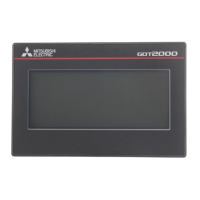
Mitsubishi Electric GT14 - User Manual

Mitsubishi Electric GT14
1546 pages
Print Icon
To Next Page IconTo Next Page
Loading...

Table of Contents

Questions and Answers

  • D
    Denise CarrollJul 31, 2025
    What to do if checking the displayed error code (system alarm) on Mitsubishi Electric GT14?
    • R
      Rebecca DrakeJul 31, 2025
      If you are checking the displayed error code (system alarm) on your Mitsubishi Electric Touch terminals, take action for the error code (system alarm) or error message checked. If the status does not change after the action is taken, proceed to (1)-(c).
  • W
    walshhowardAug 4, 2025
    Why is my Mitsubishi Electric Touch terminal beeping continuously?
    • C
      christinerossAug 4, 2025
      If your Mitsubishi Electric Touch terminal beeps continuously, the read device of the system information may have turned ON when the device was set, turning ON the Buzzer output signal. Check the setting of the read device. When the Buzzer output signal has no error, proceed to (2) Status of the GOT when it freezes.
  • N
    Nathan McclureAug 8, 2025
    What to do if Mitsubishi Electric GT14 screen is completely black?
    • R
      Rhonda WilliamsAug 8, 2025
      If the screen of your Mitsubishi Electric Touch terminal is completely black, the liquid crystal display or BootOS may be faulty. Perform the following in order: 1) Reinstalling BootOS 2) Reinstalling standard monitor OS. If the GOT is not restored by 1) and 2), perform the following: 3) Reinstalling CoreOS and then standard monitor OS. If the GOT is not restored by the above operations, proceed to (5) Troubled product investigation.
  • I
    ibradfordAug 13, 2025
    What to do if cable connection may be faulty on Mitsubishi Electric GT14?
    • E
      Emma RobinsonAug 13, 2025
      If you suspect the cable connection on your Mitsubishi Electric Touch terminal is faulty, securely connect the cable. If an error occurs again, proceed to (5) Troubled product investigation.
  • D
    Daniel ShawAug 17, 2025
    Why does PLC failure occur sometimes with Mitsubishi Electric GT14?
    • R
      Rodney FosterAug 17, 2025
      If PLC failure occurs sometimes with your Mitsubishi Electric Touch terminal, it may be because the PLC CPU is influenced by noise or the hardware may be faulty. Proceed to (4) GOT restoration procedure.
  • J
    Joseph CarrilloAug 22, 2025
    What to do if Mitsubishi Electric GT14 Touch terminals screen is completely white?
    • K
      Kristine NguyenAug 22, 2025
      If the screen on your Mitsubishi Electric Touch terminal is completely white, the GOT hardware may be faulty. Proceed to (5) Troubled product investigation.
  • R
    Richard MillerAug 26, 2025
    What to do if a line is displayed on the screen of Mitsubishi Electric Touch terminals?
    • D
      david60Aug 27, 2025
      If a line is displayed on the screen of your Mitsubishi Electric Touch terminal, the GOT hardware may be faulty. Proceed to (5) Troubled product investigation.

Mitsubishi Electric GT14 Specifications

General IconGeneral
Display Size5.7 inch
Resolution320 x 240 pixels
Touch TypeAnalog Resistive Film
Communication PortsRS-422/485
Power Supply24 VDC
Operating Temperature0°C to 50°C
BacklightLED
Backlight Life50000 hours
Storage Temperature-20°C to 60°C

Related product manuals