To Next PageTo Next Page
 Need help?
Do you have a question about the Mitsubishi Electric MSZ-AP42VGK and is the answer not in the manual?
 General
| Type | Split System |
|---|---|
| Cooling Capacity | 4.2 kW |
| Heating Capacity | 5.4 kW |
| Power Supply | 220-240V, 50Hz |
| Indoor Unit Dimensions (HxWxD) | 299x798x219 mm |
| Outdoor Unit Dimensions (HxWxD) | 550x800x285 mm |
| Weight (Indoor Unit) | 10 kg |
| Refrigerant | R32 |
| SCOP | 4.7 |
| Energy Efficiency Class (Cooling) | A++ |
| Energy Efficiency Class (Heating) | A+ |
| Indoor Unit Dimensions (WxHxD) | 798x299x219 mm |
| Outdoor Unit Dimensions (WxHxD) | 800x550x285 mm |
| Indoor Unit Weight | 10 kg |
| Energy Efficiency Ratio (Heating) | 4.0 |
Explains symbols shown on the unit itself for safety purposes.
Defines warning and caution marks used within the manual for user guidance.
Explains various symbols indicating actions, warnings, or important notes in the text.
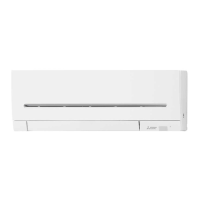
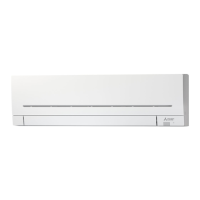
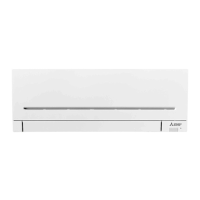
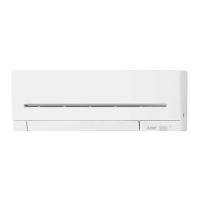
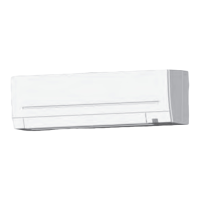
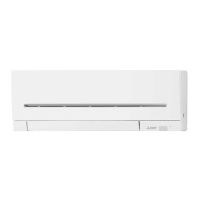
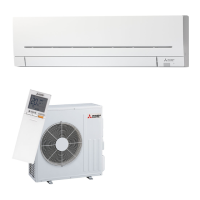
Identifies and labels the various components of the indoor air conditioning unit.
Identifies and labels the various components of the remote control unit.
Identifies and labels the various components of the outdoor air conditioning unit.
Step-by-step instructions for inserting batteries into the remote controller.
Guides on how to set the current time displayed on the remote controller.
Instructions for pairing the remote with a specific indoor unit in multi-unit systems.
Explains the dehumidifying operation mode for controlling room humidity.
Explains the heating operation mode for providing warm air.
Explains the fan-only operation mode for air circulation.
Explains automatic mode selection based on room temperature.
Explains the cooling operation mode for providing cool air.
Instructions on how to adjust the vertical airflow direction of the unit.
Instructions on how to adjust the horizontal airflow direction of the unit.
Detailed steps for programming a weekly timer schedule for operation.
Instructions on how to view and verify programmed weekly timer settings.
Instructions for cleaning the standard air filter for maintenance.
Instructions for cleaning the optional silver-ionized air cleaning filter.
Overview of the Wi-Fi interface, its connection, and basic functions.
Guidelines on suitable and unsuitable locations for unit installation.
Procedures and requirements for electrical connections and wiring.