EasyManua.ls Logo

Mitsubishi City Multi PKFY-P·VBM-E - User Manual

Mitsubishi City Multi PKFY-P·VBM-E
22 pages
Print Icon
To Next Page IconTo Next Page
Loading...
OPERATION MANUAL
For safe and correct use, please read this operation manual thoroughly before operating the air-conditioner unit.
FOR USER
Air-Conditioners For Building Application
INDOOR UNIT
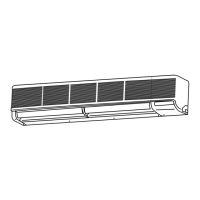
PKFY-P·VBM-E / PKFY-P·VHM-E
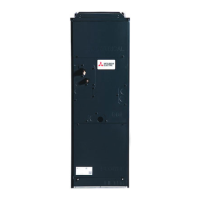
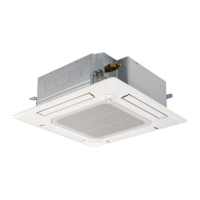
PCFY-P·VKM-E / PFFY-P·VKM-E
PMFY-P·VBM-E
English
BG79U322H08EN.indd1BG79U322H08EN.indd1 2008/10/149:52:142008/10/149:52:14

Questions and Answers

  • L
    Lori SotoSep 9, 2025
    Why does my Mitsubishi City Multi PKFY-P·VBM-E make cracking or creaking sounds?
    • M
      martinezjeffreySep 9, 2025
      These sounds are normal and result from parts rubbing against each other due to expansion and contraction caused by temperature fluctuations in your Mitsubishi Air Conditioner.
  • J
    John JordanAug 23, 2025
    Why does my Mitsubishi City Multi PKFY-P·VBM-E Air Conditioner emit water or vapor from the outdoor unit?
    • K
      Keith GilesAug 23, 2025
      During cooling mode, water may form and drip from the cool pipes and joints of your Mitsubishi Air Conditioner. During heating mode, water may form and drip from the heat exchanger. During defrosting mode, water on the heat exchanger evaporates, and water vapor may be emitted.
  • J
    James BarberAug 25, 2025
    What to do if my Mitsubishi City Multi PKFY-P·VBM-E operates without pressing the ON/OFF button?
    • J
      James AdamsAug 25, 2025
      If your Mitsubishi Air Conditioner starts on its own, check if the on timer is set and, if so, press the ON/OFF button to stop operation. If the unit is connected to a central remote controller, consult the relevant personnel. Also, check the remote controller display for “ ”. If the auto recovery feature from power failures has been set, press the ON/OFF button to stop operation.
  • R
    Ryan PorterAug 27, 2025
    What to do if my Mitsubishi Air Conditioner stops without the ON/OFF button being pressed?
    • D
      dburnsAug 27, 2025
      If your Mitsubishi Air Conditioner shuts down unexpectedly, first check if the off timer is active and, if so, press the ON/OFF button to restart operation. If the unit is connected to a central remote controller or if the display shows “ ”, consult the personnel responsible for the central controller.
  • K
    Kara WoodsAug 28, 2025
    Why does my Mitsubishi Air Conditioner make a flowing water or hissing sound?
    • C
      Chase MontgomeryAug 28, 2025
      These sounds are normal and occur when refrigerant flows within the Mitsubishi Air Conditioner or when the refrigerant flow changes.
  • J
    Jason ZavalaAug 29, 2025
    Why does my Mitsubishi Air Conditioner have an unpleasant odor?
    • H
      Holly PhillipsAug 29, 2025
      The indoor unit of your Mitsubishi Air Conditioner may be drawing in air containing gases from walls, carpeting, furniture, or odors trapped in clothing.
  • J
    Joseph MorrisonSep 17, 2025
    Is it normal for the damper to open and close automatically on my Mitsubishi City Multi PKFY-P·VBM-E?
    • C
      Casey ReynoldsSep 18, 2025
      The damper is automatically controlled by a microcomputer according to the air flow temperature and operation time of the air conditioner.
  • L
    Lisa RamirezSep 22, 2025
    Why is my Mitsubishi Air Conditioner louder than expected?
    • D
      Danielle NolanSep 22, 2025
      The indoor operation sound level is affected by the acoustics of the particular room.
  • J
    Jonathan WellsSep 7, 2025
    What to do if nothing appears on my Mitsubishi wireless Air Conditioner remote controller display?
    • P
      Patrick WilliamsSep 8, 2025
      If your Mitsubishi wireless remote controller display is blank or faint, the batteries are likely low. Replace them and press the Reset button. If the issue persists, ensure the batteries are installed correctly, paying attention to the (+, –) directions.
  • A
    Andrea NelsonSep 4, 2025
    Why does my Mitsubishi Air Conditioner not operate when I press the ON/OFF button?
    • W
      weberlaurenSep 4, 2025
      Ensure that the power switch of the indoor unit is turned on.

Summary

1. Safety Precautions

Disposing of the unit

Instructions for safely disposing of the air conditioning unit.

2. Parts Names

Indoor Unit Components

Identification of parts for various indoor unit types and models.

Wired Remote-Controller Overview

Details of the wired remote controller display and operation buttons.

Wireless Remote-Controller and Battery Replacement

Overview of the wireless remote controller and instructions for battery replacement.

3. Screen Configuration

Remote Controller Screen Types

Explanation of different remote controller screen configurations and navigation.

4. Setting the Day of the Week and Time

Date and Time Setup Procedure

Step-by-step guide for setting the current day of the week and time.

5. Operation

Turning the Unit ON and OFF

Procedure for starting and stopping the air conditioner operation.

Selecting Operation Modes

Guide to choosing between Cooling, Drying, Fan, Heating, and Automatic modes.

Setting Temperature and Fan Speed

How to adjust the desired temperature and fan speed for optimal comfort.

Adjusting Airflow Direction

Instructions for controlling the up/down and left/right airflow direction.

Ventilation Control

Details on operating the ventilation system in conjunction with the indoor unit.

6. Timer

Weekly Timer Setup

Guide to programming weekly operational schedules for the air conditioner.

Simple Timer Setup

Instructions for setting a single-use timer for the air conditioner.

Auto Off Timer Setup

Procedure for setting the timer to automatically switch off the unit.

Wireless Remote Timer Settings

Setting timers using the wireless remote controller, including Auto Off.

7. Other Functions

Remote Controller Button Locking

How to lock and unlock the remote controller buttons to prevent unintended changes.

Error Code Indication and Interpretation

Understanding error codes displayed by the air conditioner for troubleshooting.

8. Function Selection

Remote Controller Function Customization

Overview of customizable functions and settings available on the remote controller.

Language and Function Lock Settings

Changing display language and setting operational locks on the remote controller.

Mode and Display Settings

Configuring operation modes, clock, timers, and display preferences.

Detailed Language and Function Settings

In-depth configuration for language, operation lock, and mode selection.

Detailed Display and Temperature Settings

Customizing temperature units, display information, and automatic mode indicators.

9. Emergency Operation Modes

10. Care and Cleaning Procedures

Filter Maintenance and Cleaning

Instructions for removing, cleaning, and replacing the air conditioner filters.

Filter Cleaning Procedures for Specific Models

Step-by-step guide for cleaning filters for different indoor unit models.

11. Troubleshooting Guide

Cooling and Heating Performance Issues

Troubleshooting problems related to insufficient heating or cooling and airflow.

Operational and Display Errors

Resolving issues with unit operation, remote controller display, and error messages.

Timer and System Protection Issues

Addressing problems with timer functions and system protection mechanisms.

Noise and Signal Reception Problems

Troubleshooting unusual noises and issues with remote controller signal reception.

Air Outlet Control and Operating Conditions

Understanding air outlet behavior and recommended operating temperature ranges.

12. Technical Specifications

Technical Specifications by Model Series

Detailed technical data including capacity, dimensions, airflow, and noise levels for each model.

Mitsubishi City Multi PKFY-P·VBM-E Specifications

General IconGeneral
BrandMitsubishi
ModelCity Multi PKFY-P·VBM-E
CategoryAir Conditioner
LanguageEnglish

Related product manuals