• Understanding the On-Screen Displays
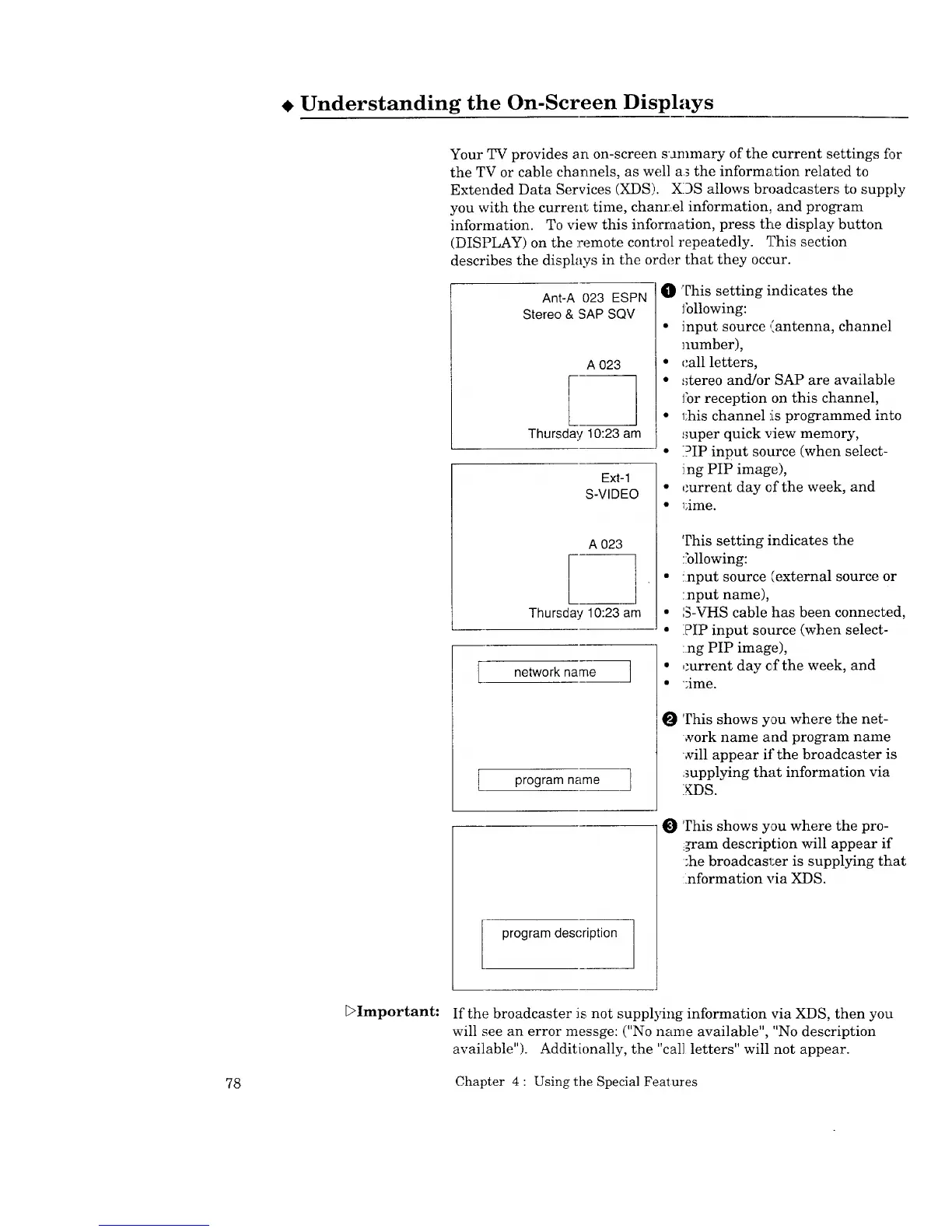
Your TV provides an on-screen sammary of the current settings fi_r
the TV or cable channels, as well a_ the information related to
Extended Data Services (XDS). XDS allows broadcasters to supply
you with the current time, chanr_el information, and program
information. To view this information, press the display button
(DISPLAY) on the remote control repeatedly. 1]his section
describes the displays in the order that they occur.
Ant-A 023 ESPN
Stereo & SAP SQV
A 023
Thursday 10:23 am
Ext-1
S-VIDEO
A 023
[
Thursday 10:23 am
network name ]
program name ]
O This setting indicates the
Jbllowing:
• input source (antenna, channel
number),
• call letters,
• :_tereo and/or SAP are available
for reception on this channel,
• 1;his channel is programmed into
:roper quick view memory,
• PIP input source (when select-
ing PIP image),
• current day of the week, and
• _;ime.
This setting indicates the
following:
• !nput source (external source or
:nput name),
• S-VHS cable has been connected,
• PIP input source (when select-
:rig PIP image),
• ,torrent day efthe week, and
• ';ime.
0
This shows you where the net-
•,york name and program name
sill appear if the broadcaster is
supplying that information via
XDS.
O
This shows you where the pro-
i_am description will appear if
;he broadcasl;er is supplying that
:information via XDS.
program description ]
E>Important:
If the broadcaster is not supplying information via XDS, then you
will see an error messge: ("No name available", "No description
available"). Additionally, the "cal] letters" will not appear.
78 Chapter 4 : Using the Special Features


 To Next Page
 Loading...
