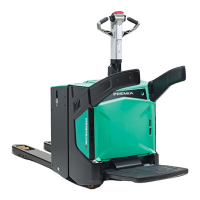
PBV20N2 PBV20N2 Service Service ManualManual
9
9 Electric Electric system system adjustments adjustments and and measurementsmeasurements
The basis for calibrations is that The basis for calibrations is that all of the all of the parameters are correctly set according to theparameters are correctly set according to the
truck parameter list and settings. Before you start truck parameter list and settings. Before you start adjusting the calibration parameadjusting the calibration parameters,ters,
make sure that the rest of the parameters are in order.make sure that the rest of the parameters are in order.
9.19.1 Calibrating the acceleratorCalibrating the accelerator
If the accelerator or If the accelerator or the Zapi COMBIACX Power controller is changed, the acceleratorthe Zapi COMBIACX Power controller is changed, the accelerator
must be calibrated. Also if the must be calibrated. Also if the truck does not drive smoothly, it truck does not drive smoothly, it is recommended that youis recommended that you
always first perform this always first perform this calibration.calibration.
9.1.1 9.1.1 Acquiring Acquiring the the VACC VACC with with TruckToolTruckTool
1.1. Connect TruckTool to the truck.Connect TruckTool to the truck.
2.2. In TruckTool, go to the Wizards In TruckTool, go to the Wizards view.view.
3.3. Select the "Accelerator calibration" option and click the "Start wizard" button nextSelect the "Accelerator calibration" option and click the "Start wizard" button next
to it.to it.
4.4. Make sure that the truck’sMake sure that the truck’s
accelerator lever is in the middleaccelerator lever is in the middle
position.position.
5.5. In TruckTool, click "Start" in In TruckTool, click "Start" in the Wizard popup window.the Wizard popup window.
6.6. Pull the truck’s tiller to the drivingPull the truck’s tiller to the driving
position and turn the position and turn the acceleratoraccelerator
lever to one end position and then tolever to one end position and then to
the other end position.the other end position.


 To Next Page
 Loading...