EN-2
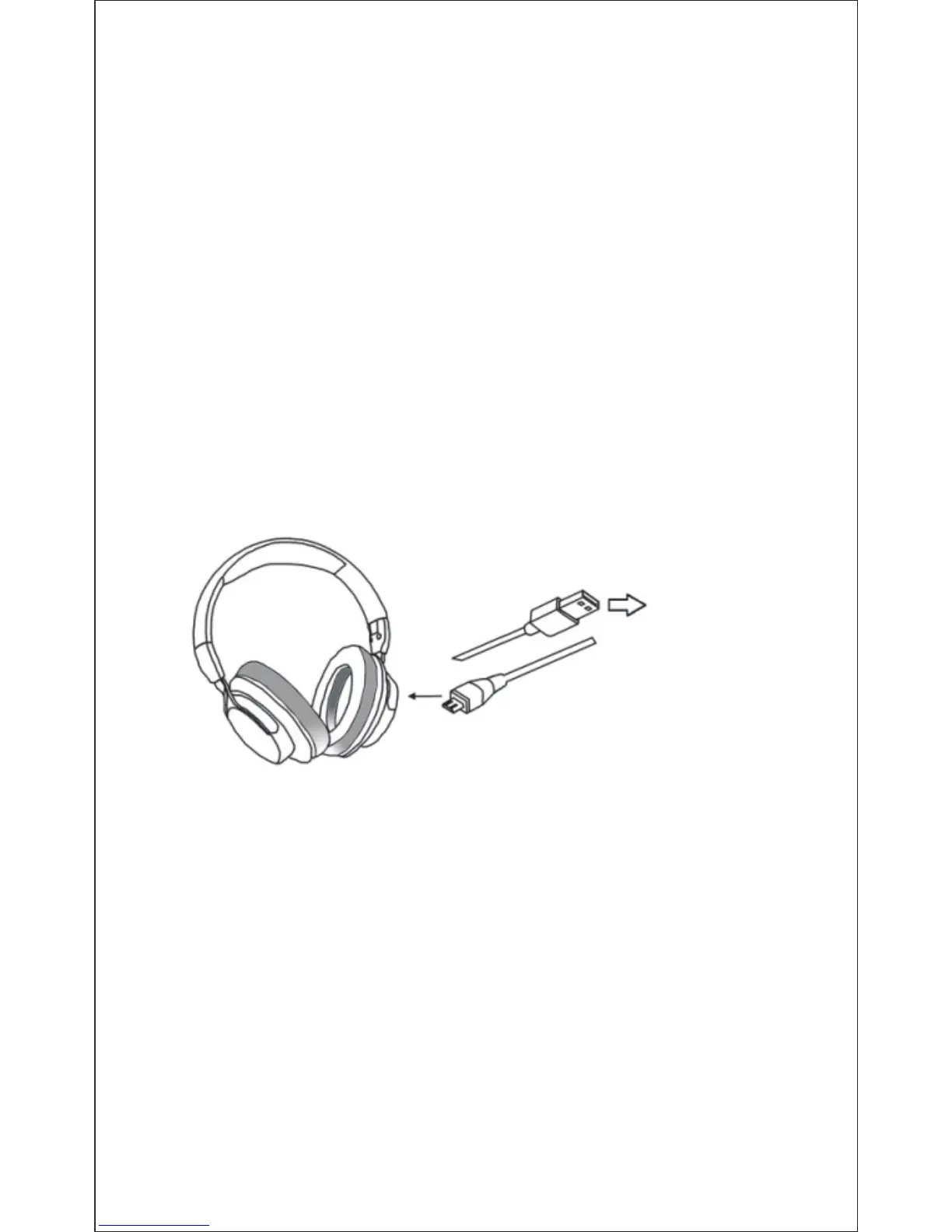
4. Charging the Battery
5. Pairing with Bluetooth Devices
5-1Pairing the headphones with a computer
Before pairing the headphone with your computer, please
make sure your computer or laptop has the built-in Bluetooth
feature. If not, you must purchase a Bluetooth dongle,
preferably version 2.1 or above.
1. Make sure the headphone is off.
2. Start the Bluetooth program in the computer.
3. The “Search new device” screen will be displayed.
4. Do not place both devices more than one meter away from
each other.
Micro USB charging cable to
the USB Interface for charging
Any Power source
for USB use
Connect the micro USB charging cable to any power source
and the USB interface located on the side of ear cup for
charging. The headphone LED turns to solid red during
charging. It takes about 2-3 hours for the first charge and after
charging for as long as 1-2 hours. When the battery is fully
charged the LED turns off.
You can also use the Bluetooth function during charging but
will extend the charging time. If you use the audio cable or turn
the headphone off for charging that will not affect the charging
time.
When the battery is low, the LED flashes red light. At the same
time the headphone also provides a low battery warning tone.
Note: It is strongly recommended fully charging for the first
use.
5. Press and hold the power button for 8-10 seconds until the
LED flashes blue and red alternately to enter pairing mode.
6. As soon as the system detects the new device and select
“Mixcder ShareMe 7". Once successfully paired, the LED turns to
solid blue. You will hear “Pairing successful, connected”.


 To Next Page