Need help?
Do you have a question about the Mixx StreamBuds Micro and is the answer not in the manual?
Lists the components included with the MIXX StreamBuds Micro earbuds, such as sensors, LED lights, case, cable, and ear cushions.
Explains the process of pairing the earbuds with a Bluetooth audio device for the first time.
Details how to activate Siri or Google Assistant using touch sensor gestures on the earbuds.
Instructions on how to charge the earbuds using the portable charging case and the associated LED indicators.
Explains how to recharge the portable charging case using a USB power source and its LED indicator.
Instructions for controlling music playback (play/pause) and adjusting volume using touch sensor gestures.
Details on skipping tracks, answering, ending, or declining calls using touch controls on the earbuds.
How to turn the earbuds on by removing them from the case and power them off by placing them back inside.
Provides solutions for common problems encountered with the earbuds, such as connectivity or charging issues.
Addresses common user queries regarding Bluetooth pairing and voice assistant compatibility.
Essential safety precautions for using the earbuds, including proper handling and listening habits.
Recommendations for professional servicing and the product's operating temperature range.
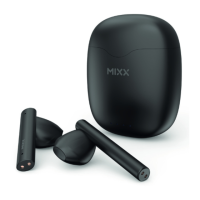
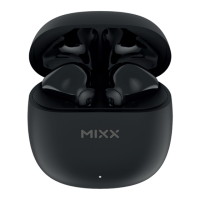
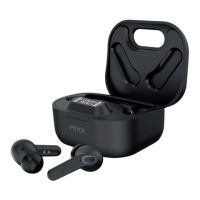
The MIXX StreamBuds Micro are true wireless earbuds designed for audio playback and hands-free communication. They come with a portable charging case and a USB Type C charging cable, along with three pairs of ear cushions (small, medium, and large) to ensure a comfortable and secure fit.
The StreamBuds Micro earbuds are designed for seamless integration with Bluetooth-enabled audio devices such as smartphones, tablets, notebooks, laptops, and computers. They offer a range of functions for controlling audio playback, managing calls, and interacting with voice assistants.
To begin using the earbuds, remove both the left and right earbuds from their portable charging case. They will automatically attempt to dual pair with each other. You will hear an audible 'Power on' prompt, followed by 'Pairing'. One of the earbud LED lights will flash blue to indicate that the earbuds are in pairing mode.
Next, navigate to the Bluetooth settings on your audio device and select 'MIXX StreamBuds Micro' from the list of available devices. Once successfully paired, you will hear 'Connected', and the earbud LED light will turn off. At this point, you can start enjoying your music, watching videos, or making hands-free calls.
After the initial pairing, the earbuds are designed to seamlessly reconnect to the last used Bluetooth audio device they were paired with. Upon successful reconnection, you will hear the 'Connected' prompt.
To power on the earbuds, simply remove them from the portable charging case. They will automatically dual pair and confirm with 'Connected'. To power off the earbuds, place both earbuds back into the charging case and close the lid.
The StreamBuds Micro earbuds are charged using their portable charging case (5). When the earbuds are placed in the case, each earbud LED light (2) will glow red, indicating that they are charging. Once fully charged, the LED lights on the earbuds will turn off. To secure the earbuds and ensure continuous charging, close the lid of the charging case.
To check the battery status of the portable charging case (5), ensure that at least one earbud is inside the case. If the case's LED charge light (6) flashes blue or does not light up, it indicates that the case needs to be recharged.
To recharge the case, connect it to a suitable USB wall charger, a computer USB port, or a power bank using the provided USB Type C charging cable (8). While charging, the LED charge light (6) on the case will flash blue. Once fully charged, the LED light will remain a solid blue. A full charge for the case typically takes 1 to 2 hours.
For optimal noise isolation, comfort, and sound quality, it is recommended to ensure that the correct sized ear cushions (small, medium, or large) are fitted on the earbuds. The product includes three different sizes to help you find the best fit.
If you encounter problems with your earbuds, consider the following:
If you see two 'MIXX StreamBuds Micro' listings in your Bluetooth menu during pairing:
This product is recyclable. Products bearing the designated symbol should not be disposed of with normal household waste. Take the product to a collection point for recycling electronic devices. Consult your local authority for information on return and collection points.
 General
| Charging Time | 1.5 hours |
|---|---|
| Driver Size | 6mm |
| Frequency Response | 20Hz - 20kHz |
| Earbud Battery Life | 5 hours |
| Impedance | 16 ohms |
| Wireless Range | 10m |


 To Next Page