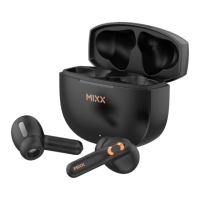
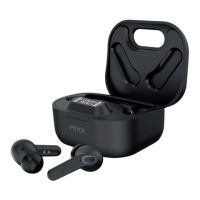
Remove both earbuds from the case.
Go to the Bluetooth settings on
your audio device to select
‘MIXX StreamBuds Pico’ from the list.
Once paired successfully you will
hear ‘Connected’.
NOTE: Check the back of the earbuds
for (L) and (R) letters to ensure you
place them in the correct ears.
Play / Pause
Long press for 2 seconds
either Touch Sensor or .
Decrease Volume
Single tap LEFT Touch Sensor
Increase Volume
Single tap RIGHT Touch Sensor
Answer / End call
Long press for 2 seconds either Touch Sensor or .
Decline an incoming call
Double tap either Touch Sensor or .
Activate Siri or Google Assistant
Double tap either Touch Sensor or to activate Siri or Google Assistant.
Listen for the familiar Voice Assist ‘beep’ then ask a question or state a command.
Power On
Remove both earbuds from the case and they will automatically dual pair together.
To manually turn on, long press for 3 seconds each Touch Sensor.
Power Off
Place both earbuds in the case and close the lid. This will automatically turn
off the earbuds and the Bluetooth.
1
1
1
3
3
3
7 8
HOW TO GUIDE EN



 To Next Page