1615
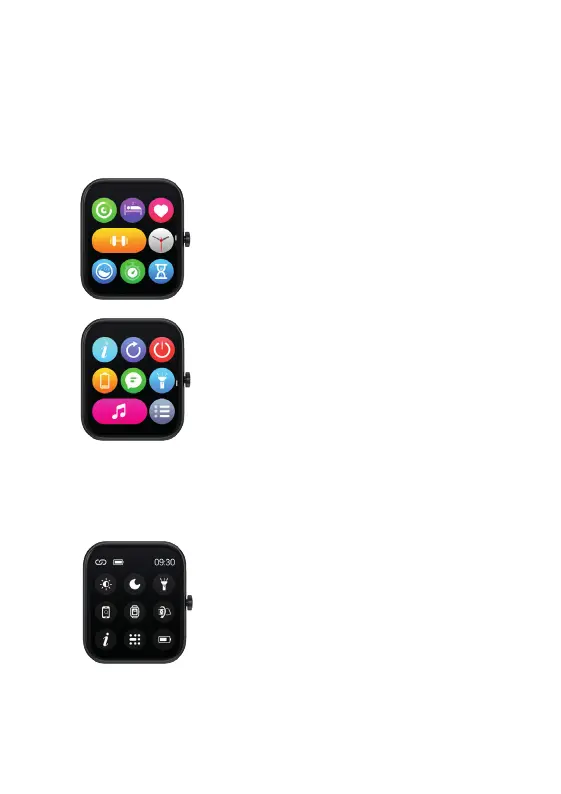
QUICK SETTINGS MENU
From the Watch S home screen, swipe up for the quick settings
menu. Swipe right to view the second page.
10. WATCH S NAVIGATION
Some of these functions are
repeated in the Watch S’s Main
Menu above.
MAIN MENU
From the Watch S home screen, press the Home Screen
Button. Swipe up to view the second page.
SETTINGS ICONS:
s (see p7)
turb
orch (see p14)
or cellphone
een lock
MAIN MENU ICONS P1:
1. Activity data
2. Sleep (see p9)
3. Heart Rate (see p10)
4. Workouts (see p8)
MAIN MENU ICONS P2:
1. About
2. Factory reset
3. Power off
4. Save power (see p14)
5. Watch face (see p13-14)
6. SPO2 (p9)
7. Countdown (see p11)
8. Stopwatch (see p11)
5. Messages (see p13)
6. Torch (see p14)
7. Music (see p13)
8. List view (shows icons as a
list instead of a grid).
FEATURES
o switch on the features outlined below to receive these reminders
om your watch.
Set goals – set yourself personal goals for: steps, fat reduction and sleep.
Sedentary alert – sets a reminder for you to move. This is handy if you sit in
a chair all day.
Incoming call – turn this feature on and follow the on screen instructions so
that you can obtain notifications on your watch.
’S VIEW TECHNICAL SPECS
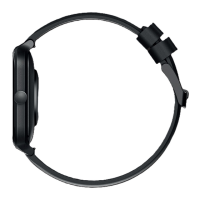
atch strap length: 15cm - 24cm
atch strap width: 2.2cm
eight: 32g (including strap)
ery: 175mAh Poly-Li
aterproof rating: IP68
ONTACT MIXX
eedback is welcome simply email us on support@mixx-io.com
mixxwatch.com for more information.


 To Next Page