24
VIII. Booting Logo & Button Pictures Customization Fuction
1.Convention:
1.1 Customization range
1.1.1 Booting interface logo.
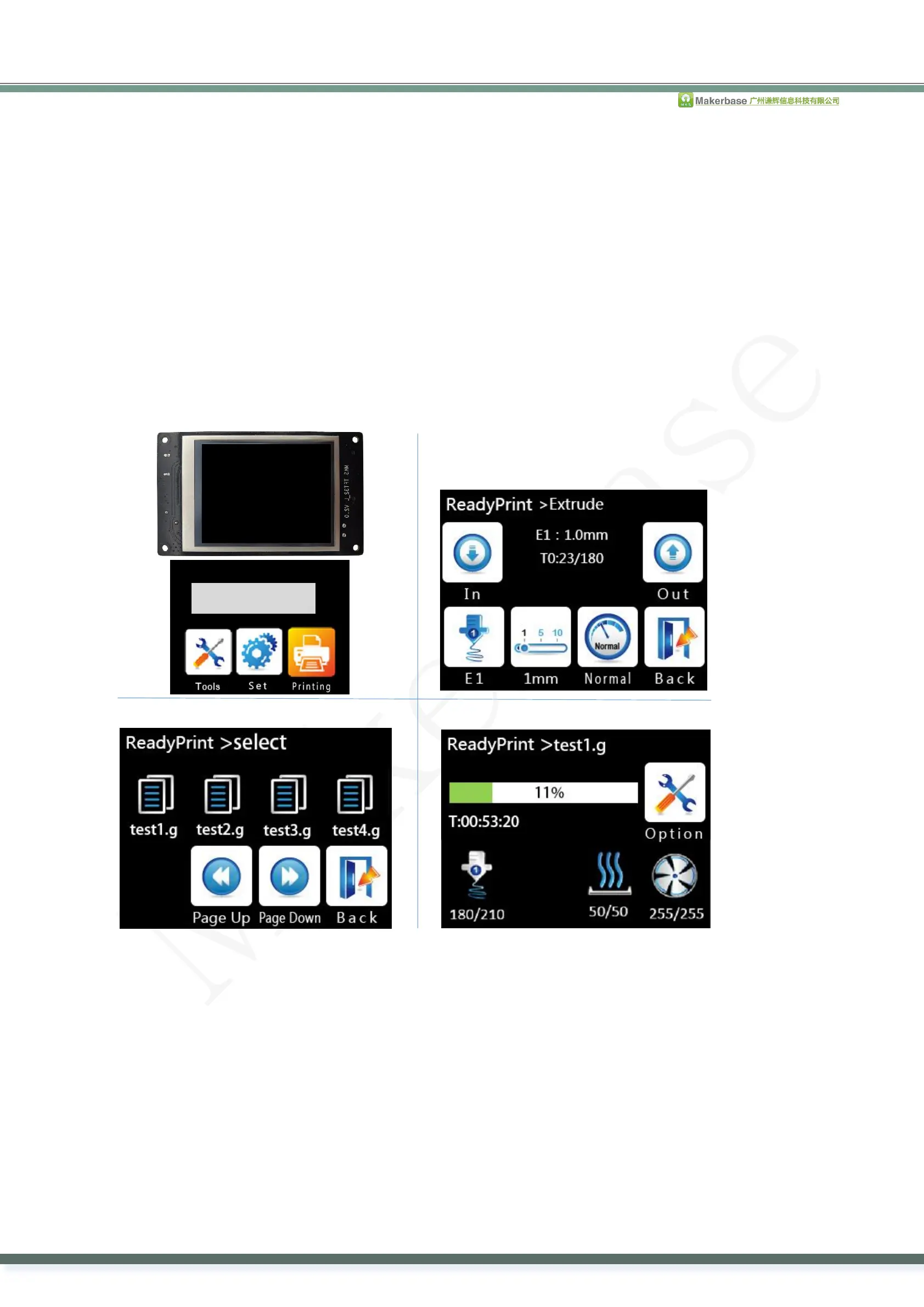
1.1.2 Button pictures (Figure 1 and 2), Include button picture and text.
1.1.3 The screen background color (Figure 3, the default color is black).
1.1.4 The title text color (Figure 4, the default color is white).
1.1.5 The background color that shows temperature, ect, status (Figure 5, the default color is blue).
1.1.6 The text color that shows temperature, ect, status (Figure 6, the default color is white).
1.1.7. The text color of file name in the “ChooseFile” interface (Figure 7, the default color is white).
1.1.8. The text background color of file name in the “ChooseFile” interface.
1.1.9. The text background color of printing status in the “Printing” interface. (Figure 8)
1.1.10. The text color of printing status in the “Printing” interface.
1.1.11. Whether the buttons need 3D effect, it is required by default.
1.2. Customized logo picture: 16dpp, width=320 pixel, height=240 pixel.
1.3. Small logo picture: 16dpp, width=320 pixel, height=135 pixel.(Only for Simple version)
1.4. Customized button picture: 16dpp, width=78 pixel, height=104 pixel.
1.5. The name of the customized picture must be same as the required name.
1.6. The color value of the customized picture is hexadecimal, according to 3 primary colors -blue, green and red in the order.
1.7. It’s allowed to customize at most 7 function buttons in the “More” menu.
1.8. It’s allowed to customize at most 6 function buttons in the “Printing>More” menu.
2. Customize the pictures
2.1 Install “Image 2Lcd” software, modify the bmp format picture to the BIN file.
.


 To Next Page