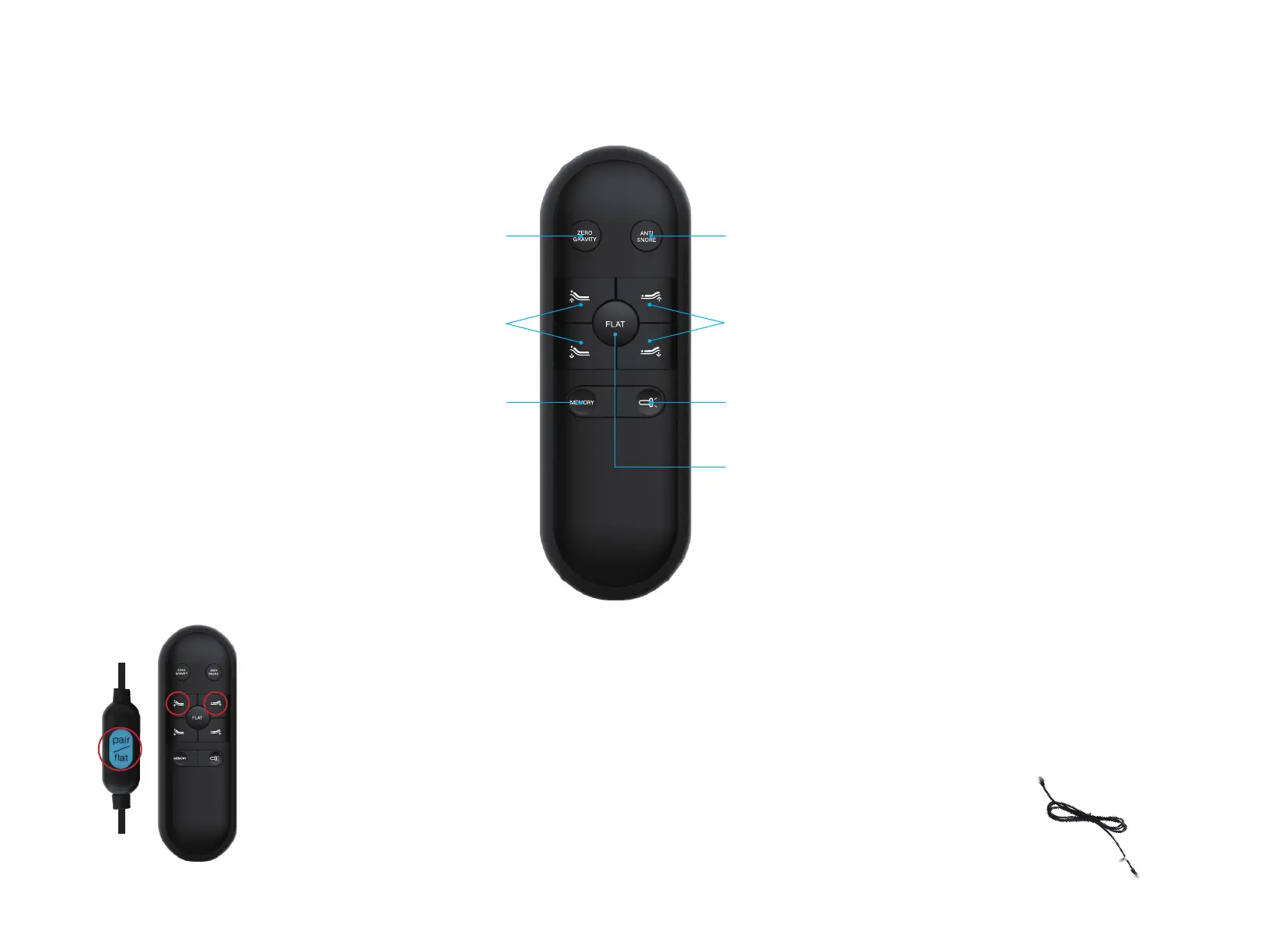
Press and hold head up ∆, foot up ∆ and pairing button on the cord
of control box simultaneously for 3 seconds.
SYNCING TWO SPLIT BASES
Option 1 (REMOTE)
Step 1: Plug bed “A” and bed “B” and make sure “A” remote was
already synced to bed “A”.
Step 2: Take the “A” remote and sync it to bed “B” as sync instruction.
Step 3: The both bases should now be controlled by “A” remote.
Option 2 (SYNC CABLE)
Step 1: Plug bed “A” and bed “B” and maker sure
bed was synced to its own remote.
Step 2: Plug Sync Cable(included with split bases only)
into the "SYNC" input on the each of control boxes.
Step 3: The both bases should now be controlled by the
one of remotes.
Each bed frame comes factory synced
to its own remote. lf not synced follow
these instructions:
HINT: To sync, hold all three
buttons at the same time.
Step 1:
Once you hear a beep that will indicate that the remote is synced.
Step 2:
SYNCING ONE REMOTE:
M200 ADJUSTABLE BED BASE
WIRELESS REMOTE
-02-
Flat Button
Memory Position
One touch ZG preset position
One touch Anti Snore position
Lifts and Lowers Head Lifts and Lowers Foot
Back Light ON/OFF


 To Next Page