MO-SYS L-40 manual and user guide
5
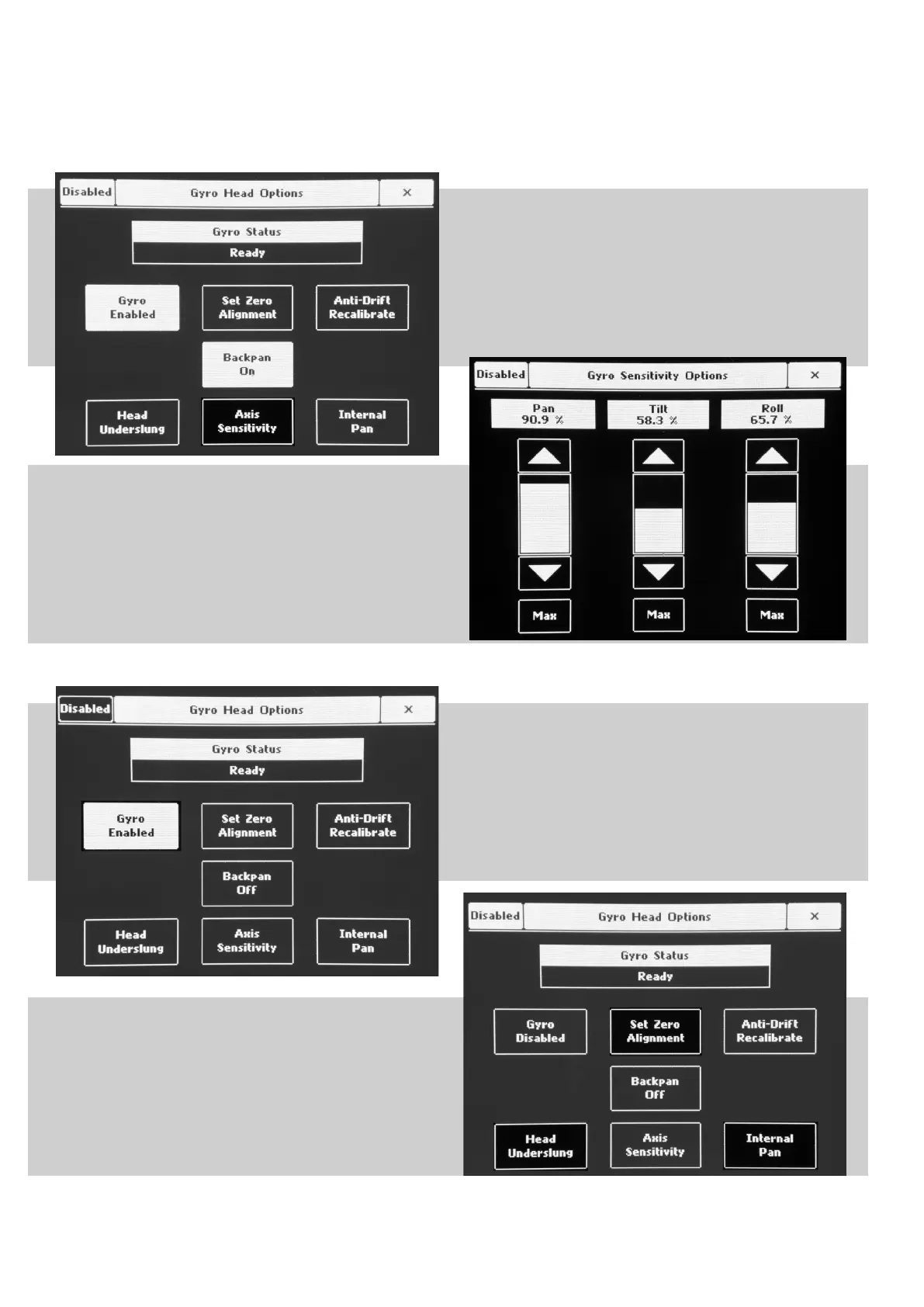
To check axis sensitivity, press “Axis Sensitivity” button,
where you can reduce or increase sensitivity of each axis
separately.
Usually when head is mounted on shock isolator or other
non-rigid surface, the PAN gyro need to have it’s sensitivity
reduced to prevent shaking/resonance problems.
Usually the TILT and ROLL are le at MAX sensitivity.
If the mount is an unknown quantity, reduce PAN sensitivity
to 50% before enabling gyro.
Aer Gyro sensitivity is adjusted, enable gyro by pressing
“Gyro disabled” and it will appear as “Gyro Enabled” as
shown in image. en enable head by pressing button in top
le corner “Disabled”.
Test gyro performance by swinging head with your hands.
Adjust sensitivity of PAN if you have lowered it before.
Adjust by gradually increasing PAN until resoance just felt.
Reduce it slightly until there is no resonance.
Highlighted buttons in the image on the right are not used in
Mo-Sys L-40 head setup.



 To Previous Page