Blood Pressure Monitor
FR IT DE PT NL
SWE
PL DKENES
26
No response
when key is
pressed or battery
is charged
Malfunction or strong
electromagnetic interference
Remove the batteries for ve
minutes and then reinstall all
batteries.
7. MAINTENANCE
- Do not drop this monitor or expose to strong impact.
- Avoid high temperatures and solarisation. Do not immerse the monitor in water as this
may damage the monitor.
- If this monitor is stored in extreme temperatures, wait for it to adjust to the ambient
temperature before use.
- Do not attempt to disassemble the monitor.
- If the monitor is not to be used for a long period of time, remove the batteries.
- It is recommended to check the performance every 2 years or after repair. Contact your
service centre.
- Clean the monitor with a soft, dry cloth or a soft cloth wrung out well after moistening with
water, diluted alcohol, disinfectant or diluted detergent.
- No components in the monitor are user serviceable. Circuit diagrams, component lists,
descriptions, calibration instructions, or other information may be provided to assist qualied
service personnel in repairing parts of the equipment.
- The monitor can maintain safety and performance characteristics for a minimum of 10000
measurements or three years, and cu integrity is maintained after 1000 cover open-close
cycles.
- It is recommended that the cu be disinfected twice a week if necessary (e.g. in the hospital
or clinic). Wipe the inner side (the side that comes in contact with the skin) of the cu with a
soft, wrung out cloth after being moistened with ethyl alcohol (75-90%) and then dry the cu
by aeration.
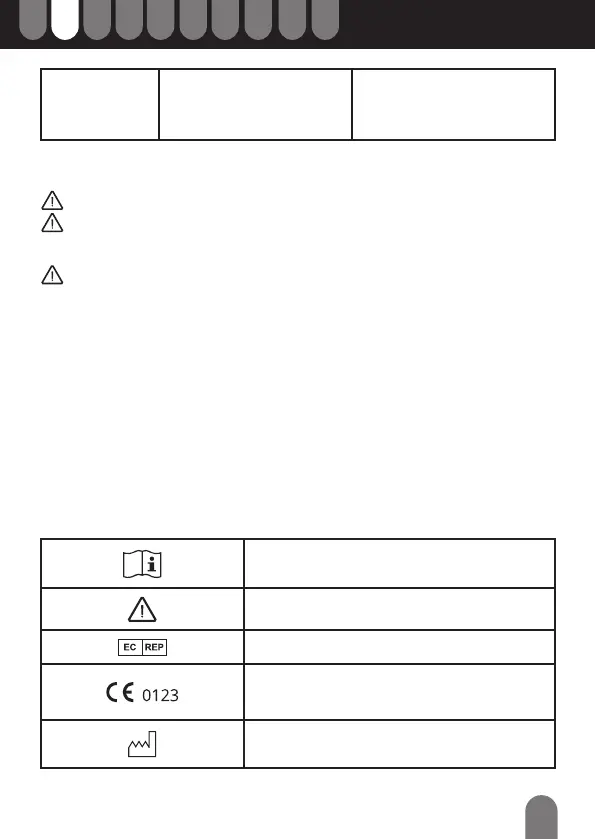
8. SYMBOLS KEY
Read the instructions before using the product and/
or its accessories.
Safety Notice
Legal representative in the European Union
CE marking: The product system conforms to
the essential requirements of the Medical Device
Directive 93/42/EEC.
Date of manufacture


 To Next Page