TNC3 User Guide
TNC Switches, Connectors and Indicators
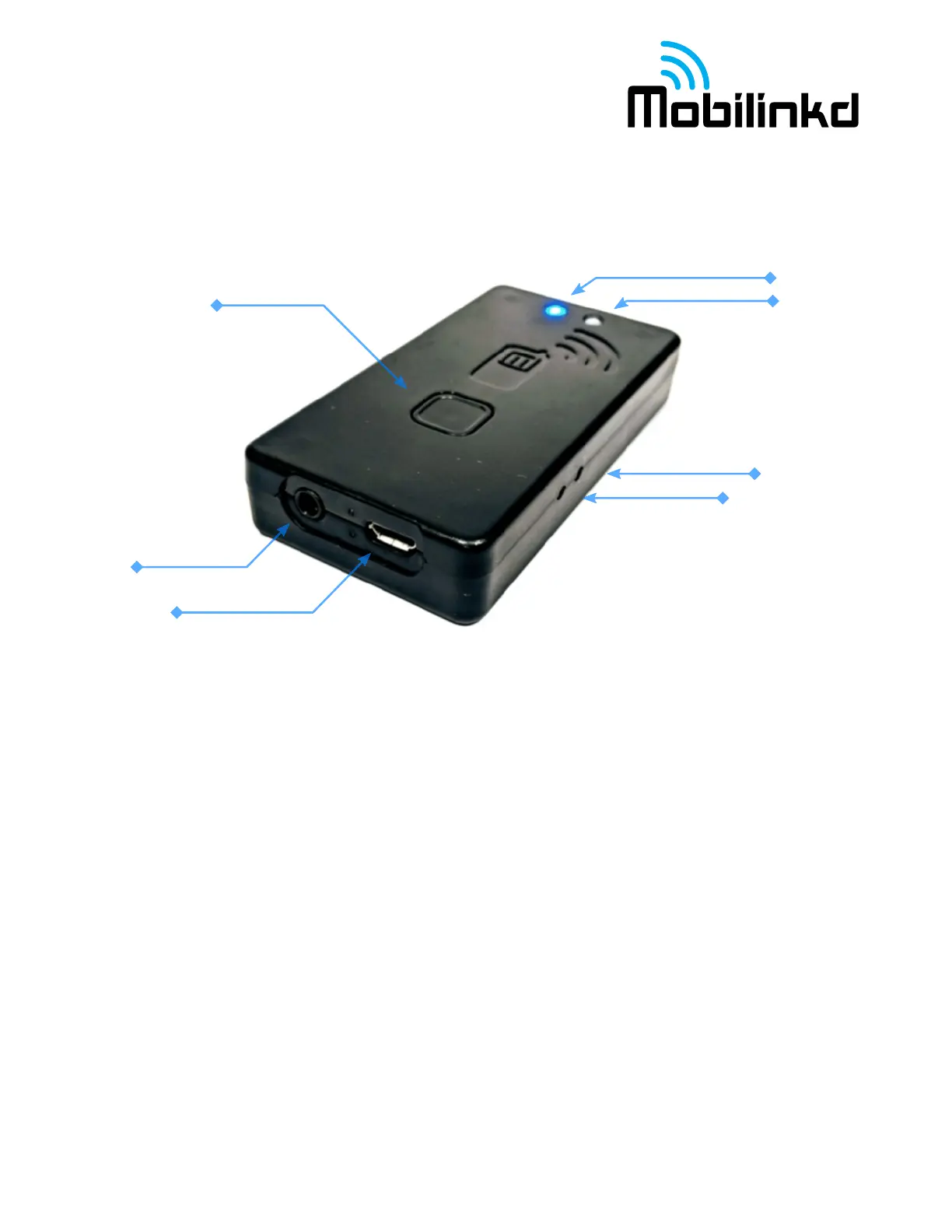
The Mobilinkd TNC3 has three switchs, two connectors and two indicators. Each of these is shown in
the image and described below.
S1 – Power button. Press briefly to turn on. Power/BT LED will flash. Press briefly to turn off. The
power/Bluetooth LED will turn off.
S2 recessed reset switch. To reset the TNC, carefully insert the tip of a pen into the hole and gently
depress the switch.
S3 recessed DFU button. This is used when updating the device firmware. To enter firmware update
mode, carefully insert the tip of a pen into the hole and gently depress the switch.
USB – Micro-USB connector for charging/power/USB serial port.
TRRS – 3.5mm TRRS audio connector for Radio.
1. Tip = Speaker (audio input to TNC)
2. Ring 1 = PTT (Simplex PTT mode)
3. Ring 2 = Mic (and PTT in Multiplexed PTT mode)
4. Sleeve = GND/Common
RGB LED – This is a mult-function indicator. The blue LED flashes slowly when disconnected,
flashes a double-blip when connected via Bluetooth, or flashes a triple-blip when connected via USB.
The LED shows red when transmitting and green when receiving data.



 To Next Page