MobilSat Mounting Instructions – User Manual
Page 10 of 16
2 User manual
2.1 General notes
General notes regarding the usage of the system:
Base operations have been developed in such a way that power on and satellite search
will be performed simply switching on the unit.
The system manages three satellites. Default configuration consist of Hot Bird, Astra 1
and Atlantic Bird 3. In case you need another satellite follow instructions in Chap. 2.4.
The system automatically saves the last satellite and the geographical sector setting, if
selected.
It is possible to interrupt in any moment the automatic satellite search function, simply
pressing the “Menu” key.
System goes automatically in stand-by 3 minutes after having pressed the last key. To
exit the stand-by status press any the touch screen
System beeper issues three different signals;
A “low” signal issued for three seconds, at the end of the automatic satellite search
phase
A “high” signal, issued during the closing procedure of the antenna with engine on.
This signal will be stopped only when the antenna is completely closed
A “short” signal every time a key is pressed
2.2 The control panel
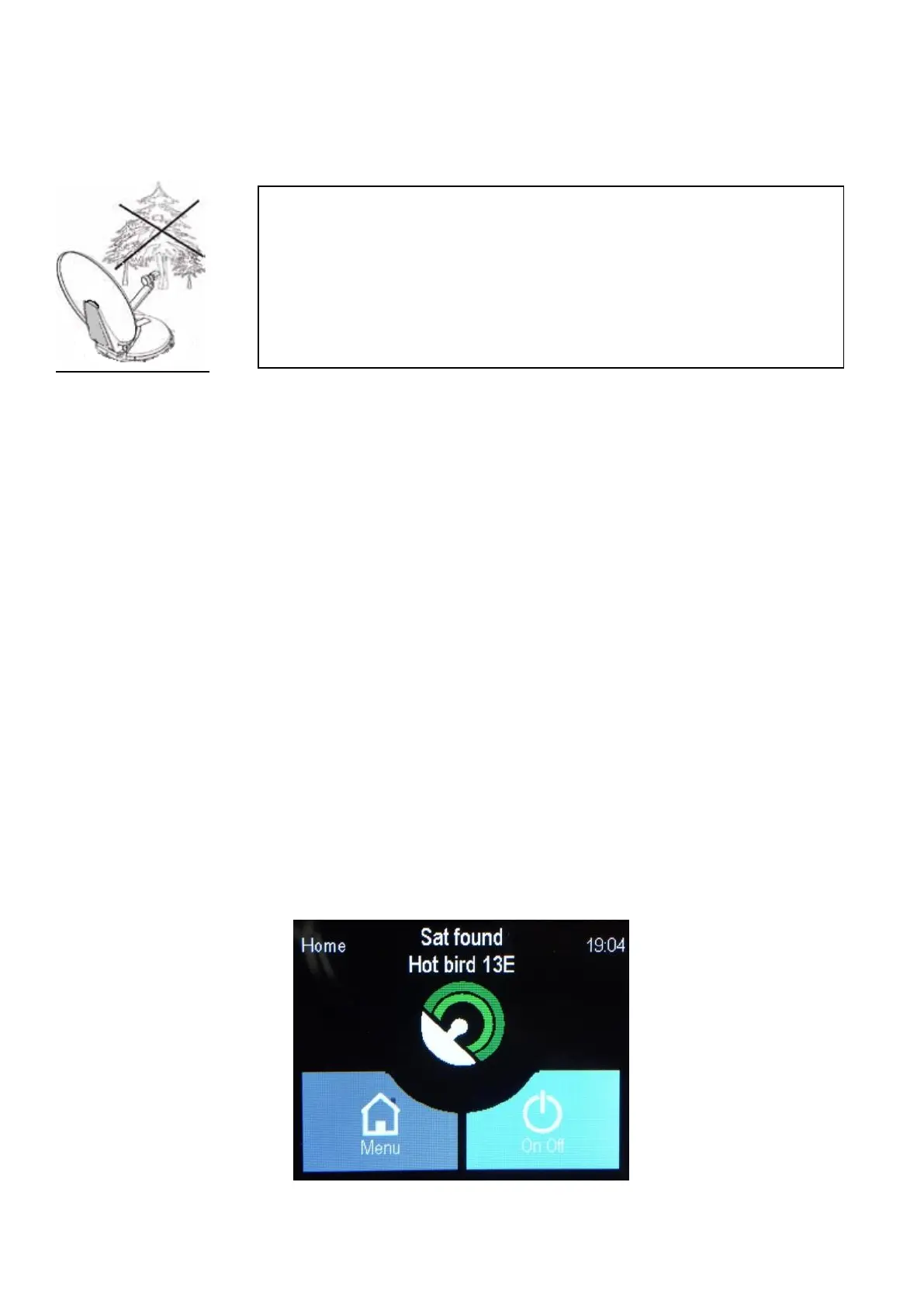
All functions are activated via the touch screen control panel, shown in the following figure
.
For proper operation of the tracking system and the correct
reception of the signal from the satellite, pay attention that there are
no obstructions between the dish and the south, as the majority of
the satellites covering Europe are facing south.
If between the caravan and the satellite there are obstacles
(buildings, mountains, trees, etc.) in a direct line, it will not be
possible the automatic orientation and the TV signal reception.


 To Next Page